

How to Change Your Email Address on LinkedIn
How to change your email on LinkedIn: add the new address, confirm it, make it primary and remove the old one, on desktop and in the app.
LinkedIn's email page does not give a field where you overwrite your email address. You change it by adding the new address, confirming it from your inbox, then setting it as primary, and the old one only comes off after that. LinkedIn states the constraint plainly: "Your primary email address can only be replaced with a verified email address."
On desktop the route is Me, Settings & Privacy, Sign in & security, Email addresses, then Add email address. LinkedIn publishes the steps under three tabs, Desktop, Mobile and Mobile Browser, and the three differ in small ways that matter when a label on your screen does not match the one you read.
The steps and rules below come from LinkedIn Help pages fetched for this guide, quoted where the exact wording decides the answer, and labeled by the platform tab LinkedIn publishes them under.
Automate your LinkedIn for 30 days
The four steps, in the order LinkedIn documents them
| Step | What happens | Where LinkedIn documents it |
|---|---|---|
| 1. Add | Enter the new address and your LinkedIn password, then Submit | Desktop, Mobile and Mobile Browser tabs |
| 2. Confirm | Log in to that inbox and follow the prompts in the email | All three tabs |
| 3. Make primary | Click or tap Make primary for the new address | All three tabs |
| 4. Remove the old one | Remove next to the address | All three tabs, and a second Help page with its own tabs |
The order is not optional. LinkedIn's removal page carries the rule as an Important note: "To remove a primary email address, you must first make one of your secondary email addresses your new primary email address. Only then will the Remove link appear next to the email address."
The same removal page adds a note on invitations: "A primary email address is mandatory to send invitations."
How to change your email on LinkedIn on desktop
LinkedIn publishes these under its Desktop tab.
- Click the Me icon at the top of your LinkedIn homepage.
- Click Settings & Privacy.
- Click Sign in & security on the left pane and click on Email addresses under Account access.
- Click Add email address. LinkedIn adds a warning here: "For security purposes, you may be prompted to enter a verification code sent to your primary email address or to approve the change through your LinkedIn app."
- Enter the new email address and your LinkedIn password in the text box and click Submit.
- Log in to your email account and follow the prompts in the email to validate your new address.
- To make the new address primary, click Make primary next to the email address you added.
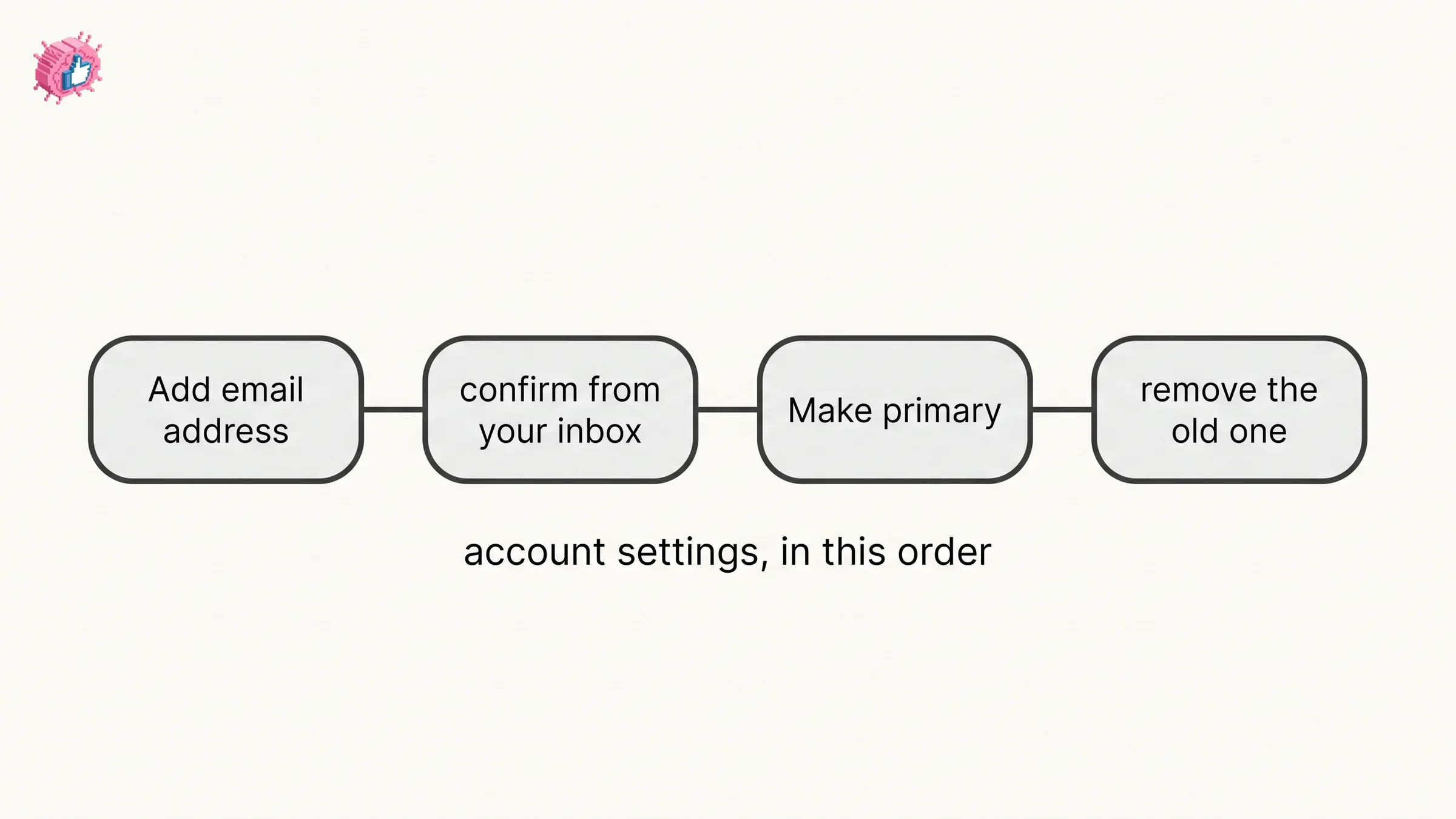
Step 4 is hedged: LinkedIn says you may be prompted for a code or an app approval, not that you always will.
One more thing appears on this page as an Important to know note, and it is conditional: "In case you see a toggle next to your recently added & confirmed email, please turn it on in case you need to activate a license or access one of our products (For example, Sales Navigator) using that e-mail. Turning on the toggle will not prompt you to reset your password."
How to change your email in the LinkedIn app or a mobile browser
LinkedIn publishes two separate mobile tabs on this page, Mobile and Mobile Browser, and they are not identical.
Mobile tab:
- Tap your profile photo, then Settings & Privacy.
- Tap Sign in & security, then Email addresses under Account access.
- Tap Add email address. The same verification code or app approval warning applies.
- Enter the new email address.
- Enter your LinkedIn password for confirmation and tap Submit.
- Log in to your email account and follow the prompts in the email to validate your new address.
- Tap Make primary to set the new address as primary.
Mobile Browser tab: the same seven steps, with two differences in the labels LinkedIn gives. Step 1 reads "Tap your profile photo, then Settings" rather than Settings & Privacy, and step 2 names Email addresses without placing it under an Account access heading.
| Desktop | Mobile | Mobile Browser | |
|---|---|---|---|
| Settings entry | Settings & Privacy | Settings & Privacy | Settings |
| Email addresses sits under | Account access | Account access | Named without a heading |
| Password entry | Same box as the address | A separate step | A separate step |
| Make primary control | Make primary | Make primary | Make primary |
LinkedIn's removal page, covered below, also names Settings rather than Settings & Privacy on its iOS and Android tabs.
How to verify a new email address
Verification is its own Help page with its own Desktop and Mobile tabs, and it is where you go if the confirmation email never arrives or you skipped it.
LinkedIn lists when a verification is needed: when you created a new LinkedIn account, when you added a new email address to your account, and when an email LinkedIn sent could not be delivered to you.
On desktop: click the Me icon, select Settings & Privacy, click Sign in & security on the left pane, click Email addresses under the Account access section, and then, in LinkedIn's words, "If your email address isn't confirmed, you'll see Send verification next to it, click it." You then get an email with a link to confirm the address. The Mobile tab gives six matching steps as taps, starting from your profile photo rather than the Me icon.
LinkedIn publishes three troubleshooting lines on that page:
- If you do not see the email, check your spam or junk folder.
- If your email bounced again, add another valid email address and remove the email address that bounced.
- If you only have one email address and it has bounced, you will have to verify your identity to regain access to your account.
That last route is identity verification to regain access, and LinkedIn's recovery page says the data it receives is processed "for the purpose of account recovery". The verification badge on a profile is covered in how to get verified on LinkedIn, where confirming a work email address is one of the routes.
How to remove the old email address
The add-and-confirm page ends the step list on each of its three tabs with "Tap Remove next to an email address to delete it." LinkedIn also documents removal on a separate page, tabbed Desktop, iOS and Android, and the controls that page names are not the same on each.
Desktop:
- Click the Me icon in the top right corner of your LinkedIn homepage.
- Select Settings & Privacy from the dropdown.
- Click Sign in & security in the left rail.
- Click Change next to Email addresses.
- Click Remove next to the email address.
iOS and Android: both tabs give the same five steps. Tap your profile picture, tap Settings under your name, tap Sign in & security, tap Email addresses, then "Tap the X next to the existing email address."
Two details are worth reading twice. The desktop tab says Change next to Email addresses, while the add-and-confirm page routes you to Email addresses under Account access, so the two pages word that step differently. And the control is named Remove on the Desktop tab but X on the iOS and Android tabs, even though the Important note repeated on that same page calls it "the Remove link". Both wordings come from the same page.
LinkedIn attaches the same security hedge to removal: "You may be asked to enter your password for security reasons. You may also be asked to enter a verification code sent to your email address or to approve the change through your LinkedIn app."
Automate your LinkedIn for 30 days
How many email addresses you can have, and why a second one helps
The pages read for this guide say you can add more than one without giving a number: "You can add multiple email addresses to your LinkedIn account. You can log in to your LinkedIn account using either primary or an additional email address account. We recommend that you add at least one personal address and one work address to ensure you can always access your account."
LinkedIn devotes a separate page to why that second address matters, and three of its reasons bear directly on changing an email:
- A backup address helps you avoid being locked out if you lose access to the primary one. LinkedIn is specific about the mechanism: "We can only send a password reset link to confirmed email addresses on your account."
- If LinkedIn detects a problem with your primary address, it states that it "will instead consider your additional email address as your primary email address to send all your notifications, based on your notification settings".
- An invitation sent to an address you have not added to your account can produce an error or a second account: "If someone sends an invitation to an email address you haven't associated with your account, you could get an error message or accidentally create a second account when you try to accept."
LinkedIn closes that page with the confirmation requirement again: "When you add an additional email address to your account, you'll also need to confirm it by signing in to your email account and following the prompts in the email to validate your new address."
The primary address is also the one your notifications go to, which is worth knowing before you switch it. Which notifications arrive by email at all is a separate set of controls, covered in the LinkedIn notifications guide, and job alerts are delivered by email, app notification, or both.
What LinkedIn documents when you cannot get the verification code
This is the case the add flow does not cover, and LinkedIn gives it a page of its own titled No access to email address.
The short version: the pages read for this guide document no way to skip the check. LinkedIn routes you to account recovery and then to identity verification. In its own words: "If you can't recover your password or don't have access to any of the email address(es) or phone number(s) associated with your account, we can help you access your account by verifying your identity."
The password reset path LinkedIn publishes:
- Select Forgot password on the Sign-in screen.
- Enter the email address or phone number currently associated with your account and click Next.
- You will be asked to enter a verification code sent to your email.
- Since you do not have access to that email account, click Can't access this email?
- If more than one address or number is on the account you may be prompted to pick one. If you do not have access to any of them, click Don't have access to any of these?
- Scan the QR code displayed on your screen. LinkedIn notes: "This step only appears on desktop."
- Enter the new email address you want associated with your account. A link to your LinkedIn profile is optional.
- Provide an image of a valid government issued ID so LinkedIn can verify your identity, after which it processes the information and contacts you.
LinkedIn gives the reason for step 8 on the same page: "We ask for your ID card to ensure that only you regain access to your account and no unauthorized entity is given access."
| Situation | What LinkedIn documents |
|---|---|
| You have the old inbox | Add, confirm, Make primary, then remove the old address |
| The confirmation email did not arrive | Send verification next to the unconfirmed address, then check spam |
| Your address bounced and it is your only one | Verify your identity to regain access |
| You have no access to any address on the account | Forgot password, Can't access this email?, then identity verification |
Closing an account you cannot get into leads to the same recovery route: how to delete a LinkedIn account quotes LinkedIn routing that case to recovery rather than to the close flow.
When the new address is already in use
LinkedIn publishes a separate page for the error you get when the address you are adding belongs to an existing account. It lists four causes, including one specific to Gmail addresses: "You're using a canonical form of a Gmail address that includes periods or other symbols in the first part of the address like a.bc@gmail.com or a.b.c@gmail.com instead of abc@gmail.com".
For a recycled address, LinkedIn points you to Support without promising an outcome: "If you suspect you have been issued a recycled email address, please contact LinkedIn Support for help adding the email to your account. Please note that if this address is registered to another account, there may be a delay adding it to your account. In some cases, it may not be possible to add it to your account."
The account email and the email on your profile
Your account email addresses live in Settings & Privacy under Sign in & security. The Contact info section of your profile also shows an email address, and two LinkedIn pages describe it differently. The Contact info page says: "By default, your email address is pre-filled, based on what you entered as your primary email address during sign up." The email visibility page says: "By default, the primary email address you've registered with LinkedIn is only visible to your direct connections on LinkedIn." Neither page says whether the address shown in Contact info changes when you switch primaries.
LinkedIn's page on editing Contact info adds that "You can choose what contact information you provide and who can view your email from your Settings & Privacy page." The email visibility page gives that control as Settings & Privacy, Visibility, Email visibility, with four options from Only visible to me to Anyone on LinkedIn.
The Contact info form is reached from your profile rather than from settings, and it is the same screen that holds your Profile URL, covered in how to find and share your LinkedIn URL.
Two neighboring edits are worth knowing while you are in these screens. Changing your name on LinkedIn has its own documented restrictions, one of which is that LinkedIn does not allow email addresses to be used as a name. And if you are editing several profile fields at once, updating LinkedIn without notifying your network covers the Share profile updates toggle, which LinkedIn documents as covering job changes, education changes, and work anniversaries.
The primary address also matters for data exports. LinkedIn's page on exporting connections says "You'll receive an email to your Primary Email address which will include a link where you can download your data." Exporting your LinkedIn connections covers the file itself, whose email column depends on each connection's own privacy setting, not on yours. In the other direction, the email visibility page's Desktop tab has a toggle to "allow your connections to download your primary email address in your connections' data exports." Other per-feature guides are indexed in LinkedIn features explained.
Sources: LinkedIn Help, Manage your email address, Remove an email address from your LinkedIn account, Verify your Email address on LinkedIn, No access to email address, Benefits of Adding a Second Email Address to your Account, Email address is already registered, Contact Info Section of Your Profile, Edit the Contact Info Section of Your Profile, Manage who can see your email address on LinkedIn, Verify your identity to recover account access, Export connections from LinkedIn, Share profile updates.
FAQ
How do I change my email address on LinkedIn?
Add the new address first, then promote it. Click the Me icon, click Settings & Privacy, click Sign in & security then Email addresses under Account access, click Add email address, enter the address and your password, click Submit, confirm from your inbox, then click Make primary. Remove the old address afterward.
How do I change my email on the LinkedIn app?
Tap your profile photo, then Settings & Privacy, tap Sign in & security, then Email addresses under Account access, tap Add email address, enter the address, enter your password and tap Submit, confirm from your inbox, then tap Make primary. LinkedIn's separate Mobile Browser tab names Settings in that first step instead.
Can I change my LinkedIn primary email directly?
No, and LinkedIn says why: "Your primary email address can only be replaced with a verified email address." The new address has to be on the account and confirmed before it can become the primary one.
How do I change my LinkedIn email without a verification code?
The pages read for this guide document no route that skips the check. The add flow says you may be prompted for a code sent to your primary address or for an app approval, and for the case where you have no access to your email, LinkedIn's No access to email address page routes you to Forgot password, then Can't access this email?, then identity verification with a government issued ID.
Why can't I remove my old LinkedIn email?
The reason LinkedIn documents is that it is still the primary address. Its rule is: "To remove a primary email address, you must first make one of your secondary email addresses your new primary email address. Only then will the Remove link appear next to the email address."
How many email addresses can I have on LinkedIn?
More than one. LinkedIn states "You can add multiple email addresses to your LinkedIn account" and recommends at least one personal and one work address, and the pages read for this guide do not give a maximum number.
What if LinkedIn says my email is already registered?
That address is on an existing account. LinkedIn lists four causes, including Gmail addresses typed with periods in the first part, and tells you to sign in rather than join. For a recycled address it points you to LinkedIn Support and says it may not be possible to add it.
Does changing my LinkedIn email change the email on my profile?
The pages read for this guide do not say. Account addresses sit under Sign in & security. LinkedIn's Contact info page says the email there is "pre-filled, based on what you entered as your primary email address during sign up", while its email visibility page describes the email others can see as "the primary email address you've registered with LinkedIn".
Where do my LinkedIn notifications go after I change the primary address?
To the primary address. LinkedIn describes the primary as the address used for your LinkedIn notifications, and adds that if it detects an issue with it, it "will instead consider your additional email address as your primary email address to send all your notifications, based on your notification settings".
Automate your LinkedIn for 30 days
ViralBrain plans, writes, and schedules your LinkedIn content, using official LinkedIn APIs so your account stays safe.
- Official LinkedIn APIs, no risk of ban
- You approve every post before it goes live
- Cancel anytime
Keep reading
How to Add a Website to LinkedIn (Profile and Page)
How to add a website to your LinkedIn profile on desktop and in the app, the three link limit, the Website type dropdown, and the Page route.
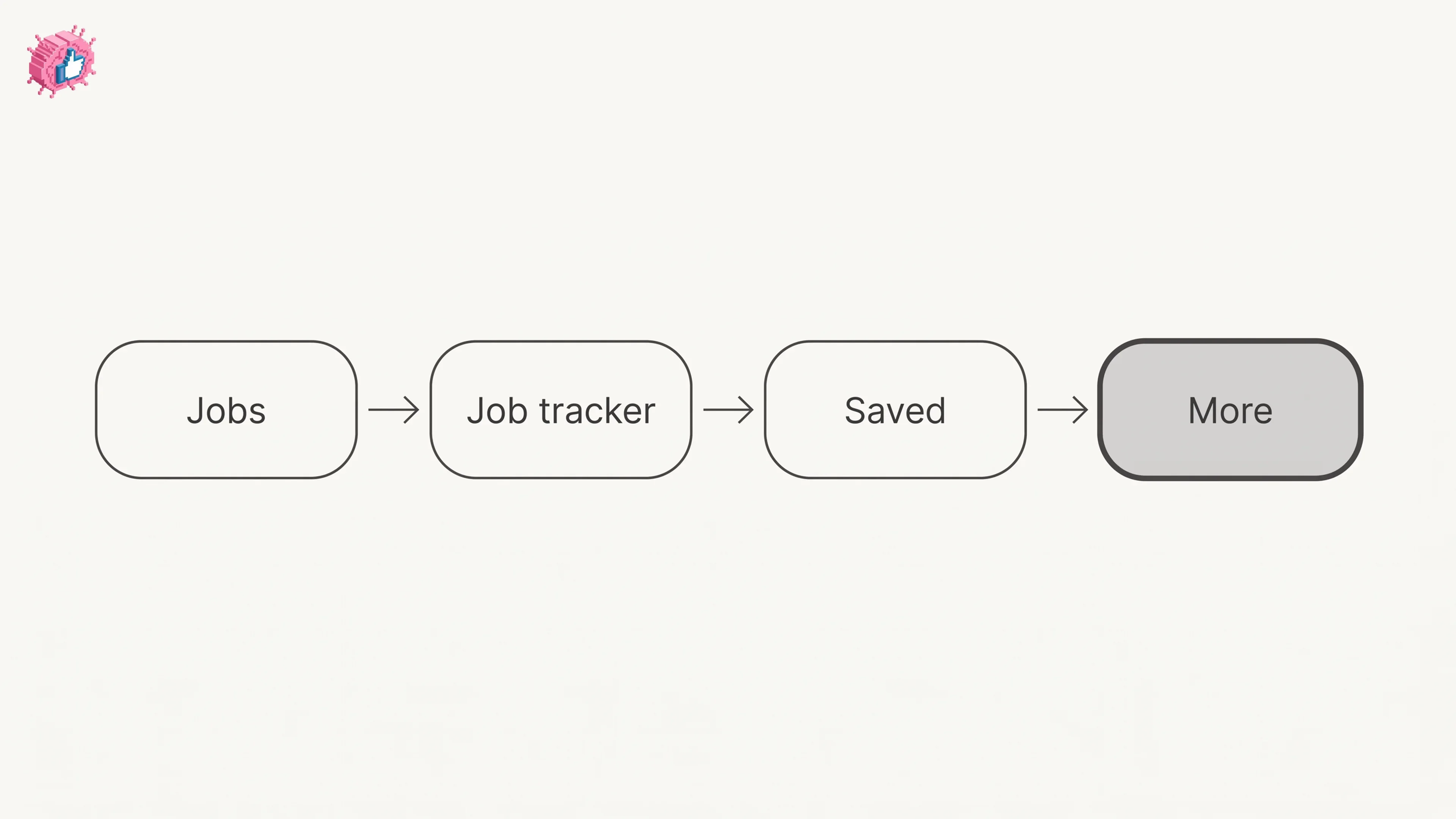
LinkedIn Saved Jobs: Where They Live
Save a job from the job details page and find it under Jobs, Job tracker, Saved. The 2000 cap, why archiving does not free space, and no bulk unsave.
How to See Your Followers on LinkedIn
The four steps LinkedIn publishes to open your followers list, where the follower count sits, the setting that removes followers, and Page followers.