

The LinkedIn Profile Optimization Checklist for 2026
A step-by-step LinkedIn profile optimization checklist for 2026. Optimize your photo, headline, About, featured, skills, and profile SEO for more views.
Your LinkedIn profile is searched more often than you think. LinkedIn reports more than 1 billion members across 200+ countries, and recruiters, buyers, and potential collaborators run searches on the platform every single day. If your profile is not optimized, you are invisible to most of them.
This LinkedIn profile optimization checklist walks you through every section that matters, from your photo to your activity feed, in the order you should fix them. Each step covers what to do and why it matters, so you are not just ticking boxes. The goal is simple: more profile views, more search appearances, and more of the right people reaching out to you.
Whether you are a job seeker, a founder building a personal brand, a sales pro filling a pipeline, or a creator chasing reach, the same fundamentals apply. Work through the checklist top to bottom and you will have a profile that ranks in search and converts visitors into connections.
Automate your LinkedIn for 30 days
Why LinkedIn profile optimization matters in 2026
LinkedIn is two things at once: a professional network and a search engine. People find you through LinkedIn search, Google search, and the platform's own recommendation surfaces. Your profile is the landing page that decides whether they stay or scroll past.
Three forces make optimization non-optional this year:
- Search visibility. LinkedIn ranks profiles in its internal search based on keywords, completeness, and relevance. Empty or vague profiles lose to keyword-rich ones.
- First impressions move fast. Visitors decide in seconds whether you are credible. Your photo, headline, and the top of your About section carry most of that weight.
- AI and recruiters scan structured data. Recruiters filter on skills, titles, and locations. The more complete and accurate your fields, the more filters you pass.
Optimizing your profile is the highest-leverage hour you can spend on LinkedIn. Posting content matters too, and a strong LinkedIn content strategy guide helps you stay consistent, but none of it converts if the profile people land on is weak.
The LinkedIn profile optimization checklist at a glance
Use this table as your map. Each row is a profile section, the single highest-impact action for it, and how much it moves the needle on visibility and credibility.
| Profile section | Quick win | Impact |
|---|---|---|
| Profile photo | Clear, friendly headshot, face fills 60% of frame | High on trust |
| Background banner | Branded banner with your value proposition | Medium on credibility |
| Headline | Keyword-rich, outcome-focused, beyond your job title | High on search and clicks |
| About section | First two lines hook, body adds proof and keywords | High on conversion |
| Featured section | 3 to 4 best links, posts, or media pinned up top | Medium on credibility |
| Experience | Achievement bullets with metrics and keywords | High on search |
| Skills | Top skills aligned to target roles and searches | High on recruiter filters |
| Custom URL | Clean vanity URL with your name | Low effort, medium SEO |
| Activity | Post or comment weekly to stay visible | High on reach over time |
Work through the sections below in this order. Photo, headline, and About come first because they carry the most weight with both humans and the algorithm.
Step 1: Lock in a professional profile photo
What to do: Upload a recent, high-resolution headshot where your face fills roughly 60 percent of the frame. Use natural light, a simple background, and a genuine expression. Skip group photos, logos, sunglasses, and anything blurry.
Why it matters: Your photo is the first thing every visitor sees. Profiles with a clear, professional photo signal that you are a real, active person, which builds instant trust before anyone reads a word. A missing or low-quality photo is one of the fastest ways to lose a visitor.
Quick wins:
- Crop tight so your face is the focal point
- Use a background that does not compete for attention
- Wear what you would wear to meet your ideal client or employer
- Keep it current so people recognize you in real life
Step 2: Design a background banner that sells your value
What to do: Replace the default gray banner with a custom 1584 x 396 pixel image. Include your value proposition, a tagline, or a simple visual that reinforces what you do. Founders can show their product, sales pros can name their niche, creators can state their content theme.
Why it matters: The banner is prime real estate that most people waste. A branded banner turns a blank space into a billboard that frames who you are the moment someone lands on your profile. It is one of the easiest credibility upgrades available.
Keep text in the center and right side, since your photo and headline overlap the lower left on most layouts. Aim for one clear message, not a cluttered collage.
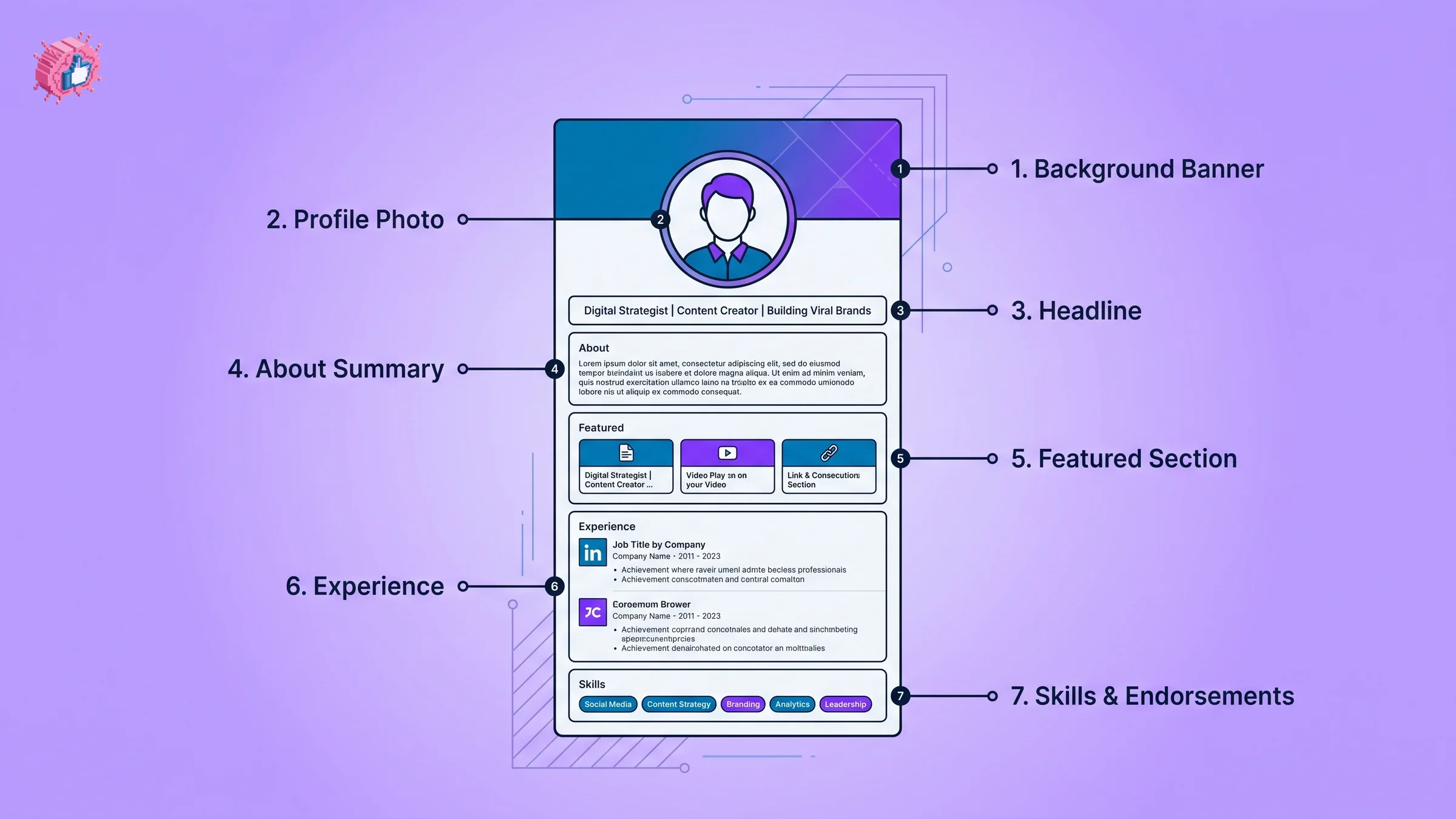
Step 3: Write a keyword-rich headline
What to do: Go beyond your job title. Your headline has up to 220 characters, so use them. Combine who you help, what you do, and the outcome you deliver, and weave in the keywords your audience actually searches.
A simple formula: [Role or expertise] helping [audience] achieve [outcome] | [keywords or proof].
Why it matters: Your headline appears next to your name everywhere on LinkedIn: in search results, comments, connection requests, and the feed. It is the most-seen text you own, and LinkedIn weighs it heavily in search ranking. A headline that just says "Marketing Manager" wastes the single biggest linkedin seo profile opportunity you have.
If you are stuck, a LinkedIn headline generator can spin up keyword-aware options in seconds, and you can refine from there. Test a few variations and pick the one that reads naturally while still carrying your core terms.
Quick wins:
- Lead with your specialty, not your seniority
- Include 2 to 3 keywords your audience searches
- Add one proof point or differentiator
- Avoid buzzwords like "guru" or "ninja"
Step 4: Rewrite your About section to hook and convert
What to do: Treat the About section like a landing page. The first two lines are all that show before the "see more" cutoff, so open with a hook that names the reader's problem or your boldest result. Then expand with proof, your story, the keywords you want to rank for, and a clear call to action at the end.
Why it matters: The About section is where interested visitors decide to connect, follow, or reach out. It is also indexed for search, so it is a key place to repeat your target keywords naturally. A strong About section turns a curious visitor into a lead or a follower.
Structure that works:
- Hook: one or two punchy lines that earn the click on "see more"
- Proof: results, clients, numbers, recognizable names
- Story: why you do what you do, in plain language
- Keywords: the terms your audience searches, used naturally
- Call to action: how to work with you, follow you, or get in touch
Writing about yourself is hard. A LinkedIn summary generator gives you a structured first draft you can personalize, which beats staring at a blank box. The same hook discipline that wins on your profile wins in the feed, and a LinkedIn hook generator helps you sharpen those opening lines for both.
Automate your LinkedIn for 30 days
Step 5: Curate your Featured section
What to do: Pin three to four of your best assets to the Featured section right below About. Good options include a high-performing post, a case study, a lead magnet, your newsletter, a portfolio link, or media coverage. Refresh it as your best work changes.
Why it matters: Featured is the only section where you fully control what visitors see next. It gives social proof and a path forward without making people dig. For founders and sales pros, it is a chance to route attention straight to a product or booking link.
Before you pin a post, it helps to know how it will look. A LinkedIn post preview lets you check formatting and line breaks so featured content reads cleanly.
Step 6: Turn your Experience into achievement bullets
What to do: For each role, replace duty descriptions with achievement bullets. Lead with a verb, add a metric, and include the keywords relevant to your target roles. "Grew pipeline 3x in 12 months by rebuilding outbound sequences" beats "Responsible for sales."
Why it matters: Recruiters and buyers skim for results, and LinkedIn search indexes your job titles and descriptions. Quantified bullets prove impact and pack in the keywords that help you surface in how to optimize linkedin profile searches for your role and industry.
Quick wins:
- Start each bullet with an action verb
- Quantify with numbers, percentages, or timeframes
- Mirror the language of the roles or clients you want
- Keep your current title accurate and keyword-aware
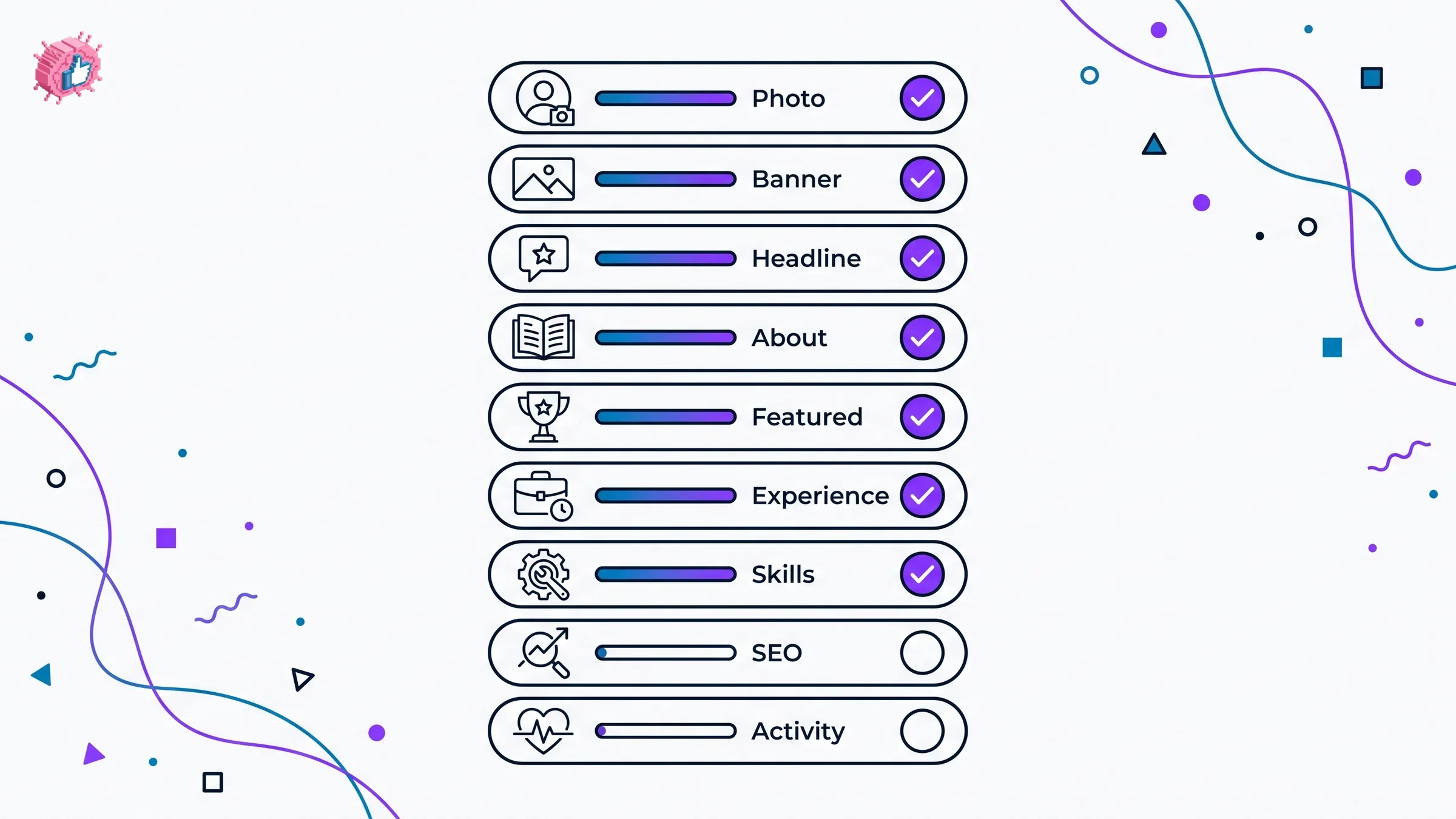
Step 7: Pick skills that match what people search
What to do: List the skills that align with your target roles and the searches your audience runs. LinkedIn lets you pin a top set, so put your most relevant and in-demand skills first. Ask colleagues and clients for endorsements on the ones that matter most.
Why it matters: Skills are a structured filter recruiters and buyers use directly. The right skills get you into more filtered searches and reinforce your positioning. Endorsements add a light layer of social proof on top.
Step 8: Sharpen your profile SEO
What to do: Treat your profile like a page you want to rank. Use a consistent set of target keywords across your headline, About, experience, and skills. Set your location and industry accurately, since these are searchable fields. Claim a clean custom URL at linkedin.com/in/yourname.
Why it matters: LinkedIn's internal search and Google both read your profile. Repeating your core terms across sections, without stuffing, tells both engines what you are about. A clean vanity URL is easier to share, looks more credible, and is a small linkedin profile tips 2026 win that takes two minutes.
Quick wins:
- Choose 3 to 5 core keywords and use them across sections
- Fill in location and industry fields
- Set a custom URL with your name
- Keep wording natural, never keyword-stuffed
Step 9: Stay active to compound your visibility
What to do: Post or comment at least once a week. Even thoughtful comments on relevant posts keep your name and headline in front of your network. Consistency, not volume, is what compounds.
Why it matters: Activity feeds the algorithm and keeps your profile alive in search and recommendations. A polished profile with zero activity looks dormant. Regular posting and engagement signal that you are present, which lifts both reach and profile views over time. The LinkedIn algorithm guide breaks down what the feed rewards, and the how to write a LinkedIn post guide covers structure that earns engagement.
Drafting takes the most time, so this is where a LinkedIn post generator earns its keep by turning your ideas into ready-to-edit posts. Pair it with viral post templates when you want a proven structure to start from.
What this means for you
You do not need to do all nine steps at once. Start with the three that carry the most weight, then work down the list.
- Fix your photo, headline, and About first. These three sections drive most of your first impression and search ranking. Spend your first 30 minutes here.
- Add your target keywords across every section. Pick 3 to 5 core terms and repeat them naturally in your headline, About, experience, and skills to strengthen your linkedin seo profile.
- Pin proof in Featured and quantify your Experience. Show results, not duties, so visitors trust you fast.
- Set your custom URL and complete every field. Small completeness wins add up in LinkedIn search.
- Post or comment weekly. A great profile plus steady activity is what turns views into connections, and a LinkedIn post generator keeps the drafting fast.
A fully optimized profile is the foundation. When you are ready to scale your content too, ViralBrain pricing covers the tools that turn an optimized profile into consistent reach.
Sources: LinkedIn About / Press (member statistics), LinkedIn Help: Add or edit your profile photo and background, LinkedIn Help: Customize your public profile URL, accessed June 2026
FAQ
What is a LinkedIn profile optimization checklist?
It is a step-by-step list of the profile sections you should improve to get more views and rank higher in search. A good checklist covers your photo, banner, headline, About, featured, experience, skills, profile SEO, and activity. Working through it in order gives you the biggest gains for the least effort.
How do I optimize my LinkedIn profile for search?
Choose 3 to 5 core keywords your audience searches, then use them naturally across your headline, About section, experience, and skills. Set your location and industry, claim a custom URL, and keep your profile complete. LinkedIn's internal search rewards keyword relevance and completeness.
What is the most important part of a LinkedIn profile?
Your headline and photo carry the most weight because they appear everywhere on the platform and shape the first impression. The first two lines of your About section come next, since they decide whether a visitor reads on. Optimize these three before anything else.
How long should my LinkedIn headline be?
LinkedIn allows up to 220 characters in the headline, and it is worth using most of them. Go beyond your job title to include who you help, the outcome you deliver, and a few searchable keywords. A LinkedIn headline generator can speed up the drafting.
What should I put in my LinkedIn About section?
Open with a hook in the first two lines, since that is all that shows before the cutoff. Then add proof, your story, your target keywords, and a clear call to action. A LinkedIn summary generator gives you a structured starting draft.
Do I need to post on LinkedIn to get profile views?
You do not need to post daily, but regular activity compounds your visibility. Posting or commenting at least once a week keeps your headline in front of your network and signals to the algorithm that you are active. A polished profile with no activity looks dormant.
How much does ViralBrain cost?
ViralBrain offers several plans, and a free trial is available. You can see the full breakdown on the ViralBrain pricing page, and the 100+ free tools at the tools directory require no account at all.
How often should I update my LinkedIn profile?
Review it every few months and after any major change such as a new role, a big result, or a shift in your focus. Keep your headline, About, and Featured section current so your profile reflects what you do now. Small, regular updates beat one big overhaul a year.
Automate your LinkedIn for 30 days
ViralBrain plans, writes, and schedules your LinkedIn content, using official LinkedIn APIs so your account stays safe.
- Official LinkedIn APIs, no risk of ban
- You approve every post before it goes live
- Cancel anytime
Keep reading
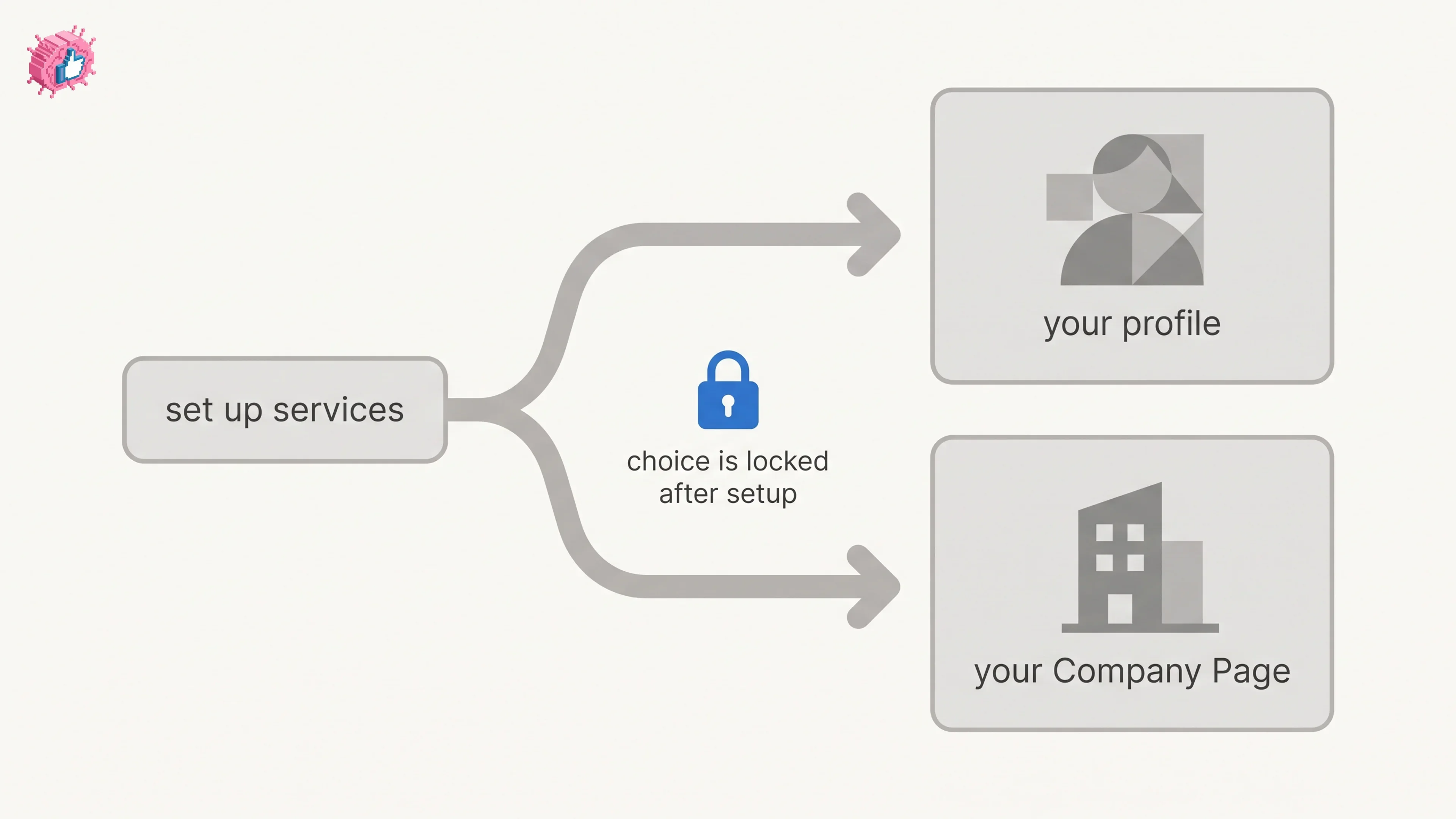
LinkedIn Service Page: setup, pricing, and the one-way choice
LinkedIn Service Pages are free for freelancers and consultants, but choosing profile or Company Page is locked once set. Setup steps and Premium limits.
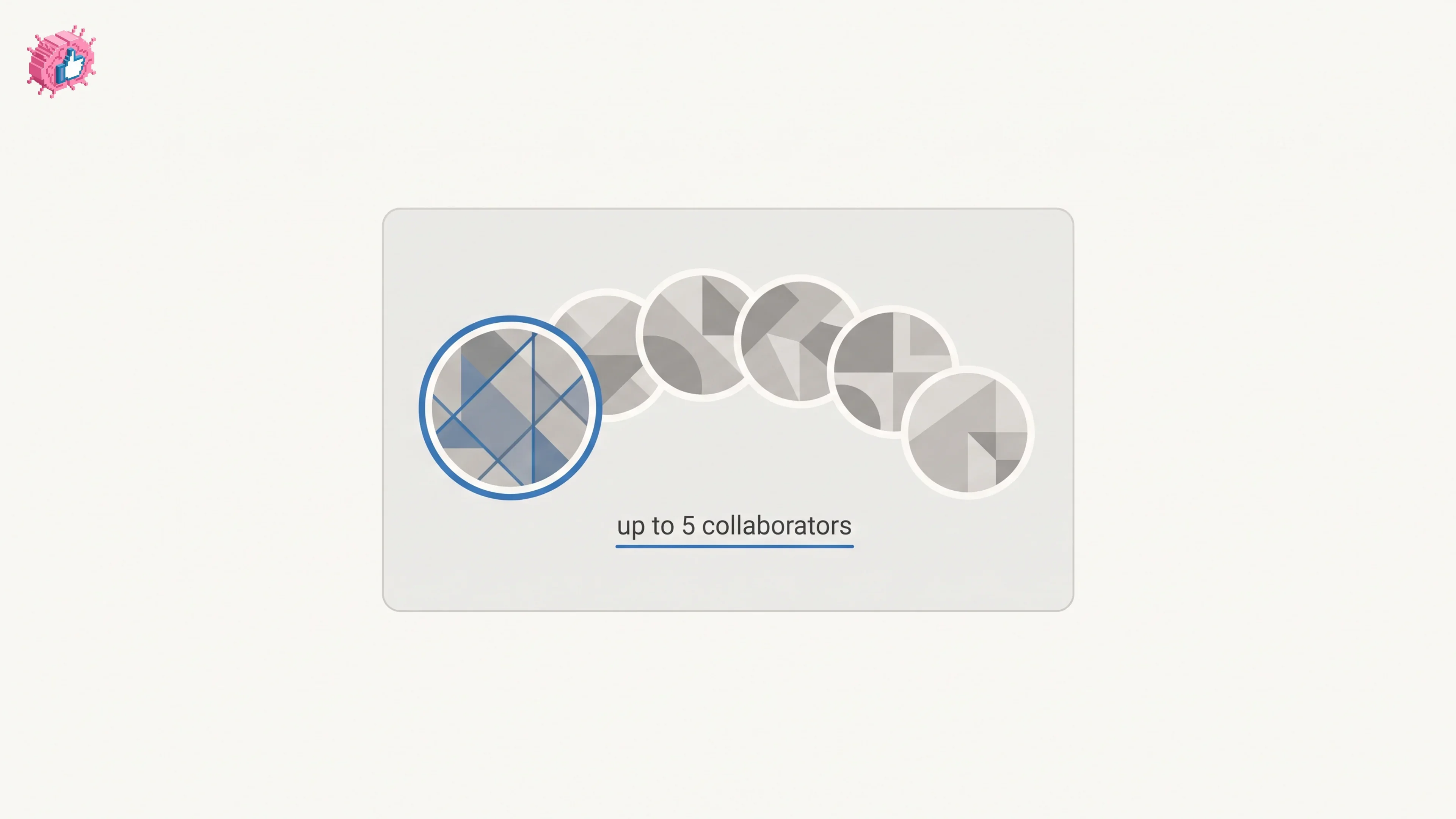
LinkedIn collaborative posts: how they work and who can use them
LinkedIn announced collaborative posts globally in July 2026, but help still limits creation to early access. How to add collaborators, and the limits.
How to become a LinkedIn Top Voice: what LinkedIn actually says
LinkedIn Top Voice is invite-only and the gold Community badge was retired in October 2024. The five selection factors, and the nomination form.