

8 best LinkedIn profile optimization tools in 2026
The 8 best LinkedIn profile optimization tools in 2026, ranked. Compare profile checkers, AI headline and summary generators, banner and headshot tools.
Your LinkedIn profile is the first thing a recruiter, prospect, or potential follower checks before they decide whether you are worth their time. A weak headline, an empty about section, or a default banner quietly costs you connection requests, inbound leads, and search visibility every single day.
The good news is that profile optimization is mostly fixable in an afternoon if you use the right tools. The right software audits what is missing, rewrites your headline and summary in seconds, generates a clean banner and headshot, and tracks your Social Selling Index so you know whether the changes are working.
This guide ranks the best LinkedIn profile optimization tools for 2026. We cover profile checkers, AI headline and summary generators, banner and headshot makers, and SSI trackers, with honest pricing and a decision framework so you can pick the right combination for your goals.
Automate your LinkedIn for 30 days
Best LinkedIn profile optimization tools: a brief overview
- ViralBrain free tools: Best free toolkit for rewriting your headline, about section, and banner without an account.
- Resume Worded (LinkedIn Review): Best AI profile checker that scores your full profile and gives line-by-line fixes.
- Taplio: Best for combining profile optimization with an SSI score tracker and content workflow.
- Supergrow: Best AI profile optimizer bundled with an AI writing tool for ongoing posting.
- Canva: Best free banner and visual design tool for a polished profile header.
- BetterPic: Best AI headshot generator for a professional profile photo without a studio.
- AuthoredUp: Best for tracking whether profile changes lift your reach and engagement over time.
- LinkedIn Social Selling Index: Best free, official benchmark for measuring profile and activity strength.
| Tool | Key strength | Pricing | Best for |
|---|---|---|---|
| ViralBrain free tools | Headline, summary, and banner generators with no account | Free tools; paid plans for content from $39/mo | Anyone rewriting profile copy fast and free |
| Resume Worded | AI profile scoring with specific line-level fixes | Free scan; paid from $49/mo | Job seekers and professionals wanting a full audit |
| Taplio | AI profile review plus SSI tracking and content | From $49/mo; 7-day trial | Creators tying profile to an active posting habit |
| Supergrow | AI profile optimizer inside an AI writing suite | Free plan; paid from $19/mo | Creators who want optimization plus drafting |
| Canva | Free banner and graphics with LinkedIn templates | Free plan; Pro from $15/mo | Anyone designing a custom profile banner |
| BetterPic | AI-generated professional headshots from photos | One-time from $35 | Professionals needing a polished headshot fast |
| AuthoredUp | LinkedIn analytics and formatting to measure impact of changes | Free plan; Pro from $14/mo | Creators validating optimization with data |
| LinkedIn SSI | Official Social Selling Index benchmark | Free | Everyone measuring baseline profile strength |
1. ViralBrain free tools, best free toolkit for profile copy
ViralBrain runs a set of free LinkedIn tools that cover the copy and visual parts of profile optimization without asking you to create an account. The most relevant for profile work are the LinkedIn summary generator for your about section, the LinkedIn headline generator for your headline, and the LinkedIn banner maker for your header image.
What makes these useful for optimization specifically is that they are built around how LinkedIn profiles actually convert: keyword-rich headlines that surface in search, about sections that lead with a clear value statement, and banners sized correctly for the LinkedIn crop. You paste in your role and target audience, and the tools generate options you can edit and use directly. If you want a structured walkthrough of every profile section, pair the tools with the LinkedIn profile optimization checklist.
Key features:
- LinkedIn summary generator for a value-led about section
- LinkedIn headline generator for keyword-rich headlines
- LinkedIn banner maker sized for the correct LinkedIn crop
- AI headshot and profile photo tooling for a clean headshot
- No account needed for the free tools
Best for:
- Professionals rewriting a headline and about section in one sitting
- Job seekers who want keyword-optimized copy that ranks in recruiter search
- Anyone who wants a free starting point before committing to a paid tool
Pricing:
- Free tools at
/tools/*with no account required - Paid ViralBrain plans from $39/mo for ongoing AI content generation
- See ViralBrain pricing for full plan details
Pros:
- The headline, summary, and banner tools cover the highest-impact profile fields in one place
- Genuinely free with no signup friction for the utility tools
- Copy is tuned for LinkedIn search visibility, not generic marketing language
Cons:
- The free tools optimize copy and visuals, but they are not a single full-profile scoring dashboard
- For an automated profile score, pair them with a dedicated checker like Resume Worded
2. Resume Worded, best AI profile checker
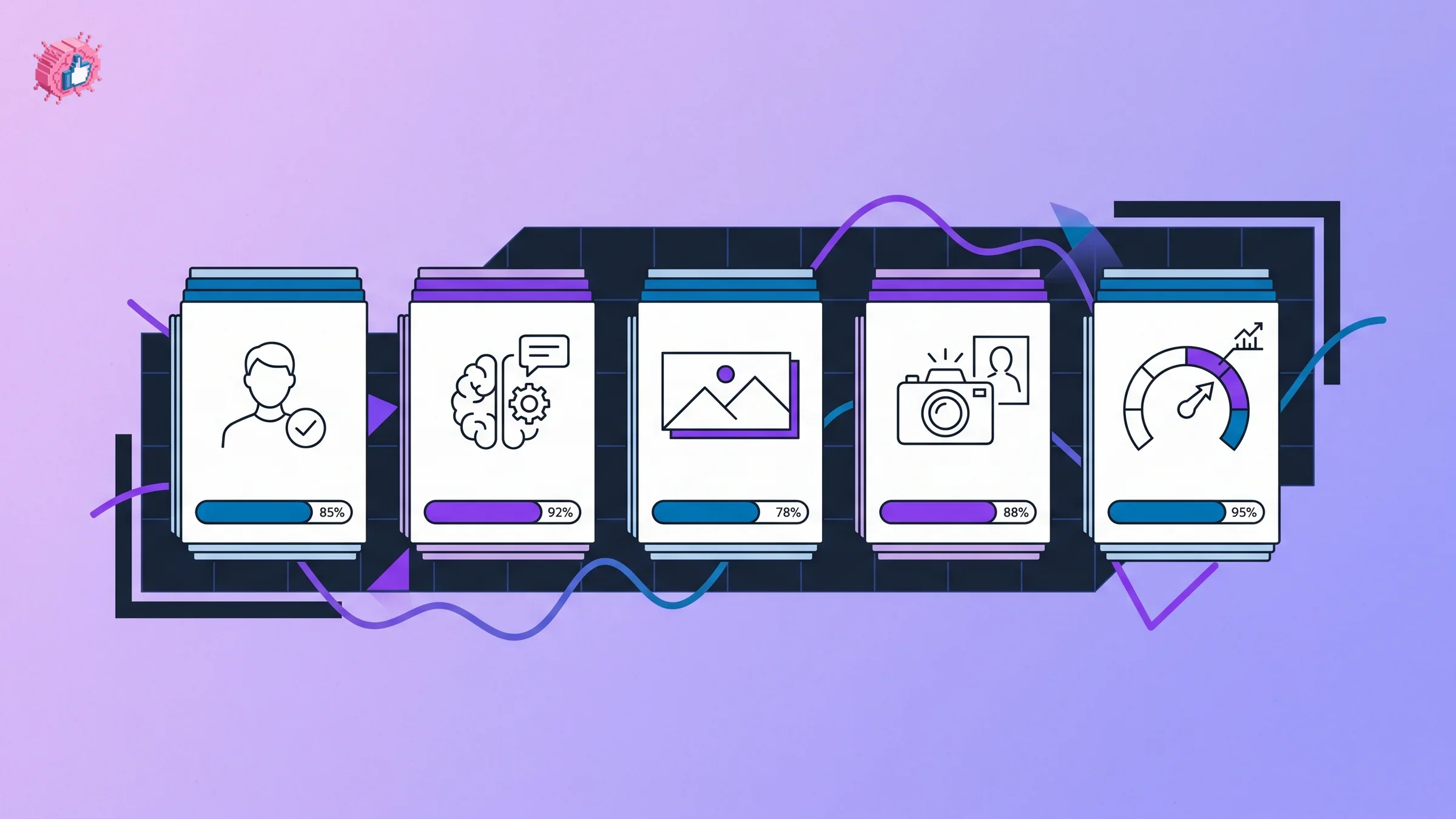
Resume Worded runs a free AI-powered LinkedIn profile review that scans your full profile and returns a score with specific, line-level recommendations. Instead of vague advice, it flags weak headline phrasing, missing keywords, an underdeveloped about section, and experience bullets that fail to show impact. For job seekers and professionals who want a clear audit before they start editing, it is the fastest way to see what is dragging your profile down.
The tool is positioned around career outcomes: it compares your profile against what recruiters and hiring managers look for, then prioritizes the changes most likely to improve how you show up in search and how your profile reads to a human. It is an analyzer rather than a content suite, so you fix the issues using its guidance and your own edits.
Key features:
- Full-profile AI score with a breakdown by section
- Line-level rewrite suggestions for headline, about, and experience
- Keyword and searchability analysis against your target roles
- Profile completeness and impact checks
- Companion resume tools for job seekers
Best for:
- Job seekers preparing for an active search who need a recruiter-aligned audit
- Professionals who want a prioritized fix list rather than open-ended advice
- Anyone who wants a number to track before and after optimization
Pricing:
- Free LinkedIn profile scan with a sample of recommendations
- Paid plans from around $49/mo for full access across its tools
Pros:
- The line-level feedback is specific and actionable, not generic
- Strong at surfacing missing keywords that affect recruiter search
- A clear score makes it easy to measure improvement
Cons:
- It tells you what to fix but does not write polished copy for you
- The most useful recommendations sit behind the paid tier
3. Taplio, best for profile optimization plus SSI tracking
Taplio is a LinkedIn growth platform that includes a free AI profile generator and tools tied to your Social Selling Index. Alongside content scheduling and a lead CRM, it offers profile review features that help you tighten your headline and about section, and it surfaces SSI-style signals so you can connect profile strength to activity. For creators who treat their profile as part of an ongoing content and outreach motion, having both in one place reduces tool sprawl.
The trade-off is that Taplio is a broad platform priced for its full feature set, not a dedicated profile optimizer. If your only goal is a one-time profile cleanup, it is more than you need. If you are already posting and doing outreach on LinkedIn, the bundled profile tooling and SSI visibility are a useful addition.
Key features:
- AI profile and headline generation tools
- Social Selling Index oriented insights
- Content scheduling and a viral post database
- Lead CRM that tracks who engages with your profile and posts
- Team features for agencies and creator teams
Best for:
- Creators and founders who post regularly and want profile plus content in one tool
- Sales professionals who care about SSI as a pipeline signal
- Teams managing multiple LinkedIn profiles
Pricing:
- 7-day trial
- Plans from $49/mo
Pros:
- Profile optimization sits next to the content and outreach workflow it supports
- SSI-oriented signals help connect profile work to real activity
- Strong for users who already live inside a LinkedIn growth tool
Cons:
- Expensive if profile optimization is your only goal
- Profile features are one part of a much larger platform
- See the full ViralBrain vs Taplio comparison for a direct breakdown
4. Supergrow, best AI profile optimizer in a writing suite
Supergrow is an AI LinkedIn writing tool that includes a dedicated profile optimizer alongside its post generation features. The profile optimizer reviews your headline, about section, and overall positioning, then suggests rewrites built around LinkedIn best practices. Because it sits inside an AI writing suite, the same tool that cleans up your profile also helps you draft the posts that keep that profile active, which is what actually compounds visibility over time.
It is a good fit for creators who recognize that an optimized profile only matters if you are posting consistently. The profile features are solid for the price, though the optimization is suggestion-driven rather than a deep scored audit, so it works best as a practical rewrite assistant rather than a forensic profile analyzer.
Key features:
- AI profile optimizer for headline and about section
- Large library of viral post templates and hooks
- AI draft generation using your chosen format
- Repurpose feature to turn long-form content into posts
- Built-in post scheduler
Best for:
- Creators who want profile optimization plus a daily writing tool
- Professionals who post and want positioning and content aligned
- Budget-conscious users who want broad coverage in one subscription
Pricing:
- Free plan with limited generations
- Paid plans from $19/mo
Pros:
- Combines profile cleanup with the writing habit that keeps profiles relevant
- One of the more affordable AI LinkedIn tools with a profile feature
- Large template library helps with both profile copy and posts
Cons:
- Profile optimization is suggestion-based, not a deep scored audit
- Voice matching is lighter than purpose-built content platforms
- Analytics are basic, so pair it with AuthoredUp to measure impact
Automate your LinkedIn for 30 days
5. Canva, best free banner and visual design tool
Canva is the most accessible tool for the visual half of profile optimization: your banner and any supporting graphics. It includes LinkedIn banner templates sized to the correct dimensions, so you avoid the common problem of a header that gets awkwardly cropped on desktop and mobile. You can add your value proposition, a clear call to action, and on-brand colors in a few minutes without any design skills.
A strong banner is one of the highest-leverage, lowest-effort profile upgrades, because it is prime real estate that most people leave on the default blue. Canva does not optimize copy or score your profile, but for designing a banner that reinforces your headline and positioning, it is the simplest option. If you want a faster LinkedIn-specific path, the LinkedIn banner maker generates a sized banner directly.
Key features:
- LinkedIn banner templates at the correct dimensions
- Drag-and-drop editor with no design skills required
- Brand kit for consistent colors and fonts on paid plans
- Large library of stock images, icons, and elements
- Export in the right format for LinkedIn upload
Best for:
- Anyone replacing a default banner with a branded header
- Professionals who want a banner that reinforces their positioning
- Non-designers who need a clean result fast
Pricing:
- Free plan covers most banner needs
- Canva Pro from around $15/mo for brand kit and premium assets
Pros:
- The free plan is enough for a professional banner
- Correctly sized templates remove the cropping guesswork
- Versatile for other LinkedIn visuals beyond the banner
Cons:
- It is a general design tool, not a LinkedIn profile optimizer
- Does not touch headline, about section, or profile scoring
6. BetterPic, best AI headshot generator
BetterPic is an AI headshot generator that turns a handful of regular photos into a professional, studio-style profile picture. Your headshot is the single most-viewed element of your profile, and a sharp, approachable photo measurably improves how many people accept connections and click through. For professionals who do not have a recent professional headshot and do not want to book a photographer, an AI headshot tool closes the gap quickly.
You upload several selfies, choose backgrounds and styles, and the tool generates a set of headshot options to pick from. Quality across AI headshot tools varies, and results are best when your source photos are clear and well-lit. BetterPic is among the more consistent options, with a focus on natural, business-appropriate output rather than over-processed images.
Key features:
- AI headshots generated from your own photos
- Multiple background, outfit, and style options
- Business-appropriate, natural-looking output
- Fast turnaround compared with a studio booking
- High-resolution downloads suitable for LinkedIn
Best for:
- Professionals without a recent quality headshot
- Job seekers who want a polished photo before an active search
- Remote workers and founders who need a headshot without a studio
Pricing:
- One-time packages from around $35
- Higher tiers for more photos and faster delivery
Pros:
- Far cheaper and faster than a photography session
- Output is natural enough for a professional context
- Good range of styles to match your industry
Cons:
- Results depend heavily on the quality of your uploaded photos
- AI headshots can occasionally look subtly off and need a few regenerations
7. AuthoredUp, best for measuring optimization impact
AuthoredUp is a LinkedIn Chrome extension that pairs post formatting with detailed analytics, so you can confirm whether your profile and content changes actually moved the needle. LinkedIn's native data is shallow, and AuthoredUp surfaces impressions, engagement rate, reactions, and performance trends over time, giving you the before-and-after picture that makes optimization measurable rather than a guess.
It runs inside your LinkedIn feed, so the analytics sit right next to where you post. The natural pattern is to optimize your profile with a checker and the ViralBrain tools, then watch AuthoredUp to see whether reach and engagement climb in the following weeks. If you are weighing it against an AI-first option, see the ViralBrain vs AuthoredUp comparison.
Key features:
- Post-level analytics with impressions, engagement, and reactions
- Performance trends charted over time
- Draft management and reusable content snippets
- Rich text formatting for posts (bold, italic, lists)
- Works as a Chrome extension inside LinkedIn
Best for:
- Creators who want to validate profile and content changes with data
- Professionals tracking engagement and reach over time
- Writers who want formatting and analytics in one extension
Pricing:
- Free plan (limited to 3 saved posts)
- Pro from $14/mo (about $9.99/mo billed annually)
Pros:
- Solid LinkedIn analytics depth for measuring change
- Formatting and measurement live in the same tool
- Runs inside LinkedIn, so there is no tab switching
Cons:
- Analytics are content-level, not a dedicated profile-audit tool
- The most useful features sit behind the paid plan
8. LinkedIn Social Selling Index, best free official benchmark
The LinkedIn Social Selling Index is LinkedIn's own free score, available at linkedin.com/sales/ssi, that rates you from 0 to 100 across four pillars: establishing your professional brand, finding the right people, engaging with insights, and building relationships. The first pillar is directly tied to how complete and optimized your profile is, which makes the SSI a useful free benchmark for profile strength specifically.
Because it comes from LinkedIn, it reflects the platform's own view of how well you are using it. It is not a tool that fixes anything for you, but it gives you a credible baseline number to optimize against. Check your SSI before and after profile changes to see the professional brand pillar respond, then use the other tools in this list to push it higher.
Key features:
- Free official score from 0 to 100
- Four scored pillars, including professional brand
- Comparison against your industry and network
- Updated regularly to reflect recent activity
- No setup or signup beyond your LinkedIn account
Best for:
- Anyone who wants a free baseline for profile and activity strength
- Sales professionals who track SSI as a standard metric
- Users who want an official number to measure progress against
Pricing:
- Free for all LinkedIn members
Pros:
- Free and straight from the source
- The professional brand pillar maps closely to profile optimization
- A simple, recognized benchmark to track over time
Cons:
- It scores you but does not provide specific fixes
- It blends profile strength with activity, so it is not a pure profile audit
How to choose the best LinkedIn profile optimization tool for your needs
1) Do you need an audit, new copy, new visuals, or measurement?
Profile optimization has four distinct jobs, and most people need more than one. Match the tool to the job before you pay for anything.
- If you need to know what is wrong: start with a profile checker like Resume Worded or your free LinkedIn SSI score for a baseline.
- If you need better copy: use the LinkedIn headline generator and LinkedIn summary generator to rewrite your headline and about section.
- If you need better visuals: use Canva or the ViralBrain banner maker for your header and BetterPic for your headshot.
- If you need to measure results: use AuthoredUp to track whether views and reach climb afterward.
2) Is this a one-time cleanup or an ongoing habit?
If you just want to fix your profile once before a job search or a campaign, you can do almost everything with free tools: the SSI for a baseline, the ViralBrain headline, summary, and banner generators for copy and design, and a single AI headshot purchase. No subscription required.
If your profile is part of an active LinkedIn presence, an optimized profile only pays off when you keep posting. In that case a tool that pairs optimization with content, like Supergrow or Taplio, earns its subscription because it supports the activity that keeps your profile visible.
3) Are you a job seeker, a creator, or in sales?
Your goal changes the priority order.
- Job seekers should lead with searchability: a keyword-rich headline and about section, validated by a checker like Resume Worded and a strong headshot from BetterPic.
- Creators should optimize the profile and then focus on content, since reach drives profile views. Pair the ViralBrain tools with a writing workflow and watch the impact in AuthoredUp.
- Sales professionals should anchor on SSI, where Taplio's tracking and CRM features connect profile strength to pipeline.
4) What is your budget?
You can fully optimize a LinkedIn profile for free using the SSI, the ViralBrain free tools, and Canva's free plan, with one optional one-time headshot purchase around $35. That covers copy, visuals, and a baseline score without any subscription.
If you want automated scoring or ongoing content, budget for one paid tool that matches your main goal: Resume Worded for auditing, AuthoredUp for measurement, or Supergrow and Taplio for content-led optimization. Run any paid tool through a trial with your real profile before committing, since the value becomes obvious quickly once you see it working on your own data.
If you want an AI tool that learns your LinkedIn voice and turns your optimized profile into consistent, high-performing posts, ViralBrain is built for that. It analyzes the top creators in your niche, learns your writing style, and generates posts that sound like you. Start with the free profile tools, then explore ViralBrain pricing and the viral post generator when you are ready to post consistently.
FAQ
What are LinkedIn profile optimization tools?
LinkedIn profile optimization tools are software that helps you improve the parts of your profile that drive visibility and conversions: your headline, about section, banner, headshot, keywords, and Social Selling Index. They range from AI checkers that score your profile to generators that rewrite copy and create visuals. Most people combine a checker, a copy generator, and a visual tool for a full optimization.
What is the best free LinkedIn profile optimizer?
For free copy optimization, the ViralBrain free tools cover the highest-impact fields with a LinkedIn headline generator, a LinkedIn summary generator, and a LinkedIn banner maker, all without an account. Pair them with your free LinkedIn SSI score for a baseline and Canva for additional banner design. That combination optimizes a profile end to end at no cost.
How do I check my LinkedIn profile score?
Use LinkedIn's free Social Selling Index at linkedin.com/sales/ssi for an official score from 0 to 100 across four pillars, where the professional brand pillar reflects profile optimization. For a more detailed audit, an AI profile checker like Resume Worded scores your profile and returns specific line-level fixes. Checking both gives you an official benchmark plus an actionable fix list.
Does an AI LinkedIn profile optimizer actually work?
Yes, for the parts of optimization that follow clear best practices. AI tools are strong at writing keyword-rich headlines, structuring an about section around a value statement, and flagging missing keywords that affect search. They are a fast starting point, but you should still edit the output so it sounds like you and reflects your real positioning rather than generic phrasing.
How do I optimize my LinkedIn headline and summary?
Lead your headline with the value you deliver and the keywords your audience searches for, not just your job title. Write an about section that opens with a clear value statement, then supports it with proof and a call to action. The ViralBrain headline and summary generators produce optimized options you can edit, and the LinkedIn profile optimization checklist walks through every section in order.
Do I need a professional headshot for LinkedIn?
A clear, approachable headshot is one of the highest-impact profile elements because it is the most-viewed part of your profile and affects connection and click-through rates. You do not need a studio. An AI headshot generator like BetterPic turns regular photos into a professional result for a small one-time cost, which is enough for most professionals.
How do I know if my profile optimization is working?
Track a few signals before and after your changes: your LinkedIn SSI professional brand pillar, your profile views and search appearances in LinkedIn's native data, and your post reach. AuthoredUp gives you deeper tracking of impressions, engagement, and reactions so you can see whether profile changes translate into measurable improvement over weeks.
Should I optimize my profile before I start posting?
Yes. Optimize your profile first, because every post drives new visitors to your profile, and a weak profile wastes that traffic. Once your headline, about section, banner, and headshot are solid, focus on consistent posting to drive reach back to that profile. Tools like the viral post generator help you keep posting once your profile is ready to convert visitors.
Automate your LinkedIn for 30 days
ViralBrain plans, writes, and schedules your LinkedIn content, using official LinkedIn APIs so your account stays safe.
- Official LinkedIn APIs, no risk of ban
- You approve every post before it goes live
- Cancel anytime
Keep reading
6 best LinkedIn comment generators in 2026
Six LinkedIn comment generators compared, with pricing checked on each vendor's own page on 3 September 2026 and the ones that publish nothing named as such.
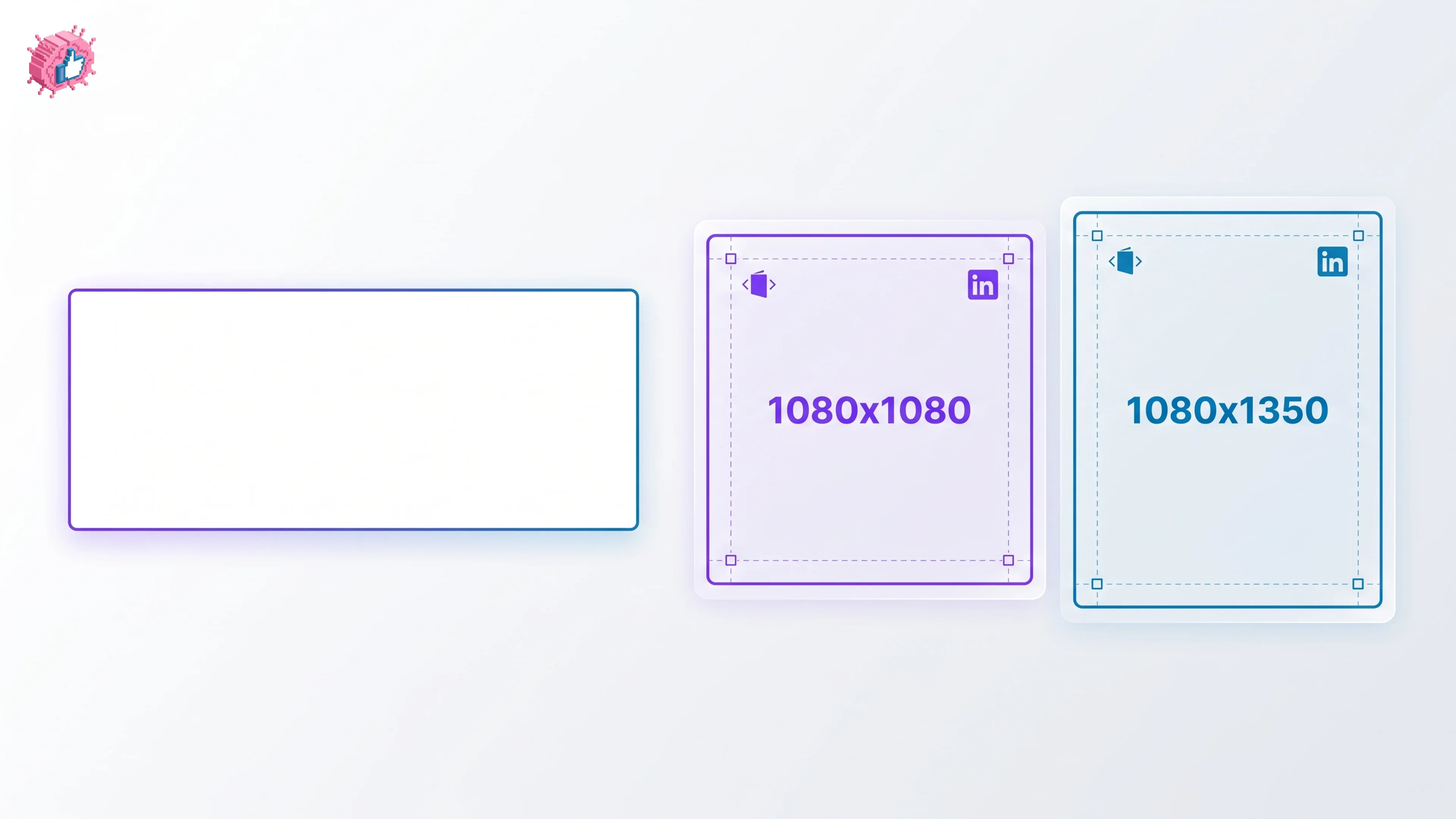
LinkedIn Carousel Size: 1080x1080px (Exact Specs for 2026)
The recommended LinkedIn carousel size is 1080x1080px (square) or 1080x1350px (portrait). Get the exact specs, safe zone, and PDF export limits for 2026.
Buffer Alternatives: 7 Better Tools for LinkedIn in 2026
Buffer charges per channel and treats LinkedIn like every other network. Here are 7 Buffer alternatives compared on pricing, AI, and LinkedIn depth.