

Best LinkedIn Scheduler: 7 Scheduling Tools Ranked (2026)
The best LinkedIn scheduler depends on your stage. Compare 7 LinkedIn scheduling tools in 2026 on price, best time to post, and official-API auto-publishing so you pick the right one.
Consistency is the single biggest predictor of LinkedIn growth, and the right scheduling tool removes the daily friction of remembering to post. The best LinkedIn schedulers go further: they let you batch a week of content in 30 minutes, post at the times your audience is actually online, and track which posts performed best.
In this guide, we compare the 7 best LinkedIn scheduling tools in 2026, covering posting cadence, best-time-to-post logic, analytics, and which tool fits your specific stage. Whether you're a solo creator scheduling 3 posts a week or a marketing team running multiple LinkedIn profiles, this comparison gives you a clear pick. If you would rather work from inside an AI assistant, the LinkedIn MCP server lets you queue posts straight from Claude or Codex. Scheduling is one part of a wider stack, so see the best LinkedIn marketing tools for the full toolkit.
Automate your LinkedIn for 30 days
Best LinkedIn scheduler: the 7 scheduling tools at a glance
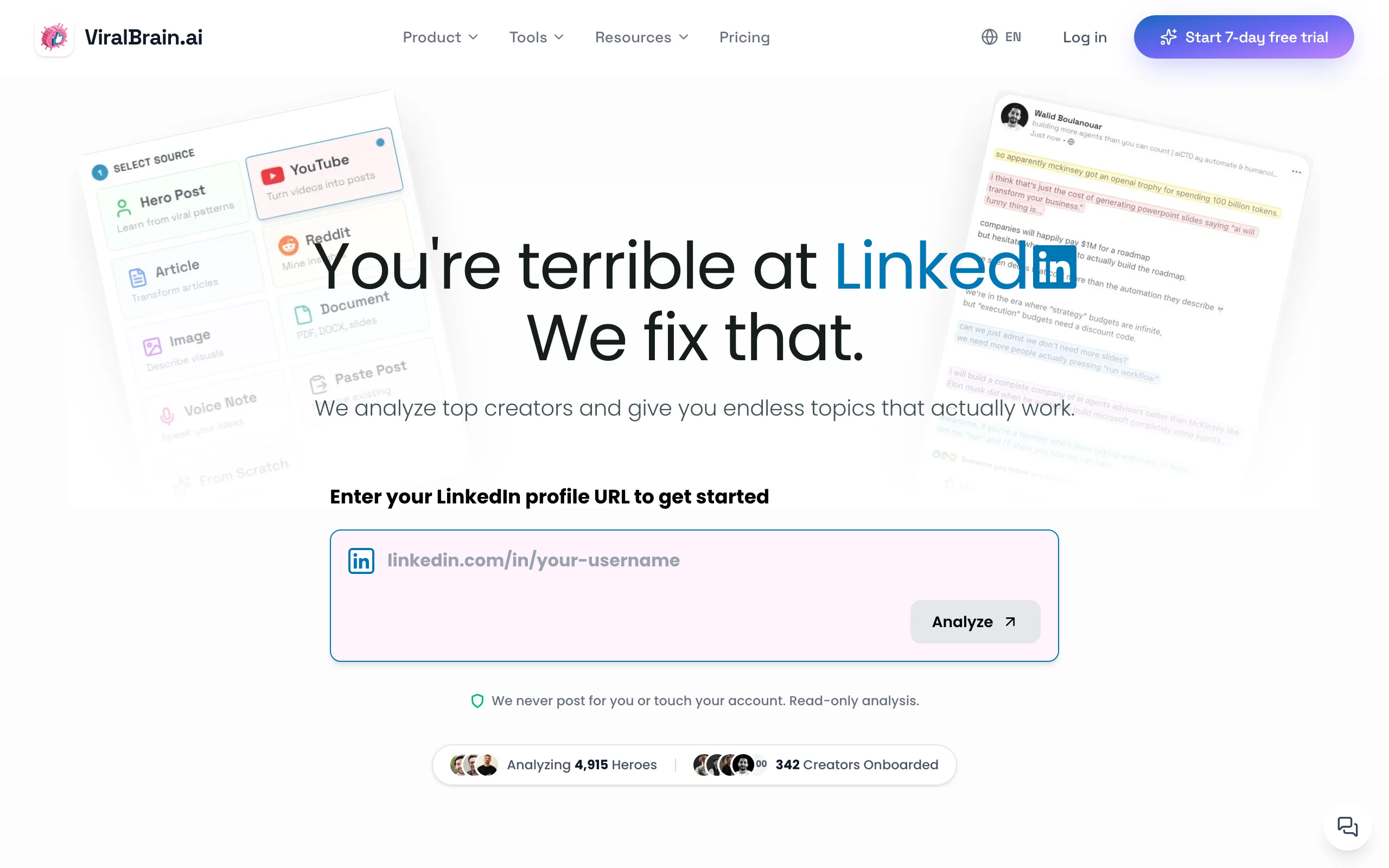
- ViralBrain: Best for scheduling the content it also writes in your voice. Generates voice-matched posts, scores them before they go live, and auto-posts them on a 30-day calendar via the official LinkedIn API, so what you schedule actually performs.
- Buffer: Best general-purpose LinkedIn scheduler with a clean UX and a generous free tier. Strong fit for creators who want simple, reliable scheduling without enterprise complexity.
- Hootsuite: Best LinkedIn scheduler for marketing teams managing multiple profiles and company pages with deep approval workflows.
- Later: Best LinkedIn scheduler for visual-first creators who post a lot of carousels, images, and video content.
- Taplio: Best LinkedIn scheduler bundled with AI content creation and CRM. Ideal for sales-driven creators who want everything in one platform.
- SocialBee: Best LinkedIn scheduler with content category recycling for evergreen post strategies.
- LinkedIn native: Best free LinkedIn scheduler, limited but useful for occasional posters who don't need analytics or batch scheduling.
| Tool name | Key strength | Pricing | Best for |
|---|---|---|---|
| ViralBrain | Writes in your voice, then schedules it on a 30-day calendar with viral scoring | Free tier; €1 trial, then paid plans from €39/mo | Creators who want scheduling tied to content quality |
| Buffer | Simple, reliable LinkedIn scheduling at scale | Free tier (3 channels); paid from $6/mo per channel | Solo creators who want clean, no-frills scheduling |
| Hootsuite | Enterprise multi-profile scheduling with approval workflows | From $99/user/mo, annual billing only (no free plan) | Marketing teams managing multiple LinkedIn accounts |
| Later | Visual scheduler optimized for carousels and images | From $25/mo | Creators posting heavy visual content on LinkedIn |
| Taplio | Scheduling bundled with AI content + CRM | From $39/mo | Sales pros and founders who want one platform for everything |
| SocialBee | Category-based content recycling for evergreen strategies | From $29/mo | Creators using evergreen posts and content recycling |
| LinkedIn native | Free baseline scheduling inside LinkedIn itself | Free | Occasional posters who don't need third-party tools |
1. ViralBrain, best for scheduling tied to content quality
ViralBrain approaches scheduling differently from a pure scheduler: it ties what you schedule to what actually performs. The free best time to post on LinkedIn tool tells you when your audience is most active, and ViralBrain's content engine generates and scores LinkedIn posts before you queue them, so the content you schedule isn't a blank draft, it's a post with a pre-publish viral score.
Unlike tools that only queue drafts you bring yourself, ViralBrain schedules the content it also writes in your voice. The 30-day scheduler auto-posts through the official LinkedIn API, not a browser extension, so your queue publishes reliably without a plugin sitting in the middle. It solves the bigger problem most schedulers ignore: making sure what you schedule is worth posting. For most creators, generating one strong post takes longer than scheduling it, and that's where ViralBrain wins.
Key features:
- Free best time to post on LinkedIn tool, no account required
- Voice-matched AI content generation that learns from your top-performing posts
- 30-day content calendar with auto-posting via the official LinkedIn API
- Viral score checker: pre-publish engagement prediction on every draft
- Hero creator analysis: see when and what top LinkedIn creators in your niche post
- Hosted MCP server: queue posts from Claude, Codex, or any MCP client
- LinkedIn post preview for formatting checks before scheduling
- Multi-source content: turn YouTube videos, articles, podcasts into LinkedIn drafts
- LinkedIn hook generator for first-line optimization
Best for:
- Creators who care more about post quality than queue volume
- Founders posting 3-5x per week who want content built on real viral data
- Solopreneurs who want writing, scoring, and scheduling handled in one LinkedIn-focused tool
Pricing:
- Free tier available (3 hero creators, 5 posts per month)
- €1 trial, then Pro at €39/month and Premium at €69/month
- See ViralBrain pricing for current plan details
Pros:
- Only tool that writes voice-matched posts, scores them, and schedules them in one flow
- Auto-posts through the official LinkedIn API rather than a browser extension
- Free tools ecosystem covers timing, preview, hooks, and score without a subscription
- Hero creator analysis gives you niche-specific posting patterns most schedulers ignore
Cons:
- LinkedIn-only, so it won't cover X, Instagram, or other networks like Buffer or Hootsuite
- Newer platform with a smaller user community than Buffer or Hootsuite
See the full ViralBrain vs Taplio comparison for a detailed breakdown.
2. Buffer, best general-purpose LinkedIn scheduler
Buffer is the most popular general-purpose LinkedIn scheduling tool, with a clean UX, a generous free tier, and reliable cross-platform support. For solo creators and small teams who want a no-nonsense scheduler that just works, Buffer is the default pick.
The interface is simple: queue a post, pick a time, hit schedule. Buffer covers LinkedIn alongside X, Instagram, Facebook, TikTok, Bluesky, and more, which makes it especially strong for creators posting across multiple platforms from one dashboard.
Key features:
- LinkedIn scheduling alongside X, Instagram, Facebook, TikTok, Bluesky
- Drag-and-drop calendar view for visual scheduling
- Best-time-to-post suggestions based on audience activity
- Browser extension and mobile apps
- Free tier with up to 3 social channels
- Buffer Analyze for deeper post performance (paid add-on)
Best for:
- Solo creators who want simple, reliable LinkedIn scheduling at low cost
- Multi-platform creators posting on LinkedIn plus 2-4 other networks
- Teams that need straightforward scheduling without enterprise approval workflows
Pricing:
- Free tier available (up to 3 channels, 10 scheduled posts per channel)
- Paid plans from $6/month per channel
- Higher tiers for team access and Analyze module
Pros:
- Cleanest UX for LinkedIn scheduling in this list
- Free tier is genuinely usable for creators posting weekly
- Reliable, well-maintained product with strong customer support
Cons:
- No AI content generation, so you bring your own drafts
- Best-time-to-post suggestions are basic compared to specialized tools
- Per-channel pricing adds up if you post across many platforms
See the full ViralBrain vs Buffer comparison for a feature-by-feature look at voice-matched AI drafting versus pure scheduling.
3. Hootsuite, best LinkedIn scheduler for marketing teams
Hootsuite is the enterprise standard for multi-profile social media management. For marketing teams managing LinkedIn company pages, multiple executive profiles, and other social networks, Hootsuite's depth on approval workflows, user roles, and reporting is unmatched in this list.
The tool covers LinkedIn alongside every major social platform and adds bulk scheduling, content libraries, paid campaign management, and detailed analytics. It's overkill for solo creators but the standard pick for teams managing serious LinkedIn presence at scale.
Key features:
- Multi-profile LinkedIn scheduling across personal and company pages
- Approval workflows with role-based access for teams
- Bulk scheduling and content library
- Multi-platform support: LinkedIn, X, Facebook, Instagram, TikTok, more
- Paid campaign management alongside organic
- Detailed analytics and white-label reporting
Best for:
- Marketing teams managing multiple LinkedIn profiles or company pages
- Agencies running LinkedIn for enterprise clients
- Companies that need LinkedIn scheduling alongside other social networks
Pricing:
- No free plan and no monthly option, all tiers are billed annually (30-day trial only)
- Standard from $99/user/mo, Professional $199, Advanced $399 (billed annually)
- Custom enterprise pricing available
Pros:
- Most complete multi-profile scheduling for teams
- Strong approval workflows reduce mistakes in regulated industries
- Comprehensive multi-platform support
Cons:
- Significantly more expensive than creator-focused schedulers
- Overkill for solo creators or single-profile use cases
- Interface complexity is higher than Buffer or Later
See the full ViralBrain vs Hootsuite comparison for a LinkedIn-focused breakdown.
4. Later, best LinkedIn scheduler for visual creators
Later started as an Instagram scheduler and has grown into a visual-first multi-platform tool that includes LinkedIn. Where Later shines is media-heavy content, whether carousels, images, or video, with a visual calendar that makes it easy to plan a coherent visual brand across LinkedIn and other platforms.
For creators whose LinkedIn strategy leans heavily on carousel posts, image-rich content, or video, Later's media library, drag-and-drop calendar, and visual planning tools are the strongest in this list.
Key features:
- Visual calendar for media-heavy content scheduling
- Media library for organizing and reusing assets
- Drag-and-drop scheduling across LinkedIn, Instagram, TikTok, X, Pinterest
- Carousel and video scheduling with preview rendering
- Best-time-to-post suggestions based on audience activity
- Linkin.bio for traffic to long-form content (more relevant to Instagram but useful)
Best for:
- Creators posting heavy carousel, image, or video content on LinkedIn
- Multi-platform creators with strong visual brands
- Solopreneurs whose LinkedIn strategy includes Instagram-style visual planning
Pricing:
- Plans start at $25/month for individuals
- Higher tiers for team access and additional social profiles
- Trial available
Pros:
- Best visual calendar in this list, strong for carousel-heavy strategies
- Drag-and-drop media library saves time when scheduling visual content
- Solid multi-platform support for creators on more than just LinkedIn
Cons:
- LinkedIn-specific features are below tools built primarily for LinkedIn
- Pricing rises quickly with more social profiles
- No AI content generation or pre-publish quality signals
Automate your LinkedIn for 30 days
5. Taplio, best LinkedIn scheduler bundled with AI content + CRM
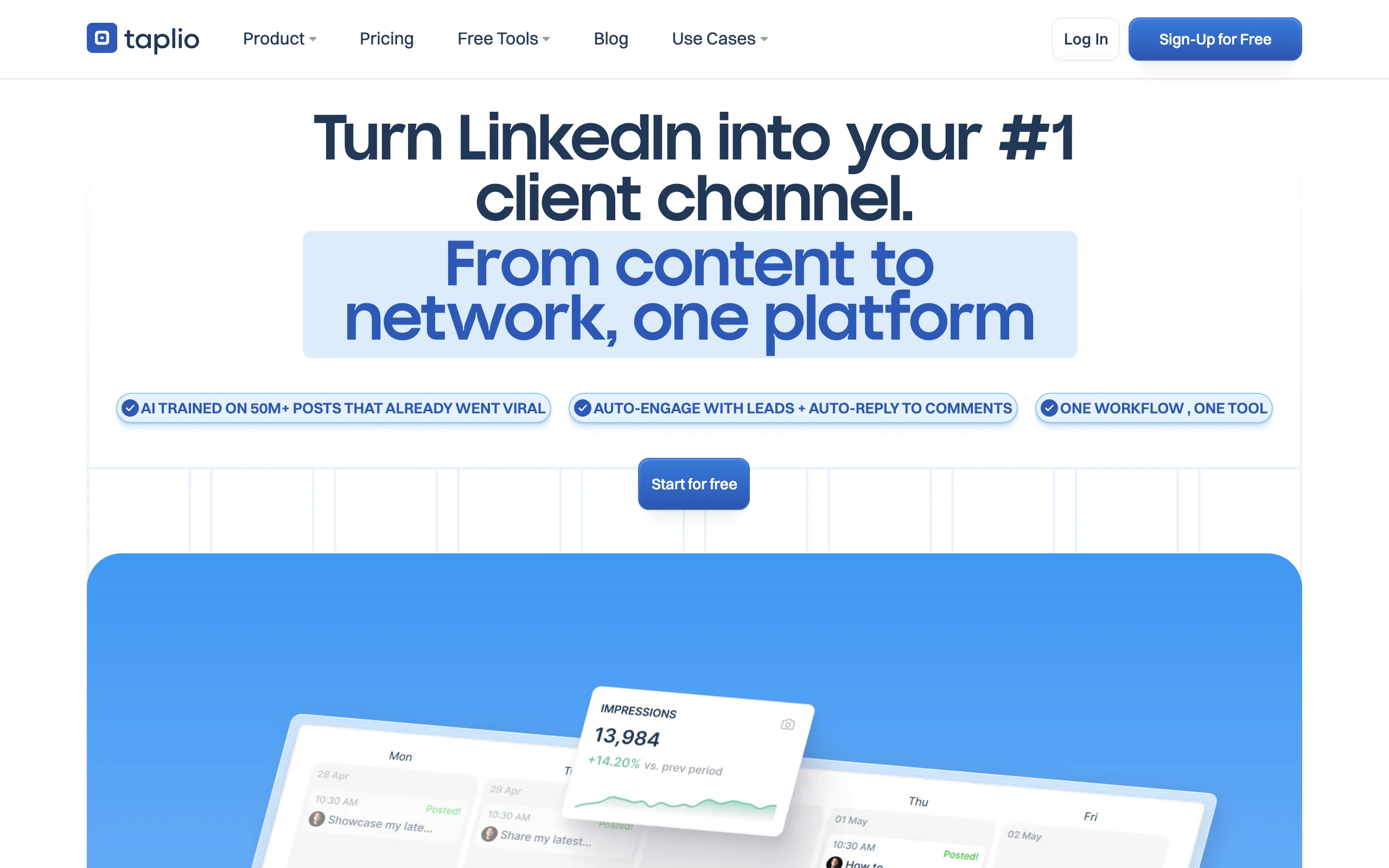
Taplio bundles LinkedIn scheduling with AI content generation, a LinkedIn CRM, and a lead list builder, all in one platform. For sales-driven creators and founders who want a single tool covering content, scheduling, and outreach, Taplio is the most complete option in this list.
The scheduler itself is solid, with direct LinkedIn publishing and a calendar view. The bigger value is the bundle: AI drafts feed directly into the scheduling queue, and post analytics feed back into the CRM for follow-up. If the all-in-one bundle is more than you need, see our Taplio alternatives.
Key features:
- Direct LinkedIn scheduling with calendar and queue
- Built-in AI content generation from prompts and topics
- LinkedIn CRM with contact tracking and lead lists
- Trending post inspiration feed by topic or creator
- Post analytics with reach, engagement, and follower growth
- Team collaboration for agencies and multi-profile workflows
Best for:
- Sales pros and B2B founders who use LinkedIn for content + pipeline
- Agencies managing content and outreach for multiple client profiles
- Creators who want scheduling, content generation, and CRM in one platform
Pricing:
- Starter from $39/month, Growth $69/month, Pro $199/month
- Higher tiers for team access and advanced CRM features
- Limited trial available
Pros:
- Most complete bundle: scheduling + AI content + CRM + analytics
- Direct LinkedIn publishing removes the manual copy-paste step
- Strong for sales-driven LinkedIn strategies
Cons:
- Most expensive option in this comparison if you only need scheduling
- AI content output is generic compared to tools that learn your specific voice
- CRM features add complexity if you only want a scheduler
See the full ViralBrain vs Taplio comparison for a detailed breakdown.
6. SocialBee, best LinkedIn scheduler for evergreen content recycling
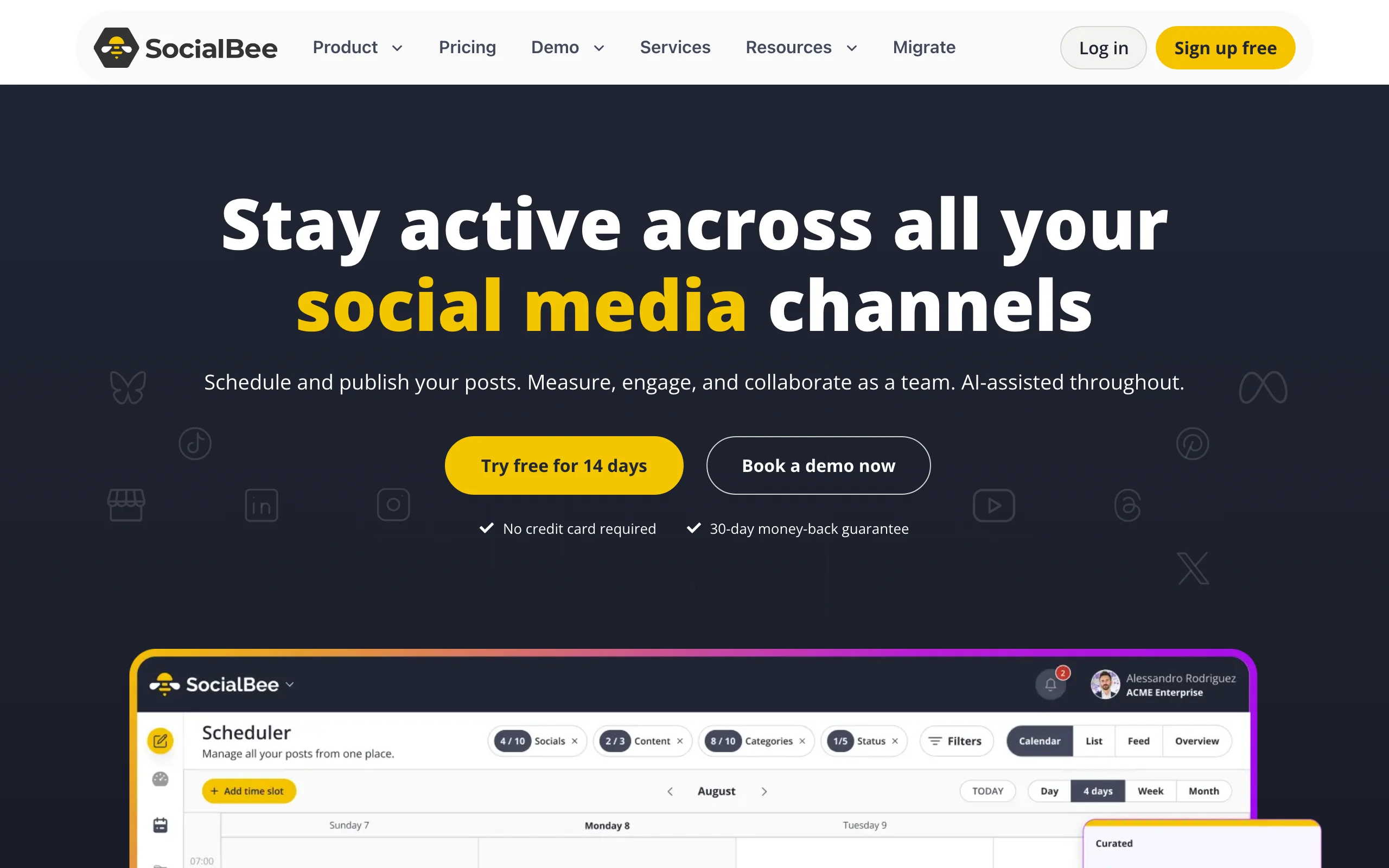
SocialBee is built around a category-based content recycling model: you sort scheduled posts into categories (e.g., thought leadership, case studies, promotions), and SocialBee cycles through them automatically. For creators using an evergreen LinkedIn strategy, where the same post can be resurfaced months later with similar engagement, SocialBee is the strongest scheduler in this list.
It supports LinkedIn alongside other social networks and includes AI content generation for filling categories, plus white-label features for agencies running multi-client workflows.
Key features:
- Category-based content recycling for evergreen posting strategies
- LinkedIn scheduling alongside X, Facebook, Instagram, Pinterest, TikTok
- AI content generation for filling content categories
- White-label features for agencies
- RSS-feed scheduling for automated content curation
- Multi-profile workflows for teams
Best for:
- Creators with strong evergreen content who want to recycle posts strategically
- Agencies managing multiple LinkedIn profiles with consistent posting needs
- Founders who batch content quarterly and rely on automation
Pricing:
- Plans start at $29/month
- Higher tiers for team access and white-label features
- 14-day trial available
Pros:
- Best content recycling system in this list, unique value for evergreen strategies
- Solid AI content generation integrated with the scheduler
- Strong fit for agencies managing multiple clients
Cons:
- Category-based model has a learning curve
- LinkedIn-specific features are below dedicated LinkedIn tools
- Less natural fit for creators who post timely or news-driven content
7. LinkedIn native scheduler, best free option
LinkedIn now offers native post scheduling directly inside the post composer. You can schedule individual posts to publish at a future time without a third-party tool, useful for occasional posters or creators just starting out.
The native scheduler is limited: no calendar view, no analytics on scheduled posts, no recurring slots, and no best-time-to-post suggestions. But it costs nothing and works for creators who post 1-3 times per week and don't need a queue management workflow.
Key features:
- Schedule individual LinkedIn posts to publish at a future time
- Available directly inside the LinkedIn post composer
- No third-party tool or extra subscription required
- Works on both web and mobile LinkedIn
- Free with any LinkedIn account
- Supports the same post formats as immediate publishing
Best for:
- Occasional posters scheduling 1-3 posts per week
- Creators in their first 1-2 months of LinkedIn posting
- Anyone who doesn't need queue management or analytics on scheduled posts
Pricing:
- Free with any LinkedIn account
Pros:
- Free and built into LinkedIn, no extra subscription
- Always available, no setup or integration required
- Direct from LinkedIn means no API issues or sync delays
Cons:
- No calendar or queue view across multiple scheduled posts
- No best-time-to-post suggestions or analytics
- No recurring slots or content recycling
- Limited for creators batching a week or month of content
How to choose the best LinkedIn scheduling tool for your needs
1) Do you need a scheduler, or a scheduler + content engine?
The biggest dividing line in this category is whether you have content ready to schedule or you need help producing it first.
- If your bottleneck is producing strong drafts: ViralBrain writes voice-matched content, scores it, and schedules it on a 30-day calendar, so writing and queuing live in one LinkedIn-focused tool.
- If you want scheduling + AI content across multiple networks: Taplio (LinkedIn) or Buffer (multi-platform) are the most complete single-tool options.
- If you have plenty of content and just need queuing: Buffer or Later cover scheduling cleanly without paying for AI you don't need.
2) Are you a solo creator or a team?
Solo creators and marketing teams have very different scheduling needs.
- Solo creators: ViralBrain (writes and schedules in one tool), Buffer ($6/channel), or Later ($25) cover the basics well.
- Marketing teams managing multiple profiles: Hootsuite or SocialBee handle approval workflows and multi-profile queuing best.
- Agencies running clients: Taplio's team tiers or SocialBee's white-label features.
3) Do you post timely content or evergreen content?
Different strategies need different schedulers.
- For timely, news-driven, or thought-leadership content: ViralBrain writes and schedules it in one place with a viral score on every draft.
- For evergreen content with recycling: SocialBee's category-based model is unmatched.
- For batch scheduling a week or month at a time: any of Buffer, Later, Taplio, or Hootsuite handle this well, so pick on feature fit, not scheduling depth.
4) Do you care about best-time-to-post intelligence?
Posting at the wrong time can cut reach by 50% or more. Some schedulers handle this better than others.
- For data-driven best-time-to-post by niche: ViralBrain's free best time to post on LinkedIn tool gives you specific recommendations based on real top LinkedIn creator data.
- For audience-based timing inside a scheduler: Buffer and Later both suggest best times based on your audience activity.
- For batch scheduling without timing intelligence: most schedulers default to whatever time you set, so use ViralBrain's free tool to pick smarter times.
Run a 7-day trial on your top 1-2 picks. Most schedulers feel similar in marketing copy and very different in daily use. Read the LinkedIn content strategy guide for context on cadence and posting volume.
FAQ
What is the best LinkedIn scheduling tool in 2026?
The best LinkedIn scheduling tool depends on your bottleneck. If you need help producing strong content before scheduling, ViralBrain writes voice-matched posts and schedules them on a 30-day calendar in one tool. If you want scheduling + AI content with multi-network support, Taplio is the most complete. If you just need clean, reliable scheduling, Buffer is the standard pick. For marketing teams, Hootsuite leads on approval workflows.
Is there a free LinkedIn scheduler?
Yes. LinkedIn now includes a native scheduler free for any account. Buffer has a free tier covering up to 3 social channels and 10 scheduled posts each. ViralBrain offers free LinkedIn tools including a best time to post checker, no account required. For most creators, free tools cover the first 1-3 months.
Does LinkedIn penalize posts scheduled through third-party tools?
LinkedIn does not document any penalty for third-party scheduled posts. All major tools in this list use LinkedIn's official API, which means scheduled posts are treated the same as native posts. The risk isn't from scheduling, it's from low-quality or generic content. Use ViralBrain's viral score checker to ensure scheduled posts have a strong engagement signal before they publish.
What's the best time to post on LinkedIn?
The best time to post on LinkedIn depends on your audience's industry, time zone, and habits. Most B2B audiences are most active Tuesday through Thursday between 8-10am local time. For a niche-specific recommendation, use the free best time to post on LinkedIn tool, which is based on real top LinkedIn creator data and shows you specific windows that drive engagement.
Which LinkedIn scheduler has the best free tier?
Buffer has the most usable free tier with up to 3 social channels and 10 scheduled posts each, which works well for creators posting 1-2 times per week. LinkedIn's native scheduler is also free but lacks calendar and queue views. ViralBrain's free tools cover timing, hooks, templates, and viral scoring without an account, so pair with Buffer's free tier for a $0 starter stack.
Can I schedule LinkedIn carousels and videos?
Yes, Buffer, Later, Hootsuite, Taplio, and SocialBee all support scheduling LinkedIn carousels and video. Later is the strongest pick for visual-heavy content because of its media library and visual calendar. LinkedIn's native scheduler supports basic media but is less convenient for batch carousel uploads.
What's the difference between ViralBrain and Buffer for LinkedIn?
ViralBrain is a LinkedIn-focused content intelligence platform that writes voice-matched posts, scores them, tells you the best time to post, and schedules them on a 30-day calendar via the official LinkedIn API. Buffer is a multi-network scheduler that queues and posts content but doesn't help you write it. The main tradeoff: ViralBrain writes and schedules LinkedIn content in one place, while Buffer covers many networks but leaves the writing to you.
Which LinkedIn scheduler is best for solopreneurs?
For solopreneurs, ViralBrain is the strongest single tool: it generates voice-matched posts, scores them, and schedules them on a 30-day calendar, so writing and queuing live in one place. If you also post to networks beyond LinkedIn, Buffer ($6/month per channel) adds multi-platform reach. SocialBee is a strong alternative for solopreneurs using evergreen strategies.
How often should I post on LinkedIn?
Most growth-focused creators post 3-5 times per week. Posting daily can work if you maintain quality, but quality matters more than frequency. The LinkedIn algorithm guide covers how distribution responds to posting cadence. Use the how to write a LinkedIn post guide for structuring posts that drive engagement.
Which LinkedIn scheduler is best for marketing teams?
Hootsuite is the standard for marketing teams managing multiple LinkedIn profiles, company pages, or running approval workflows. SocialBee is a strong alternative for agencies with white-label needs. Taplio's team tiers handle multi-profile scheduling with content and CRM bundled. For teams that want pre-publish quality control across multiple writers, pair Hootsuite with ViralBrain's viral score on each draft.
Automate your LinkedIn for 30 days
ViralBrain plans, writes, and schedules your LinkedIn content, using official LinkedIn APIs so your account stays safe.
- Official LinkedIn APIs, no risk of ban
- You approve every post before it goes live
- Cancel anytime
Keep reading
How to Log Out of LinkedIn on Desktop and in the App
How to log out of LinkedIn on desktop, on iOS and on Android, how to sign out of other sessions or all devices, and what Keep me logged in changes.
LinkedIn Two Step Verification: How to Turn It On and Off
LinkedIn documents it as two-factor authentication. How to turn it on and off on desktop and in the app, the two methods, and what to do if locked out.
How to Change Your LinkedIn Password
How to change your LinkedIn password on desktop, iOS, Android and a mobile browser, how to reset a forgotten one, and what the sign out control does.