

Taplio Alternatives: 6 Best LinkedIn AI Tools in 2026
Looking for a Taplio alternative? We compare 6 best LinkedIn AI tools in 2026, pricing, features, and which one fits your content workflow.
Taplio has been a go-to LinkedIn tool for a while, but it is not the right fit for everyone. Whether you find the pricing hard to justify, the AI outputs too generic, or the feature set misaligned with your actual workflow, there are solid alternatives worth evaluating.
This guide compares the best taplio alternatives available in 2026, across AI writing quality, analytics depth, scheduling, and pricing. Each entry includes honest pros and cons so you can match the right tool to your actual needs, not a marketing pitch. If your Taplio use case is sales, compare the best LinkedIn prospecting tools for the research stage.
By the end, you will have a clear picture of which platform fits your content style, posting frequency, and budget, and a decision framework to pick without second-guessing.
Automate your LinkedIn for 30 days
Best Taplio alternatives: a brief overview
- ViralBrain: Best overall LinkedIn AI content platform. Analyzes real top-creator posts in your niche to learn what goes viral, then generates posts in your voice with a pre-publish viral score. The strongest option if content quality and voice authenticity matter to you.
- Supergrow: Best budget-friendly LinkedIn AI writer. A solid set of writing templates and AI content generation at a lower price point, with a clean interface and a usable free tier.
- AuthoredUp: Best for post analytics and formatting. Tracks your LinkedIn post performance with depth, gives you rich text formatting tools, and is the go-to for creators who want to understand what their audience actually responds to.
- EasyGen: Best simple AI generator for beginners. Gets you from blank page to draft fast with minimal setup. No learning curve, no complex configuration, just write.
- Shield: Winding down after LinkedIn API and Chrome Web Store policy changes, and no longer accepting new signups. Existing users should export their data; AuthoredUp is the closest live replacement for per-post analytics.
- Postdrips: Best for scheduling and queue management. Handles content queuing, multi-profile scheduling, and carousel creation cleanly. Pairs well with any AI writing tool.
| Tool | Key strength | Pricing | Best for |
|---|---|---|---|
| ViralBrain | Hero analysis + voice matching + viral score + MCP server | Free tier (3 heroes, 3 posts/mo); €1 trial; Pro €39/mo | LinkedIn creators who want data-driven, voice-matched AI content |
| Supergrow | Budget-friendly LinkedIn AI writing templates | Free tier; paid from $19/mo | Solo creators and founders starting with AI LinkedIn content |
| AuthoredUp | Deep post analytics and rich text formatting | Trial; paid from $19.95/mo | Creators focused on post performance analysis and formatting |
| EasyGen | Simple, fast AI post drafting with no setup | Free tier; paid from $29/mo | Beginners who want to go from prompt to draft quickly |
| Shield (winding down) | LinkedIn-native analytics, now closing | Closed to new signups | Existing users should export data and move to AuthoredUp |
| Postdrips | Visual scheduling, carousels, and queue management | Free tier; paid from $19/mo | Creators who need a reliable publishing and scheduling layer |
1. ViralBrain, best overall LinkedIn AI content platform
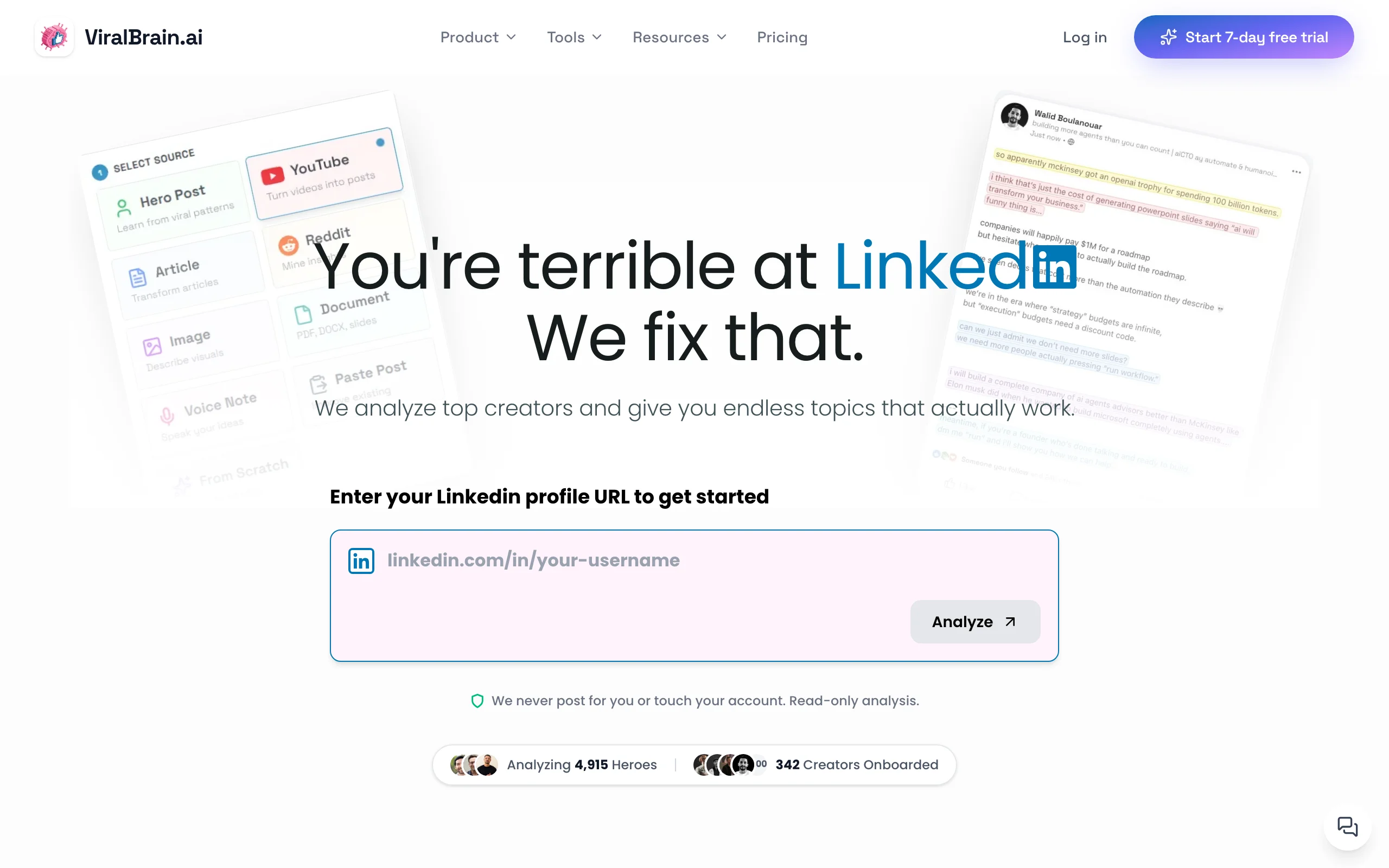
ViralBrain is built around a core insight most LinkedIn AI tools ignore: the best-performing posts follow identifiable patterns, and those patterns are sitting in public data right now. Instead of generating content from generic prompts, ViralBrain lets you pick top creators in your niche, your "heroes", scrapes their highest-performing posts, and uses that real engagement data to understand what hooks, structures, and content types actually drive reach on LinkedIn.
When you generate a post, the AI is working from your writing style DNA combined with what is proven to work in your space. The result sounds like you, not a GPT wrapper. You also get a viral score checker before you publish, a pre-publish optimization score that flags weak hooks, low-engagement structures, and formatting issues before they cost you reach. On top of that, ViralBrain connects to YouTube videos, articles, Reddit threads, and other sources, turning any content you consume into a ready-to-publish LinkedIn post in under two minutes. For creators who want to understand the LinkedIn algorithm and build content that works with it, not against it, this is the most complete platform in this list.
Key features:
- Hero scraping: analyzes top creator posts in your niche to extract what drives real engagement
- Voice matching: generates posts that reflect your writing style, not generic AI output
- Viral Score Checker: pre-publish optimization score with specific improvement suggestions
- Multi-source content generation: converts YouTube videos, articles, and Reddit threads into LinkedIn posts
- LinkedIn MCP server: draft, generate, and schedule posts directly from Claude, Codex, or any MCP client, which no other tool in this list offers
- 100+ free LinkedIn tools built into the platform, from a LinkedIn post generator to a headline optimizer and text formatter
- Real LinkedIn engagement benchmarks built into the platform so you can compare your post performance against verified data
Best for:
- LinkedIn creators posting 3-5 times per week who want every post to reflect their voice and have a real shot at reach
- B2B founders and solopreneurs who need a content engine that works from real performance data, not guesswork
- Anyone repurposing content from YouTube, articles, or other sources at volume
Pricing:
- Free tier (3 heroes, 3 posts/month) with access to core tools and 100+ free utilities
- €1 trial, then Pro at €39/month or Premium at €69/month for full hero analysis, unlimited generation, and the viral score checker
- Annual billing available at a discount
Pros:
- The hero analysis system gives you content intelligence that none of the other tools in this list have, you are learning from real engagement data, not prompts
- Voice matching produces posts that need less editing than typical AI output
- The multi-source generation workflow saves significant time for creators who repurpose content across formats
- Free tools ecosystem (100+) makes it genuinely useful even without a paid plan
Cons:
- No native LinkedIn scheduling or publishing, you will need a separate tool like Postdrips or Buffer if you want a full publishing workflow in one place
- Newer platform with a smaller user community than Taplio, so there are fewer templates and community-sourced frameworks to browse
For a direct feature-by-feature breakdown, see the ViralBrain vs Taplio comparison page. ViralBrain's pricing starts with a free tier, making it straightforward to test against Taplio before committing.
2. Supergrow, best budget-friendly LinkedIn AI writer

Supergrow is a LinkedIn AI writing tool that covers the core use case cleanly: you give it a topic, a URL, or a voice note, and it produces a LinkedIn post draft fast. It comes with a library of templates organized by post format, listicles, carousels, storytelling posts, thought leadership, and the interface is simple enough that you can be up and running within minutes of signing up.
The tool does not attempt to analyze creator performance data or build a model of your writing style across sessions the way ViralBrain does. But for creators who want structured AI drafts at a low price point without configuration overhead, it delivers. Supergrow is currently one of the top-ranked tools for the taplio alternatives keyword, which reflects a real user base that finds it a credible step down in price from Taplio without a major step down in output quality. For a direct head-to-head on those two plus ViralBrain, see Taplio vs Supergrow vs ViralBrain.
Key features:
- Fast AI post generation from topics, URLs, and voice input
- LinkedIn post template library organized by content format
- Carousel and document post creation
- Post scheduler with a basic content calendar
- Chrome extension for posting directly from the browser
- LinkedIn profile analysis for light personalization
Best for:
- Solo creators and founders who are just starting to build a LinkedIn content habit and want a low-cost, low-friction entry point
- Users who primarily want AI drafts from templates and do not need deep performance analytics or hero-based content intelligence
- Teams with tight budgets that need multiple seats without a large per-seat cost
Pricing:
- Free tier available with limited monthly generations
- Paid plans start at $19/month for full template access and increased generation volume
- Higher tiers available for teams and agencies
Pros:
- Very low barrier to entry, pricing, onboarding, and interface are all accessible for new AI tool users
- Template library gives structure to creators who struggle with blank-page paralysis, ViralBrain's viral post templates offer a comparable starting point with performance-data backing
- Chrome extension integration makes the publishing workflow frictionless
Cons:
- AI output tends to feel generic without significant prompt customization, voice matching is surface-level compared to tools that do deeper style analysis
- Analytics and performance tracking are minimal
- No hero analysis or viral data layer, content quality depends heavily on the quality of your prompt
3. AuthoredUp, best for post analytics and formatting
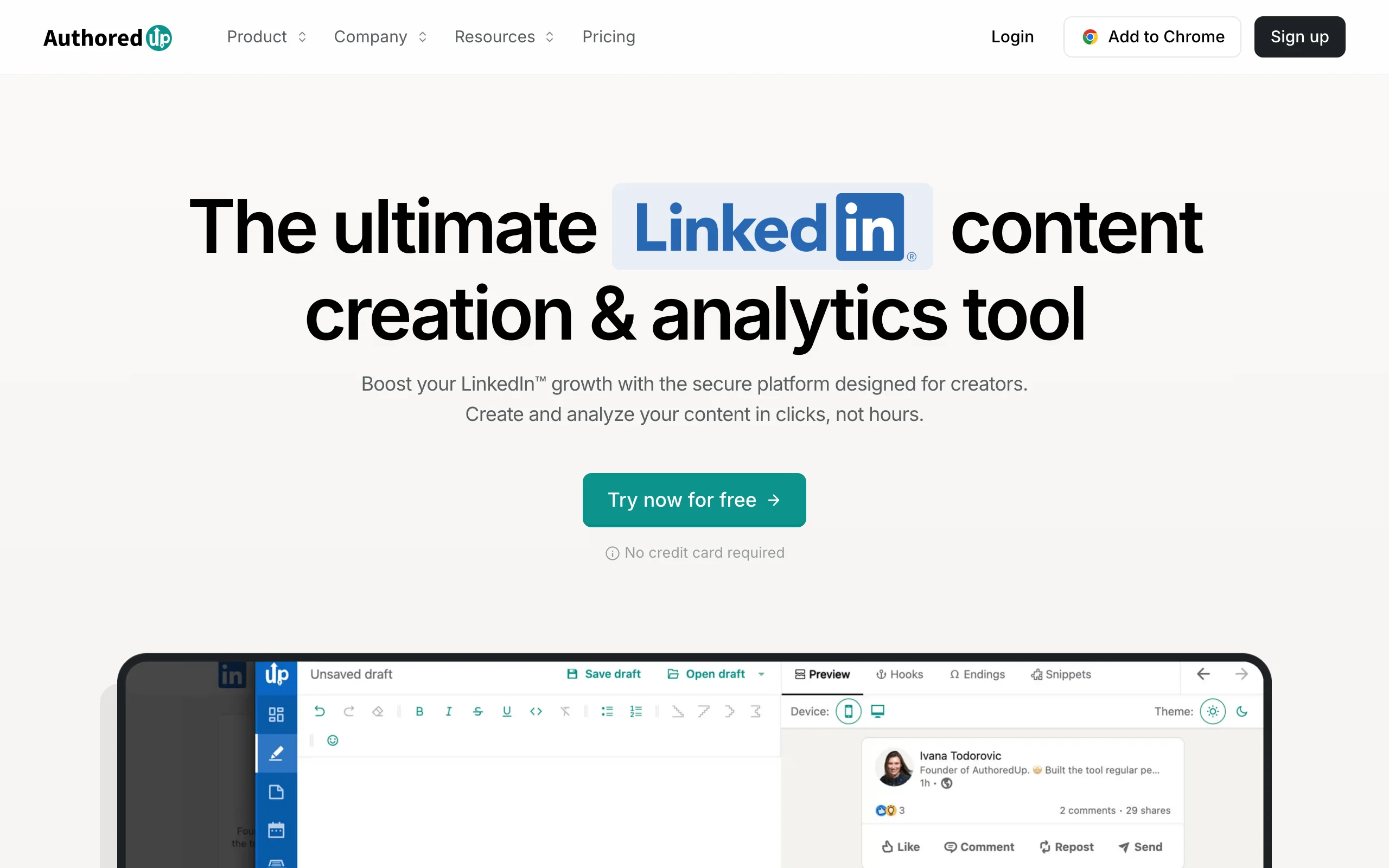
AuthoredUp occupies a different part of the LinkedIn tool landscape than pure AI generators. It is primarily a post creation, formatting, and analytics platform, not an AI writing-first tool. The standout feature is its analytics layer: you get detailed breakdowns of your post performance including reach, engagement rate by format, hook performance, and audience demographic data that LinkedIn's native interface does not surface.
For creators who want to understand what their content is actually doing, which hooks land, which formats drive comments versus reposts, which topics attract the right audience, AuthoredUp is the most useful tool in this list for that specific job. It also gives you rich text formatting tools (bold, italic, custom line breaks) and a post preview that shows exactly how your content will render on LinkedIn before it goes live.
Key features:
- Deep post performance analytics including hook analysis and format-level engagement breakdowns
- Rich text formatting toolbar for bold, italic, bullet customization, and emoji
- Post preview showing mobile and desktop LinkedIn rendering
- Post drafting and scheduling with a content calendar
- Post recycling: surface and reschedule your best-performing past content
- Chrome extension for composing directly in LinkedIn's interface
Best for:
- Established LinkedIn creators who already post consistently and want to optimize based on real performance data
- Teams managing a personal brand or corporate LinkedIn page who need performance reporting beyond what LinkedIn native analytics provide
- Creators who care about formatting precision, getting the exact look they want before publishing
Pricing:
- Trial available
- Paid plans start at $19.95/month, with a lower effective rate on annual billing
- Team plans available for multiple profiles
Pros:
- Analytics depth is genuinely useful and goes well beyond what LinkedIn or most competing tools provide
- Formatting tools give creators control over exactly how posts look on mobile and desktop
- Post recycling feature helps high-volume creators extract more value from their back catalog
Cons:
- Not primarily an AI writing tool, if you need AI content generation at scale, you will need to pair it with another platform
- The analytics-heavy interface has a learning curve compared to simpler tools in this list
- Chrome extension dependency means it works best when you are composing directly on LinkedIn, less suited to batch workflows
For a side-by-side breakdown of how AuthoredUp compares to ViralBrain's analytics and content features, see the ViralBrain vs AuthoredUp comparison.
Automate your LinkedIn for 30 days
4. EasyGen, best simple AI generator for beginners
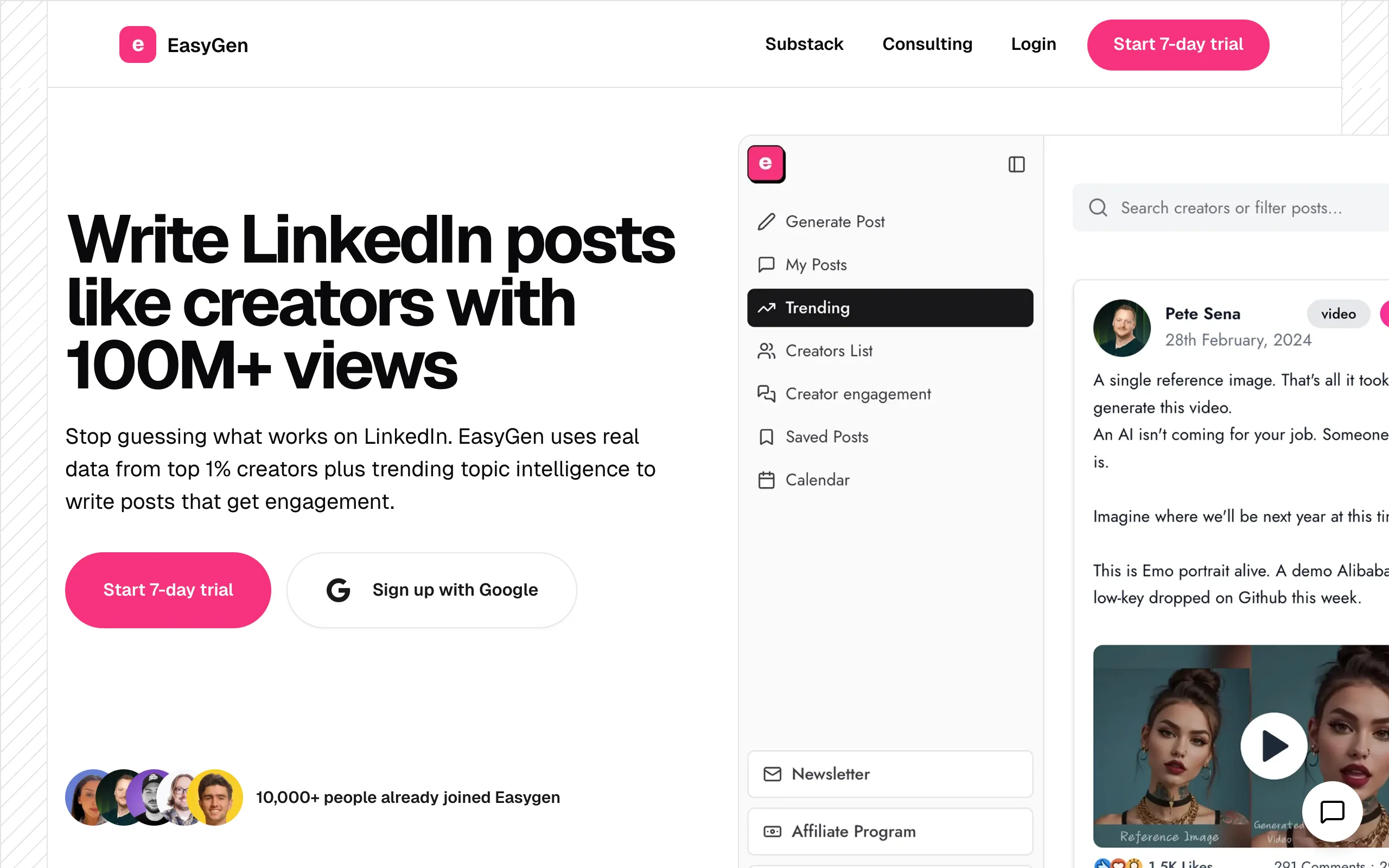
EasyGen does exactly what the name says. You put in a topic, a few context notes about your positioning, and it produces a LinkedIn post draft. There is no complex setup, no hero analysis configuration, no analytics dashboard to navigate. For creators who are just starting out with AI-assisted LinkedIn content and want a friction-free first tool, EasyGen removes every obstacle between "I have something to say" and "I have a draft ready to edit."
The AI output quality is solid for a no-configuration tool. EasyGen is trained specifically on LinkedIn content patterns, so the posts it produces tend to follow the format conventions that perform well on the platform, short hooks, clear paragraph breaks, and a call to action at the end. It will not win on personalization or voice authenticity at the level of tools with deeper style modeling, but for volume drafting and idea exploration, it does the job efficiently.
Key features:
- One-click LinkedIn post generation from a topic or prompt
- LinkedIn-specific training for format and structure conventions
- Multiple post format options: stories, lists, opinions, how-to posts
- Post history and draft storage
- Basic customization: tone selection (professional, conversational, inspirational)
- Browser-based, no extension required
Best for:
- LinkedIn beginners who want to start posting consistently without a steep onboarding process
- Creators who use AI primarily as a first draft starting point and prefer to do most of the editing themselves
- Professionals who post occasionally (1-2x per week) and do not need a heavy-duty content production system
Pricing:
- Free tier with limited monthly generations
- Paid plans start at $29/month for unlimited access
- No team or agency tiers as of 2026
Pros:
- Fastest path from blank page to publishable draft in this entire list, no configuration required
- Post structure and format conventions are consistently LinkedIn-appropriate
- Clean, minimal interface with no feature bloat to navigate
Cons:
- No voice learning or style modeling, every user gets the same AI starting point regardless of their writing history
- No analytics, scheduling, or hero analysis, purely a drafting tool
- Lacks multi-source generation (cannot pull from YouTube, articles, Reddit)
- Output quality plateaus quickly for experienced creators who need more than a structural template
If you are evaluating EasyGen against a more data-driven option, the ViralBrain vs EasyGen comparison covers the key differences in AI quality and voice matching.
5. Shield (winding down)
Shield is winding down. It was the most sophisticated pure LinkedIn analytics platform for creators and B2B teams, tracking post-level performance, audience growth, content-type comparisons, and demographic breakdowns that LinkedIn's native interface never surfaced. LinkedIn API restrictions and Chrome Web Store policy pressure made that class of third-party analytics extension hard to sustain, and the product is now closing to new signups. Its own site carries a wind-down notice. We keep it here because older roundups still list it as a fully live Taplio alternative, and readers deserve to know before they go looking for it.
If you still have a Shield account, export your reports now while any residual access lasts. Historical LinkedIn analytics are difficult to reconstruct once a tool goes offline.
Live replacements for what Shield does:
- AuthoredUp (see above) is the closest direct replacement for per-post analytics and formatting, and it supports multi-profile use for teams.
- ViralBrain's free LinkedIn engagement benchmarks give category-level reference points so you can judge whether a post over- or under-performed for your follower count and format.
- LinkedIn's native analytics have also broadened since Shield launched and now cover more of the basics for individual creators.
If measurement is your main job to be done, pair one of these with an AI writing tool from this list rather than looking for a one-to-one Shield clone.
6. Postdrips, best for scheduling and queue management
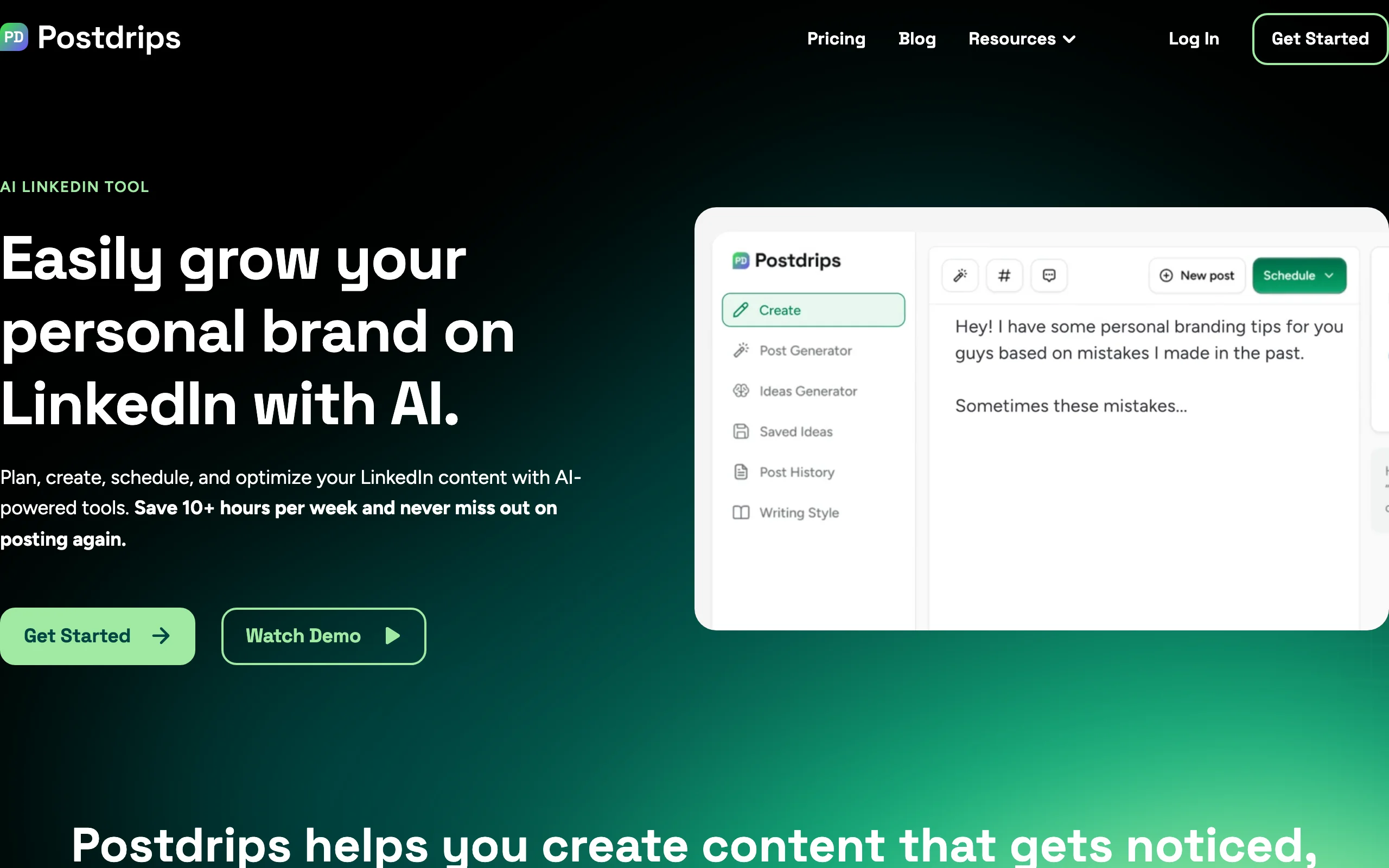
Postdrips fills a specific gap that pure AI writing tools leave open: once you have a draft, how do you plan, schedule, and publish it reliably? Postdrips handles the publishing workflow end to end, content calendar, post queue, scheduling by optimal time slot, and carousel/document creation, with a cleaner interface than most scheduling tools that try to cover LinkedIn alongside five other platforms.
It is not an AI content generator in the way ViralBrain or EasyGen are. But it pairs well with any AI writing tool in this list. Creators who generate drafts in ViralBrain or Supergrow and want a clean scheduling layer without the overhead of a multi-platform social media tool like Buffer or Hootsuite will find Postdrips the right fit. It also has a carousel builder built in, which covers a format that drives strong engagement on LinkedIn but requires extra effort to produce in most tools.
Key features:
- Content calendar and post queue with drag-and-drop management
- LinkedIn post scheduling with optimal time slot suggestions
- Carousel and document post builder (native LinkedIn format)
- Multi-account support for managing more than one LinkedIn profile
- Post preview for mobile and desktop rendering
- Basic post analytics for scheduled and published content
Best for:
- LinkedIn creators who have a consistent content production workflow and need a reliable scheduling layer
- Founders and solopreneurs managing their own LinkedIn alongside a brand page
- Teams who produce content in batches and want to queue multiple posts ahead of time without manual scheduling
Pricing:
- Free tier with limited scheduled posts
- Paid plans start at $19/month for full scheduling and carousel creation
- Agency plans available for multi-profile management
Pros:
- Carousel builder removes the dependency on Canva or external design tools for a high-performing LinkedIn format
- Clean, LinkedIn-focused scheduling interface without the noise of multi-platform tools
- Multi-account support at a reasonable price point
Cons:
- AI content generation is minimal, primarily a scheduling and publishing tool, not a writing assistant
- Analytics are basic compared to a dedicated tool like AuthoredUp
- Best used as a companion to an AI writing tool rather than a standalone solution
For creators considering Postdrips alongside ViralBrain as a generation layer, see the ViralBrain vs Postdrips comparison for a workflow breakdown.
How to choose the best taplio alternative for your needs
Not every LinkedIn tool solves the same problem. The six tools above cover AI writing, analytics, scheduling, and formatting, but no single platform does all of them at the highest level. Here is how to match your actual workflow to the right pick.
1) What is your primary need: writing or publishing?
This is the first cut. If you spend most of your time struggling with what to write and how to make it sound right, you need an AI writing tool: ViralBrain, Supergrow, or EasyGen. If you already have a consistent content process and your bottleneck is planning, scheduling, and publishing reliably, start with Postdrips.
- If writing and voice quality matter most: start with ViralBrain
- If you need a budget entry point for AI drafting: Supergrow or EasyGen
- If publishing workflow is the gap: Postdrips, paired with any writing tool, and check ViralBrain's best time to post tool to optimize your scheduling
2) How important is post performance data to you?
Some creators post and move on. Others want to know exactly which hooks drove the most reach, which content types build followers, and how their audience demographic is shifting over time. If measurement is a priority, AuthoredUp is the tool to reach for now that Shield is winding down, pairing per-post analytics with formatting tools.
- If you want deep per-post analytics plus formatting in one tool: AuthoredUp
- If analytics are secondary to content generation: ViralBrain includes LinkedIn engagement benchmarks built into the platform without needing a separate tool
If you are building a LinkedIn content strategy from scratch, understanding which formats and topics perform in your niche should come before choosing a tool.
3) How much do you care about AI output quality and voice authenticity?
Generic AI output is a real problem. Many tools produce content that reads like it was written by someone who studied LinkedIn posts but never actually worked in your industry. If you care about posts that sound like you and perform like the top creators in your niche, voice matching and data-driven generation are the differentiators to look for.
- If voice authenticity and content quality are non-negotiable: ViralBrain is the only tool in this list with hero-based voice modeling and a viral score system built around real engagement data
- If you can live with generic AI output that you edit heavily: EasyGen or Supergrow reduce the time cost without requiring as much configuration
- If you use AI as a light drafting layer and do most writing yourself: AuthoredUp's drafting tools with your own formatting discipline may be enough
4) What is your budget and posting frequency?
Budget is not just about the monthly price, it is about the cost per post and cost per outcome. A $29/month tool that helps you post 5 times per week with consistent quality and measurable reach is cheaper than a $19/month tool that produces outputs you rewrite from scratch every time.
- Around $20/month: AuthoredUp (analytics + formatting), which is not a full AI writing tool
- $19-29/month range: Supergrow, EasyGen, or Postdrips depending on your primary gap
- Full AI content intelligence stack: ViralBrain covers writing, viral scoring, and a LinkedIn post generator built on real performance data in the same platform
- For the full picture on value at scale, run a 7-day trial with your actual posting topics, the output quality difference becomes clear fast when you test against your real content, not demo examples
If your goal is to build a LinkedIn presence that compounds, growing reach, attracting the right audience, and turning content into actual leads, start with the tool that addresses your writing quality first, then layer in scheduling and analytics as your volume increases.
FAQ
What is the best Taplio alternative in 2026?
The best taplio alternative depends on what Taplio feature you are trying to replace. If you used Taplio primarily for AI content generation and want better voice matching and performance data, ViralBrain is the strongest alternative. If you used it for scheduling and publishing, Postdrips covers that gap more cleanly. If CRM and outreach were your primary Taplio use case, most tools in this list do not replace that specific functionality, Taplio is relatively unique in combining LinkedIn outreach CRM with content tools.
Is there a free Taplio alternative?
Yes. Several tools in this list have meaningful free tiers. ViralBrain offers a free tier with access to core generation tools and 100+ free LinkedIn tools, see the pricing page for what is included. Supergrow and EasyGen both have free plans with limited monthly generations. AuthoredUp and Postdrips also offer trials. The free tiers are enough to test output quality before committing to a paid plan.
What is the difference between Taplio and ViralBrain?
Taplio combines LinkedIn AI content generation with a CRM and outreach layer, it is useful for salespeople and recruiters who want to manage LinkedIn conversations alongside their content calendar. ViralBrain focuses specifically on content quality and performance: hero analysis from real top-creator data, voice-matched generation, and a viral score system for pre-publish optimization. ViralBrain does not include a CRM or outreach module. For a full breakdown, see the ViralBrain vs Taplio comparison.
Does AI-generated LinkedIn content get penalized by LinkedIn?
LinkedIn does not algorithmically penalize content because it was AI-assisted. What the LinkedIn algorithm does penalize is low engagement, posts that people scroll past without reacting or commenting get fewer impressions. Generic AI content tends to underperform because it lacks the specific voice, hooks, and context that make people stop scrolling. The solution is not to avoid AI, but to use tools like ViralBrain that generate posts based on what actually drives engagement in your niche, not generic patterns.
Which taplio alternative is best for B2B founders?
For B2B founders who want to build a LinkedIn presence that generates leads and authority, ViralBrain is the strongest pick. The hero analysis lets you model your content on the top voices in your specific industry or niche, and the voice matching means posts sound like a founder, not a marketing department. Running each draft through the viral score checker before publishing adds an extra quality gate. For a deeper playbook, the how to go viral on LinkedIn guide covers the structural and timing factors that drive reach. If you also need deep analytics to understand what is working, pair it with AuthoredUp. If scheduling is a gap, add Postdrips.
Can I use ViralBrain with a scheduling tool?
Yes. ViralBrain does not include native LinkedIn scheduling or publishing, so it pairs well with any scheduling tool. Postdrips is the cleanest pairing in this list, use ViralBrain to generate and optimize your posts, then queue them in Postdrips with a carousel or document format if needed. Buffer and Hootsuite also work as scheduling layers if you already use them for multi-platform publishing.
What is AuthoredUp best used for?
AuthoredUp is best used by creators who already post consistently and want to understand their performance data at depth. It answers questions like: which hooks are driving the most reach, which content formats build followers versus just getting likes, and which topics attract the right audience. It also gives you formatting control that LinkedIn's native composer does not. It is not primarily an AI writing tool, pair it with ViralBrain or Supergrow if you need both analytics depth and AI generation.
Which tool is best for LinkedIn teams and agencies?
AuthoredUp supports multi-profile management with team dashboards. Postdrips has agency plans for scheduling across multiple accounts. For content generation at scale across multiple LinkedIn profiles, ViralBrain's hero analysis can be configured for different niches and personas. The right stack for an agency typically combines a content generation tool (ViralBrain or Supergrow) with a scheduling layer (Postdrips) and an analytics layer (AuthoredUp).
Is Supergrow a good Taplio alternative?
Supergrow is a credible taplio alternative at a lower price point if your primary use case is AI LinkedIn content drafting. It covers the core writing workflow with templates, scheduling, and a Chrome extension. Where it falls short compared to Taplio or ViralBrain is in personalization depth, the AI output is template-driven rather than based on your actual writing style or performance data from your niche. It is a solid starting point but most creators who care about voice authenticity will eventually want to move to a tool with deeper style modeling.
How do I know if a LinkedIn AI tool is actually improving my content?
Track your engagement rate before and after switching tools, across the same post types and topics. The metric to watch is not just likes, it is comments and follows, which signal real audience resonance. ViralBrain includes LinkedIn engagement benchmarks so you can compare your post performance against verified averages for your niche. A 7-day trial with your actual content topics, not demo prompts, is the most reliable test before committing to any tool in this list.
Automate your LinkedIn for 30 days
ViralBrain plans, writes, and schedules your LinkedIn content, using official LinkedIn APIs so your account stays safe.
- Official LinkedIn APIs, no risk of ban
- You approve every post before it goes live
- Cancel anytime
Keep reading
Buffer Alternatives: 7 Better Tools for LinkedIn in 2026
Buffer charges per channel and treats LinkedIn like every other network. Here are 7 Buffer alternatives compared on pricing, AI, and LinkedIn depth.

7 best LinkedIn marketing tools for 2026
Compare the 7 best LinkedIn marketing tools in 2026 for content, scheduling, analytics, and prospecting, with pricing, strengths, and who each fits.

6 best LinkedIn comment generators in 2026
Six LinkedIn comment generators compared, with pricing checked on each vendor's own page on 3 September 2026 and the ones that publish nothing named as such.