

Shield analytics alternative: where to go now
Shield is winding down. What that means for your LinkedIn analytics, what to save while you still can, and how to pick a Shield analytics alternative.
If you track your LinkedIn performance in Shield, you have probably landed on its wind-down notice and want to know two things: how long you have, and where to go instead. This guide answers the second question properly, and is honest that nobody outside Shield can answer the first.
Everything below about Shield comes from Shield's own page, checked on 1 September 2026. Where something is not stated there, this guide says so rather than filling the gap.
Automate your LinkedIn for 30 days
What is actually happening
Shield is winding down. Visiting shieldapp.ai redirects to a single notice page, and so do its pricing and blog URLs, so the marketing site is now that one page.
The notice reads, in full:
"Shield is winding down. Both Google and LinkedIn made it clear that we could not continue operating Shield as it was built. We decided not to fight it."
It is signed by Andreas and Alex, the co-founders, and it notes that Shield has run since 2018. The contact address on the page is support@shieldapp.ai.
That is the entire public statement. This guide does not speculate about what sits behind it, because the page does not say and the reasons are Shield's to give.
What the notice does not say, and why that matters to you
The notice gives no end date, no export instructions, and no word on what happens to your data. Those three gaps are the practical part, so take each in turn.
There is no end date. The notice gives no shutdown date, no deadline, and no wind-down schedule. Anyone telling you Shield stops working on a particular day is guessing. If your planning depends on a date, ask support@shieldapp.ai rather than trusting a number you read in an article.
There are no export instructions. The notice does not mention exporting your data, what happens to it, or refunds. So this guide will not walk you through a Shield export, because we cannot confirm one is still available.
The app is still reachable, and that is as much as anyone can verify from outside. Requesting app.shieldapp.ai redirects to a live login screen, so the authentication endpoint is up. Whether the product behind it still serves your history or still exports it is not something we can check without signing in to an account we do not own. Treat it as unknown, log in and look for yourself, and email support@shieldapp.ai if anything is missing.
The useful summary: your access may or may not persist, so act as though it is finite.
Do this first, because it does not depend on Shield
LinkedIn's own analytics give you a fallback that works today, costs nothing, and is not affected by any third-party tool going away. Most people underestimate how much is there.
According to LinkedIn's Help documentation, "All LinkedIn members have access to combined post analytics", so you do not need creator mode switched on. You can select a range "from the past seven days up to the past 365 days". And you can "Export your analytics to an .XLSX file to analyze further or save it for your records".
So before anything else, open your LinkedIn analytics, set the range to the past 365 days, and export the spreadsheet. That single file gives you a year of post-level history that belongs to you, independent of whichever tool you pick next. Do the same for audience analytics, which covers follower growth trends and demographics.
Two limits worth knowing. The window stops at 365 days, so anything older than a year is not retrievable this way. And LinkedIn's Help documentation notes that "Custom date range selection is available only in the LinkedIn mobile app", so if you need a range other than the presets, do that step on your phone.
What a replacement actually has to replace
A LinkedIn analytics tool does one or more of four separate jobs, and Shield sits across the first two for most people. Work out which of these you are actually using it for before you compare anything, because the phrase "LinkedIn analytics tool" covers products that do quite different things.
- Post-level history over a long window. Knowing which of your last few hundred posts performed, and being able to look back further than LinkedIn's own year.
- Format and structure breakdowns. Which hooks, lengths and post types earn reach for you specifically.
- Profile and follower trends. Growth over time rather than a snapshot.
- Reporting you send to someone else. Client reports, or numbers that go to a manager.
Most people who rely on Shield rely on the first two. If that is you, prioritise per-post historical depth over dashboards, and be sceptical of any tool that sells you a pretty overview without a post archive underneath it.
Automate your LinkedIn for 30 days
The thing nobody warns you about: history does not move
LinkedIn analytics tools generally start measuring from the day you connect them, so your existing history does not follow you to a new tool. This is the part that catches people out, and it is worth understanding before you sign up for anything.
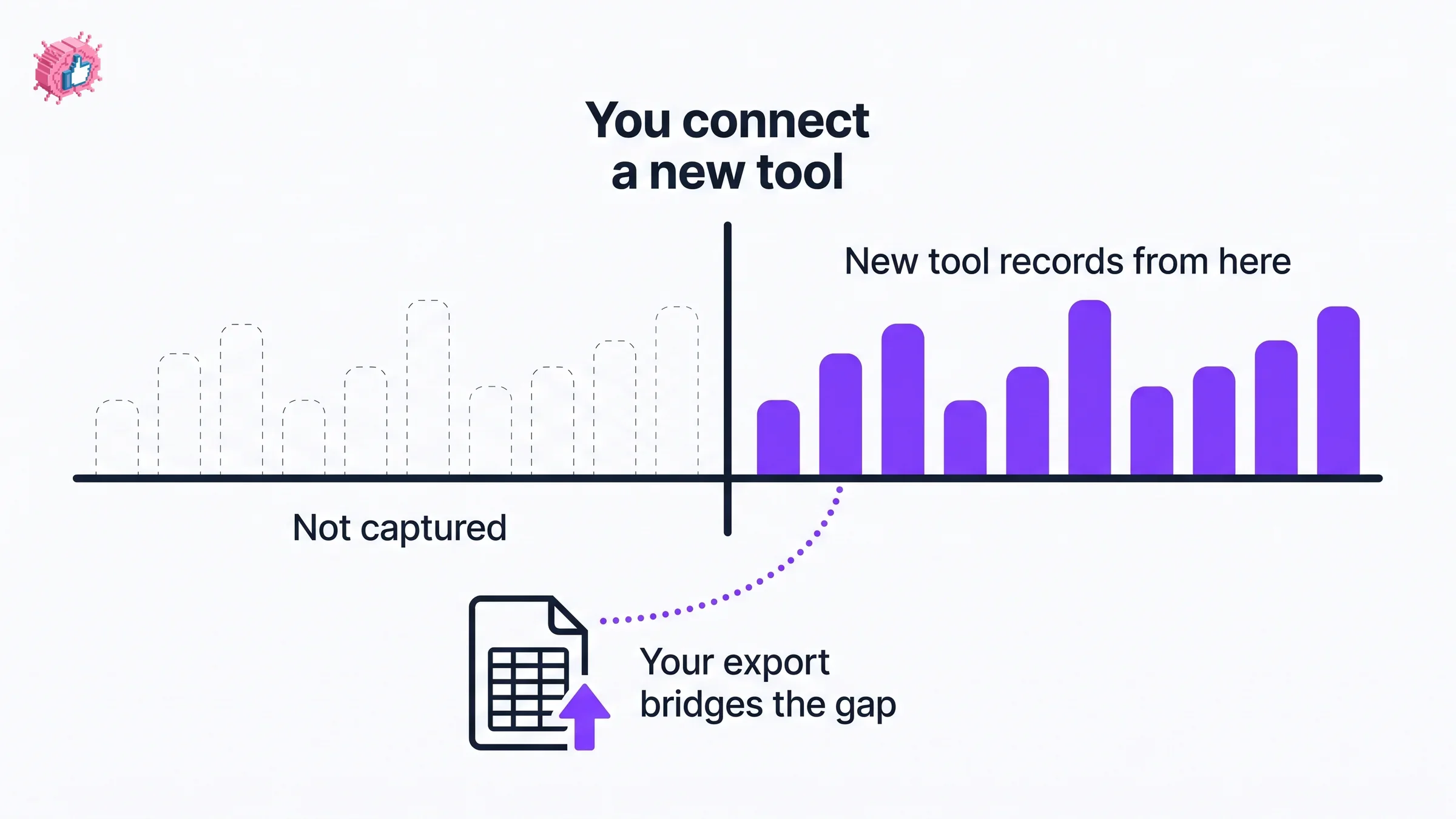
They do not import a competitor's archive, and in most cases they cannot reconstruct much of your earlier performance either, because the data they can reach is bounded by what LinkedIn exposes at the moment you connect.
Three consequences follow.
- Connect your replacement sooner rather than later, even if you are still deciding. The earlier a tool starts recording, the sooner it becomes useful. A free tier you connect this week is worth more than a paid plan you connect next quarter.
- Your exported spreadsheet is the bridge. It is the only copy of your history that is genuinely portable, and it will still open in five years.
- Expect a gap. There will be a period where your new tool has thin history and you are leaning on the export. That is normal, and it is shorter the earlier you start.
If you run reporting for clients, tell them about the gap before they notice it.
Where to go instead
Rather than compress a tool comparison into this guide, we keep a separate roundup that covers the current options with pricing checked against each vendor's own page: the best LinkedIn analytics tools. It covers the dedicated LinkedIn tools, the multi-network platforms, and what LinkedIn's free analytics do and do not cover, with the trade-offs stated plainly.
Two notes for the specific case of moving off Shield.
If what you value is per-post historical depth, look at the tools built around a post archive rather than the broad social-media suites. If your reporting covers a company page rather than a personal profile, the shortlist is different again, and LinkedIn's own Page analytics are free to every Page admin, which is often enough on its own.
If you want a pre-publish signal rather than a post-mortem, that is a different category altogether. ViralBrain scores a draft before you publish it and benchmarks you against creators in your niche, which is a job the reporting tools in that roundup do not do. It is our product, so weigh that accordingly, and the roundup above is written to be useful even if you pick something else.
A sensible order to do this in
- Export your LinkedIn analytics to a spreadsheet, 365-day range, today.
- Log in to Shield and see what is still available to you. Email support@shieldapp.ai about anything you need and cannot reach.
- Decide which job you actually need replaced, using the four categories above.
- Connect a replacement now, on a free tier or trial if you are undecided, so it starts recording.
- Keep the spreadsheet somewhere you will find it again.
FAQ
Is Shield shutting down?
Shield is winding down. Its own notice, checked 1 September 2026, states: "Shield is winding down. Both Google and LinkedIn made it clear that we could not continue operating Shield as it was built." The notice gives no end date, and the login at app.shieldapp.ai is still reachable, so treat your remaining access as finite but do not assume a specific cut-off.
When does Shield stop working?
No date has been published. Shield's wind-down notice does not give a shutdown date, a deadline, or a schedule, and there is no reliable way to work one out from outside the company. If your planning depends on it, contact support@shieldapp.ai.
Can I still export my data from Shield?
Unknown, and worth checking yourself rather than taking anyone's word for it. Shield's notice does not mention exports, and confirming what the app still offers would require signing in to an account, which we cannot do on your behalf. Log in, look for an export option, and email support@shieldapp.ai if you cannot find one.
What is the best Shield analytics alternative?
It depends which part of Shield you use. For per-post historical depth, choose a tool built around a post archive. For reporting across a team or a company page, choose a platform with page-level reporting and exports. For a free baseline that needs no third party, LinkedIn's own analytics cover 365 days with a spreadsheet export. Our LinkedIn analytics tools roundup compares the current options with pricing checked against each vendor's page.
Will my Shield history transfer to a new tool?
Generally no. LinkedIn analytics tools start measuring from the point you connect them, and they do not import another product's archive. This is why exporting your LinkedIn analytics to a spreadsheet matters: that file is the portable copy of your history, and it is the only part of your record that survives a tool change intact.
Is there a free Shield analytics alternative?
LinkedIn's own analytics are the strongest free option and require no third-party connection. Every member gets combined post analytics with ranges up to 365 days and an .XLSX export, per LinkedIn's Help documentation. Several paid tools also offer free tiers or trials, which are covered in the analytics tools roundup.
Why is Shield winding down?
Shield's notice says: "Both Google and LinkedIn made it clear that we could not continue operating Shield as it was built. We decided not to fight it." That is the whole of the public explanation, and this guide does not add to it.
Automate your LinkedIn for 30 days
ViralBrain plans, writes, and schedules your LinkedIn content, using official LinkedIn APIs so your account stays safe.
- Official LinkedIn APIs, no risk of ban
- You approve every post before it goes live
- Cancel anytime
Keep reading
8 best LinkedIn analytics tools in 2026 (prices checked)
The 8 best LinkedIn analytics tools in 2026, with prices checked on each vendor's own page on 31 August 2026. Shield is winding down and Scripe repriced.

LinkedIn competitor analysis: what you can actually see
LinkedIn gives Page admins competitor analytics for one competitor free and up to nine on Premium. Here is exactly what it shows and where it stops.
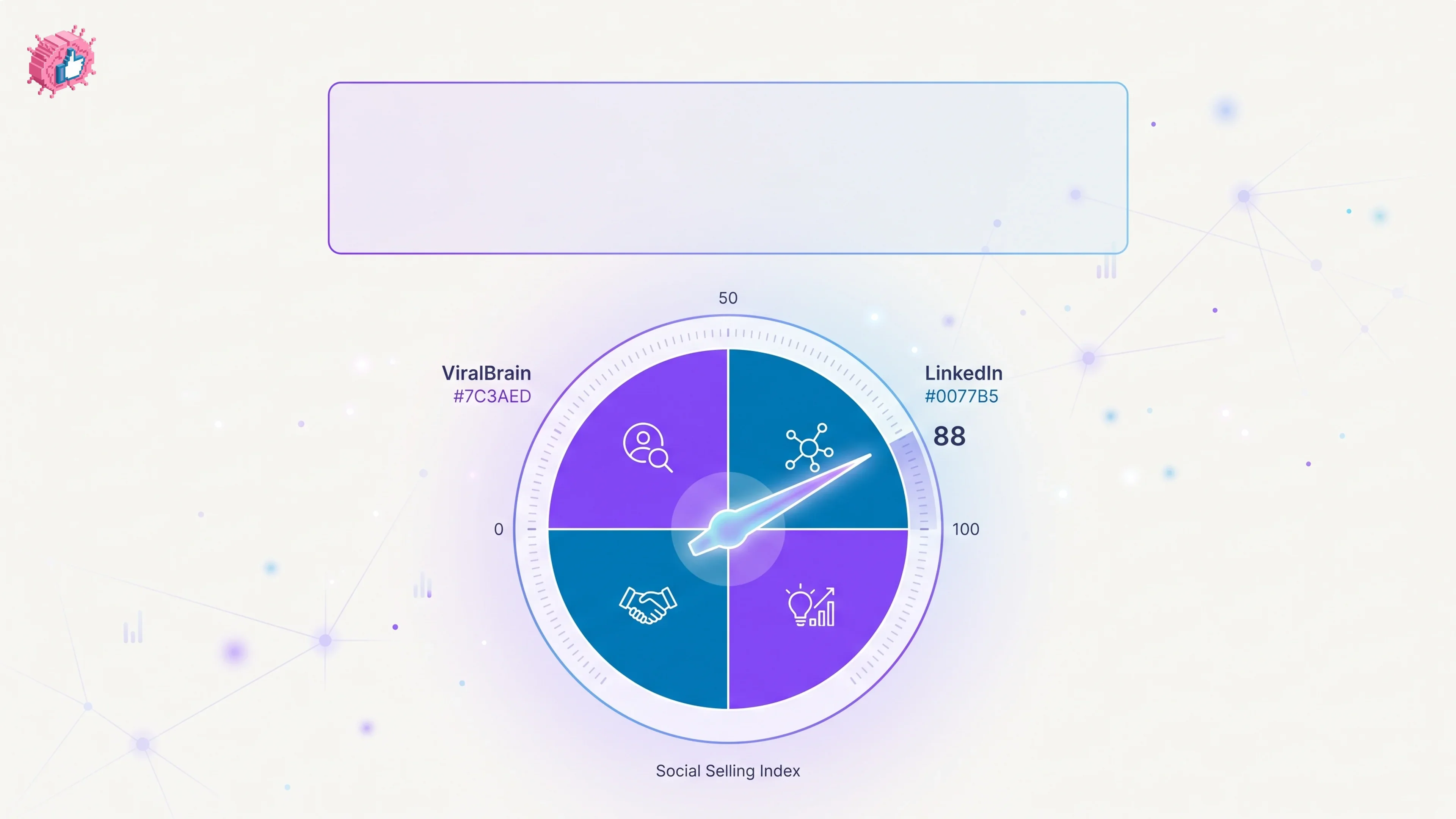
What Is LinkedIn SSI? (Social Selling Index Explained)
LinkedIn SSI (Social Selling Index) scores your profile 0-100 across 4 pillars. Here's how each pillar is scored and how to check your own score.