

How to Monetize Your LinkedIn Newsletter in 2026
Learn how to start, grow, and monetize a LinkedIn newsletter in 2026. Subscriber growth tactics, content cadence, and the paid subscription tools coming next.
LinkedIn is about to let creators charge money for their content, and most people building a LinkedIn newsletter right now have no idea it is coming. Leaked internal strategy documents reviewed by Business Insider (June 2026) show LinkedIn is preparing a full suite of creator monetization tools for fiscal year 2027 (July 2026 to June 2027). Top of the list: paid subscriptions that let creators charge for access to newsletters, podcasts, and paywalled communities.
That changes the math on a LinkedIn newsletter completely. A platform with roughly 1.3 billion users that now runs on creator content is finally building the rails to pay the people producing it. The catch is that paid subscriptions reward audience size, and audiences take months to build. The creators who win the moment paid subs launch are the ones who already have thousands of subscribers and a consistent publishing rhythm today.
This guide shows you how to start a LinkedIn newsletter, grow real subscribers, lock in a content cadence, and position yourself to monetize the second LinkedIn flips the switch. We will also cover the monetization paths you can use right now, while the official paid features are still in development.
Automate your LinkedIn for 30 days
Why a LinkedIn newsletter is the asset to build in 2026
A LinkedIn newsletter is a recurring, subscribable publication you send to followers directly inside LinkedIn. Unlike a regular post that lives and dies in the feed, a newsletter creates a subscriber list, sends a notification to every subscriber on publish, and lands in their LinkedIn inbox. It is the closest thing LinkedIn has to an email list you do not own but can reach on demand.
That distinction matters more now than it ever has. Here is what the leaked roadmap tells us.
According to the internal documents Business Insider reported on, LinkedIn's FY2027 monetization push includes:
- Paid subscriptions: creators can charge for access to newsletters, podcasts, and paywalled communities
- A creator fund: direct payouts to creators producing content on the platform
- A brand dealmaking marketplace: a structured way to connect creators with sponsoring brands. This one shipped as Creator Marketplace on 10 June 2026, per LinkedIn's announcement, ahead of the rest of the list
- One-time paid experiences: standalone paid sessions or content drops
- An events push: LinkedIn has already generated $18.9 million from events and plans to scale to 1,000-plus creators
The headline is simple. LinkedIn's existing monetization is small compared to platforms like YouTube, which paid creators over $100 billion in four years (per LinkedIn's own September benchmarking). The gap is exactly why LinkedIn is investing now, and why early movers have room to win.
"LinkedIn is investing heavily in creators," said Gigi Robinson, a creator with around 35,000 followers in LinkedIn's partner program, in the same Business Insider report. "It is very early stages."
Early stages is the point. Building your LinkedIn newsletter audience now is the single highest-leverage move you can make before the paid features arrive. If you want the full timeline of what is launching and when, our LinkedIn creator monetization roadmap breaks down every leaked feature in detail.
How to start a LinkedIn newsletter (step by step)
Starting a LinkedIn newsletter takes about ten minutes of setup and one good first issue. Here is the exact sequence.
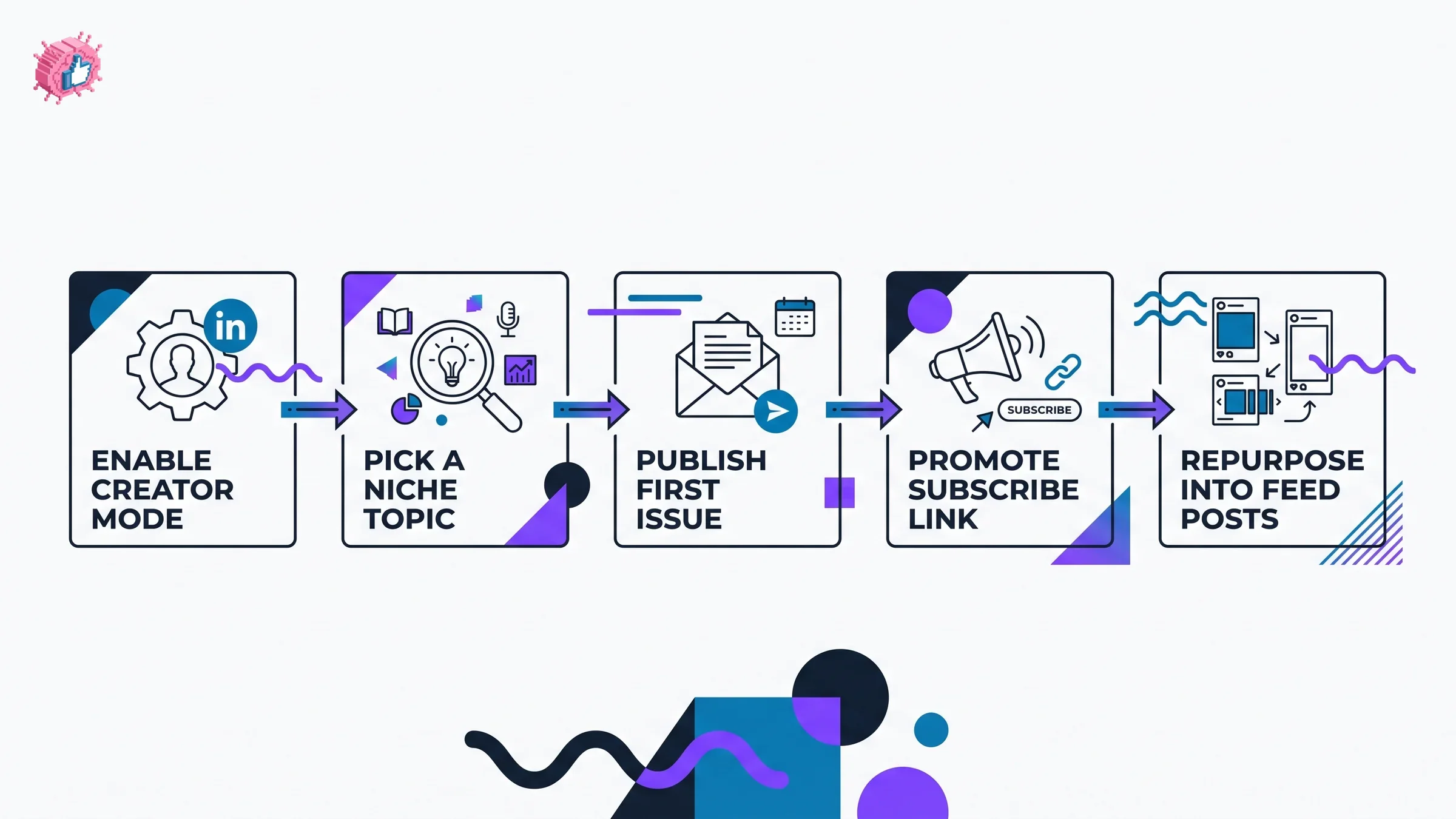
Step 1: Turn on creator mode and check eligibility
LinkedIn gates newsletters behind creator mode and a baseline of account activity (an established profile, a real follower count, and adherence to community policies). Open your profile, find the resources or creator tools panel, and enable creator mode if it is not already on.
Step 2: Pick a narrow, repeatable topic
The biggest mistake is choosing a topic that is too broad. "Marketing" is not a newsletter. "B2B demand-gen experiments for SaaS founders" is. A narrow topic does three things: it makes every issue easier to write, it tells the LinkedIn algorithm exactly who to recommend you to, and it gives a future subscriber a clear reason to pay. If you need help sharpening your positioning, our LinkedIn content strategy guide walks through pillar selection.
Step 3: Name it for the search, not for the clever
Your newsletter title is indexed and shown in the subscribe prompt. Put the benefit and the topic in the name. "The Founder's Growth Memo" beats "Random Thoughts." A clear name converts cold profile visitors into subscribers at a noticeably higher rate.
Step 4: Set a cadence you can actually hold
Pick weekly or biweekly and commit. LinkedIn sends a subscriber notification on every publish, so consistency compounds: each issue is a fresh reach event. We will cover cadence in depth below.
Step 5: Write a first issue that earns the second
Your first issue should deliver one complete, useful idea, not an introduction about yourself. Open with a strong hook, give one tactic or insight readers can use immediately, and close with a single question to drive comments. Use our LinkedIn hook generator to test opening lines before you publish.
Step 6: Promote the subscribe link from your feed
A newsletter does not grow on its own. Every few regular posts, link to your latest issue and prompt people to subscribe. Your feed is the top of the funnel; the newsletter is where you capture the audience.
How to grow LinkedIn newsletter subscribers
Subscriber count is the variable that determines how much you will earn once paid subscriptions launch. Growth comes from two engines running together: feed visibility and conversion.
Engine 1: feed reach. Your newsletter grows fastest when your regular posts reach more people, because every viewer is a potential subscriber. Posting consistently, hooking readers in the first two lines, and posting at the right times all widen the top of the funnel. The best time to post on LinkedIn tool gives you a time-zone-aware posting window so your promotion posts land when your audience is active.
Engine 2: conversion. Reach is wasted if visitors do not subscribe. The highest-converting growth tactics:
- Pin a post that links directly to your newsletter subscribe page
- Add the newsletter to your profile featured section
- End relevant posts with a soft line: "I go deeper on this every week in my newsletter"
- Repurpose your best newsletter sections into standalone feed posts, then link back
- Mention the newsletter in comments when someone asks a related question
Repurposing deserves special attention. Every newsletter issue contains three to five feed posts worth of material, which is exactly the kind of AI content repurposing that keeps your feed active without new ideas. Pull the strongest section, rewrite it as a standalone post with a fresh hook, and publish it midweek. You can draft those repurposed posts in seconds with our LinkedIn post generator, then feed traffic from the post back to the full issue. This loop, newsletter to post to subscriber, is how creators compound an audience without inventing new ideas every day. For the structural side of writing those posts, see our guide on how to write a LinkedIn post.
Content cadence and consistency
Consistency is not a virtue here, it is the mechanism. Because LinkedIn fires a subscriber notification on every publish, each issue is a guaranteed reach event you control. Skip a month and you lose that rhythm, and re-engaging dormant subscribers is far harder than keeping warm ones.
Choose one of these cadences and protect it:
| Cadence | Best for | Subscriber-growth speed | Burnout risk |
|---|---|---|---|
| Weekly | Full-time creators, consultants building a pipeline | Fastest | Higher without a system |
| Biweekly | Founders and operators with a day job | Steady | Low |
| Monthly | Brand-building only, low monetization intent | Slowest | Very low |
Weekly is the growth sweet spot, but only if you have a repeatable production system. The creators who hold a weekly cadence rarely write from scratch each time. They batch. Plan a month of issues in one sitting, draft hooks in advance, and reuse a consistent issue template. A LinkedIn content calendar turns cadence from a willpower problem into a scheduling one.
The data point worth internalizing: a newsletter with 5,000 engaged subscribers and a steady weekly rhythm is worth dramatically more under paid subscriptions than one with 20,000 subscribers and a stop-start history. Engagement and consistency, not raw list size alone, are what convert to paid.
Automate your LinkedIn for 30 days
How to monetize a LinkedIn newsletter: every path compared
Here is the part the leaked roadmap unlocks. There are four realistic ways to monetize a LinkedIn newsletter, two of which you can use today and two that arrive with LinkedIn's FY2027 rollout. Building your audience now is what makes all four viable.
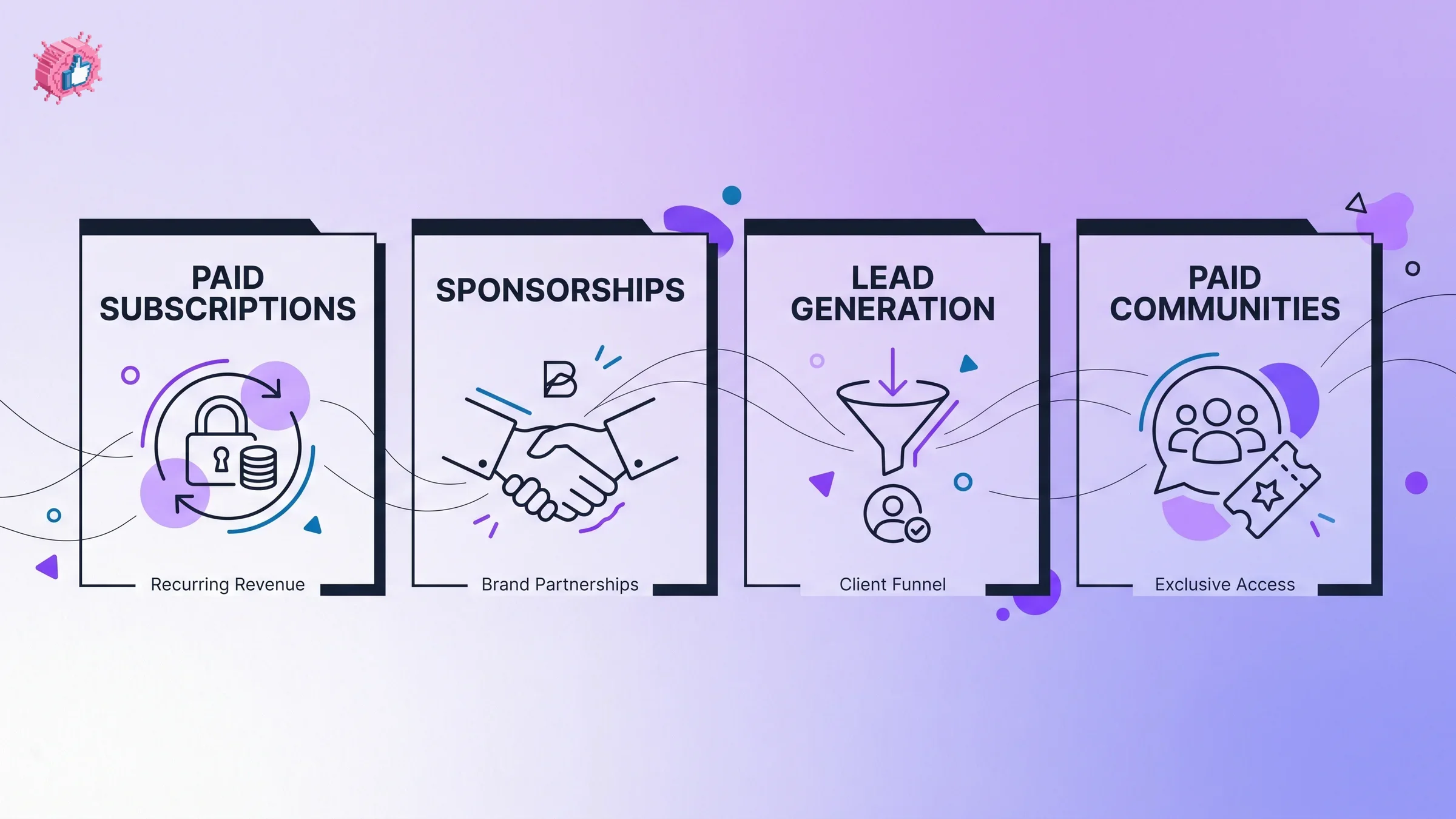
| Monetization method | Available now or coming | What it is | Audience size needed | Revenue ceiling |
|---|---|---|---|---|
| LinkedIn paid subscriptions | Coming (FY2027 per leak) | Charge subscribers a recurring fee for newsletter, podcast, or community access | Mid to large | High, recurring |
| Sponsorships and brand deals | Now (Creator Marketplace live since June 2026) | Brands pay to be featured in or alongside your issues | Small to mid | Medium to high |
| Lead generation | Now | Use the newsletter to win clients for your own services | Small | High per client |
| Paid communities and experiences | Coming (FY2027 per leak) | Paywalled community access or one-time paid sessions | Mid to large | Medium, recurring |
LinkedIn paid subscriptions (the headline feature)
This is the leaked centerpiece. Per the Business Insider report, LinkedIn is building tools to let creators charge for access to newsletters, podcasts, and paywalled communities in FY2027. When it ships, your existing free subscriber list becomes a warm conversion pool: a percentage of free readers will pay for premium issues, archives, or community access. The bigger and more engaged your free list is on launch day, the more paying subscribers you convert on day one. This is the single best reason to grow now rather than wait.
Sponsorships and brand deals
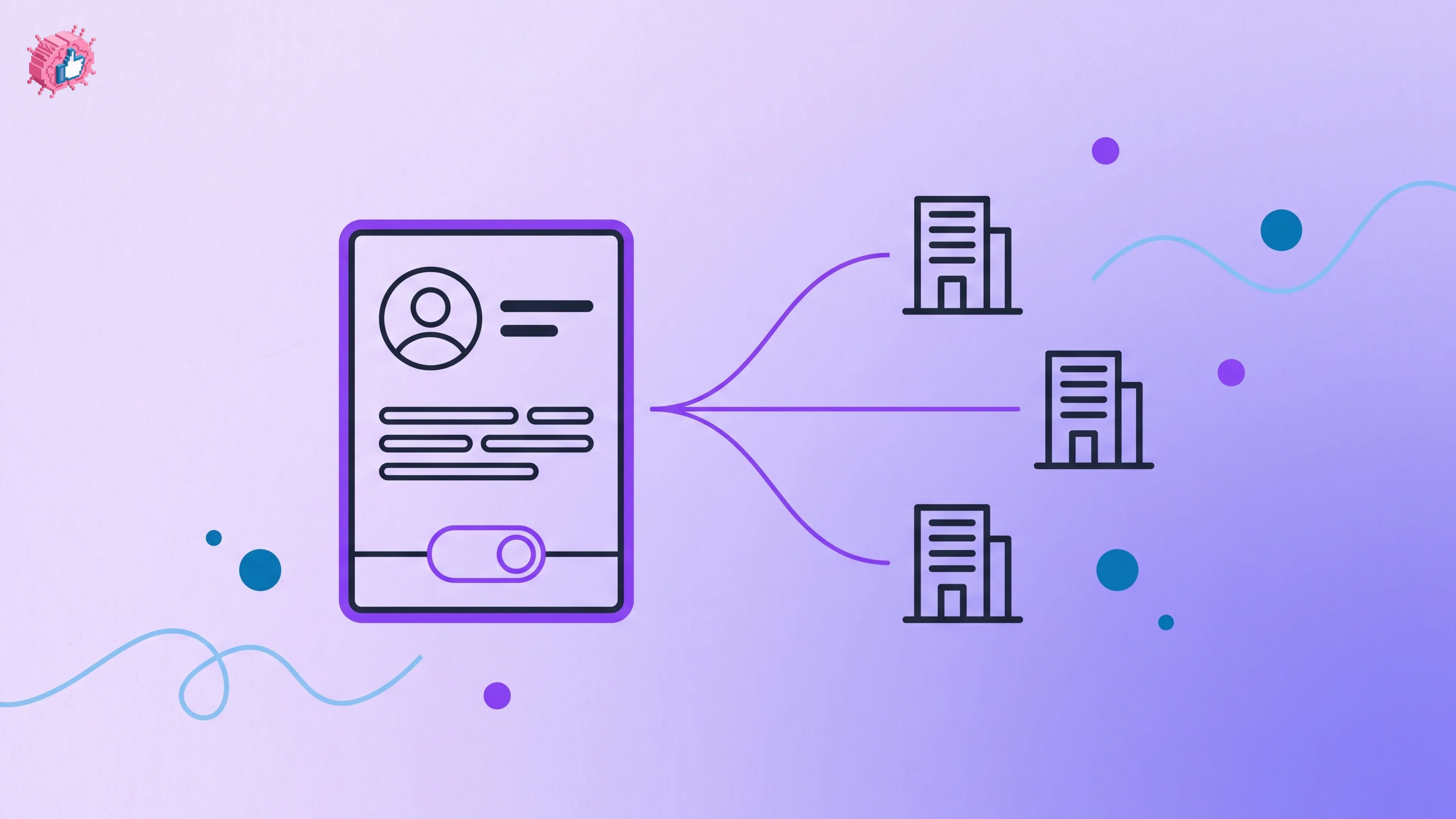
You do not have to wait for a platform feature. Creators with a few thousand engaged newsletter subscribers already land brand sponsorships directly. A brand pays to be featured in an issue or to sponsor a recurring section. LinkedIn's Creator Marketplace, live since June 2026, formalizes this route by letting you opt in to be found by brands, and the direct model works alongside it. A focused newsletter with 3,000 subscribers in a specific niche often commands stronger sponsorship rates than a generic account with ten times the followers.
Lead generation (the fastest revenue today)
For consultants, agencies, and founders, the newsletter is a client-acquisition machine before it is a media business. Each issue demonstrates expertise to exactly the buyers you want, and a single closed client can dwarf months of subscription revenue. If your goal is revenue this quarter rather than next year, lead-gen is the path to optimize first. See our broader breakdown of revenue paths in how to make money on LinkedIn.
Paid communities and experiences
The leak also flags paywalled communities and one-time paid experiences. A newsletter is the natural front door to both: free readers get the issues, paying members get the community, live sessions, or premium drops. LinkedIn's events business has already generated $18.9 million and is scaling to over 1,000 creators, which signals the company is serious about the experiences layer.
How to monetize LinkedIn before paid subscriptions arrive
You do not need LinkedIn's official tooling to start earning from a newsletter now. Three moves bridge the gap until FY2027:
- Sell your own offer. Add one clear call to action per issue that points to your service, course, or consulting. This works at any audience size.
- Run direct sponsorships. Once you pass roughly 2,000 to 3,000 engaged subscribers, reach out to relevant brands with your open rate and audience profile.
- Build a waitlist for paid content. Tell readers premium issues or a community are coming. Capture interest now so you launch paid subscriptions to a primed audience, not a cold one.
The strategic frame is this: every subscriber you add today is an asset that appreciates the moment LinkedIn's paid features go live. For the full sequencing of platform monetization, the how to go viral on LinkedIn guide covers the reach side that feeds your subscriber growth.
LinkedIn newsletter best practices
A few rules separate newsletters that compound from ones that fizzle:
- One idea per issue. Depth beats breadth. A single well-argued tactic outperforms a roundup of five shallow ones.
- Lead with the hook, not the housekeeping. Cut the "in this issue" preamble. Open with the most useful or surprising line.
- Make every issue repurposable. Write sections that stand alone as feed posts. This doubles your content output for free.
- Stay on topic. Topic drift confuses both the algorithm and your subscribers, and it tanks future paid conversion.
- Publish on schedule, every time. The notification on each publish is your reach engine. Protect the cadence above almost everything else.
What this means for you
- Start the newsletter this week, not after the paid features launch. The leaked timeline points to FY2027 (July 2026 to June 2027). Audience built now is audience monetized then.
- Pick a narrow topic and a holdable cadence. Weekly if you have a production system, biweekly if you do not. Consistency beats volume.
- Run the repurposing loop. Turn each issue into feed posts that drive new subscribers, using a library of viral post templates to cut drafting time.
- Monetize with lead-gen and sponsorships today. Do not wait for paid subscriptions to earn. Use the newsletter to win clients and land brand deals now.
- Grow your free list relentlessly. When LinkedIn paid subscriptions ship, your free subscriber count is your launch-day revenue pool.
The window between now and LinkedIn's monetization rollout is the build phase. Use it. ViralBrain helps you draft, repurpose, and schedule the consistent content that grows a newsletter audience, and you can compare plans on the ViralBrain pricing page. A 7-day trial for €1 is available.
Sources: Business Insider, "Internal LinkedIn docs reveal the new features it's cooking up" (June 2026)
FAQ
What is a LinkedIn newsletter?
A LinkedIn newsletter is a recurring publication you send to subscribers directly inside LinkedIn. Every time you publish, LinkedIn notifies all your subscribers and delivers the issue to their inbox, which makes it a reliable reach channel rather than a one-time feed post.
Can you monetize a LinkedIn newsletter in 2026?
Yes, in two ways. Today you can monetize indirectly through lead generation for your own services and through direct brand sponsorships. According to leaked internal documents reported by Business Insider (June 2026), LinkedIn is also building paid subscription tools for fiscal year 2027 that will let creators charge subscribers directly.
When will LinkedIn paid subscriptions launch?
The leaked strategy documents point to LinkedIn's fiscal year 2027, which runs July 2026 to June 2027. LinkedIn has not announced a public launch date, and a creator in its partner program described the effort as "very early stages," so treat the timeline as directional rather than fixed.
How many subscribers do I need to monetize a LinkedIn newsletter?
It depends on the method. Lead generation can pay off with a few hundred targeted subscribers because one client can be worth thousands. Direct sponsorships typically become viable around 2,000 to 3,000 engaged subscribers. Paid subscriptions reward larger, consistent lists, which is why growing now matters.
How often should I publish a LinkedIn newsletter?
Weekly is the fastest growth cadence if you have a repeatable production system, and biweekly is the sustainable choice for founders and operators with a day job. Consistency matters more than frequency, because each publish triggers a subscriber notification that drives reach.
What is the difference between a LinkedIn newsletter and a LinkedIn post?
A post appears once in the feed and reaches whoever the algorithm shows it to. A newsletter builds a subscriber list, sends a notification on every publish, and lands in subscriber inboxes, giving you a repeatable reach channel you partly control. Newsletters are the asset; posts are the top of the funnel that feeds them.
How do I grow my LinkedIn newsletter subscribers faster?
Run two engines at once: increase feed reach with consistent, well-timed posts, and increase conversion by pinning a subscribe link, featuring the newsletter on your profile, and repurposing your best issue sections into standalone posts that link back. Tools like a LinkedIn post generator and a best time to post on LinkedIn tool speed up both.
Is it worth starting a LinkedIn newsletter now if paid features are not live yet?
Yes, and it is arguably the best time. Paid subscriptions reward audience size and engagement, both of which take months to build. Starting now means you launch paid features to a warm, sizable list instead of a cold start, which directly raises your day-one revenue.
Automate your LinkedIn for 30 days
ViralBrain plans, writes, and schedules your LinkedIn content, using official LinkedIn APIs so your account stays safe.
- Official LinkedIn APIs, no risk of ban
- You approve every post before it goes live
- Cancel anytime
Keep reading
LinkedIn's Creator Monetization Roadmap: What Leaked for 2026
LinkedIn creator monetization: the brand-deal marketplace shipped June 2026, while paid subscriptions, a creator fund and events are reported for FY2027.
How to Make Money on LinkedIn in 2026: 9 Proven Ways
How to make money on LinkedIn in 2026: 9 proven ways to earn, from leads and brand deals to BrandLink, plus the leaked FY2027 LinkedIn monetization roadmap.
LinkedIn Creator Marketplace: how creators get found
LinkedIn launched Creator Marketplace on 10 June 2026. What it does for creators, the four controls you get after opting in, and what LinkedIn has not said.