

How to Make AI LinkedIn Posts Sound Human (2026 Playbook)
How to make AI LinkedIn posts sound human in 2026. A practical playbook of edits to humanize AI content, kill the AI tells, and beat the slop problem.
Open LinkedIn for two minutes and you can spot it instantly. The posts that start with "In today's fast-paced world," the ones built on perfectly balanced "It's not just X, it's Y" lines, the ones stuffed with em dashes and tidy three-item lists. That is the look people now call LinkedIn AI slop, and readers have learned to scroll right past it. The problem was never that you used AI. The problem is that you shipped the raw draft.
If you want to make AI LinkedIn posts sound human, the fix is not a secret tool or a magic prompt. It is a short list of concrete edits you run on every draft before it goes live. AI is good at structure and speed. It is bad at specifics, opinions, and the small imperfections that signal a real person typed this.
This is a 2026 playbook of practical edits: how to humanize AI content, the exact AI tells to delete, the em dash giveaway everyone misses, and how to make the words read as authentically yours. Do this well and your AI drafts stop sounding like a press release and start sounding like you, which is the only voice that earns reach, followers, and replies on LinkedIn. If you would rather enforce these edits automatically than run them by hand, a LinkedIn writing style analyzer applies your own always-and-never rules to every draft.
Automate your LinkedIn for 30 days
Why AI LinkedIn posts all sound the same
Large language models are trained to produce the most probable next word. That makes them fluent and safe, and it also makes them average. When thousands of creators feed similar prompts into the same handful of models, they get back the same cadence, the same transitions, and the same hollow confidence. The result is a feed full of posts that are technically fine and completely forgettable.
There is also a measurable shift happening. Originality.ai, which tracks AI content across the web, reported that the share of new articles flagged as AI-generated climbed sharply through 2024 and 2025 as adoption spread. LinkedIn is not exempt. The platform itself has acknowledged the rise of AI-assisted posting, and readers are adapting by tuning out anything that pattern-matches to a template.
That is the trap. AI gives you a draft that looks competent, so you assume it is ready. It is not. A competent draft with no point of view is exactly what gets ignored. If you want the deeper version of why generic AI output fails on this platform, we broke it down in our piece on why LinkedIn AI generators sound the same. The short answer: probability is the enemy of personality.
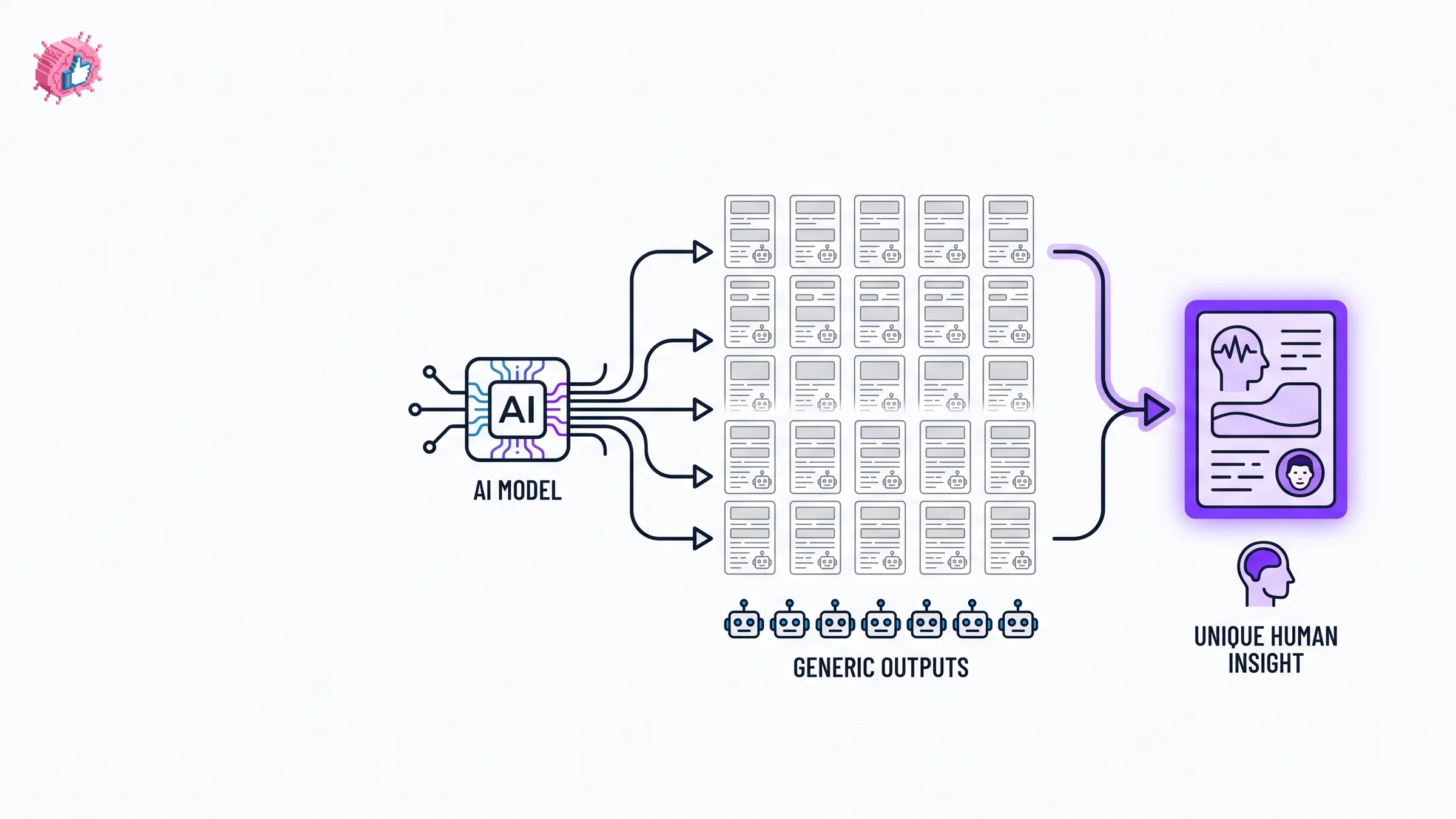
The AI tells readers spot in two seconds
Before you fix anything, you need to know what to hunt for. These are the patterns that scream "a model wrote this," collected from reading thousands of AI drafts. Most of them are easy to delete once you can see them.
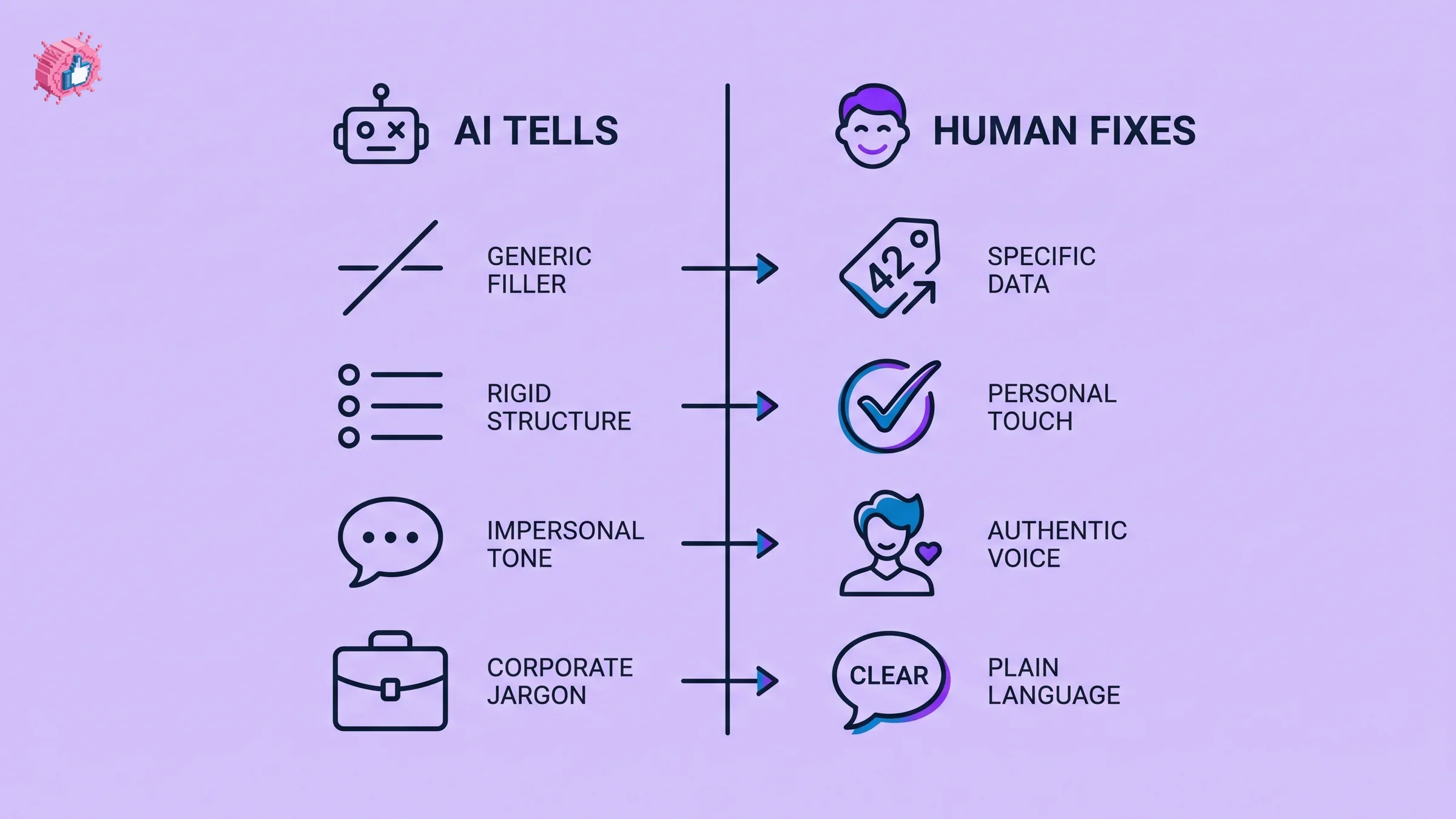
Here is a before and after comparison of the most common AI tells versus the human fix for each one.
| AI tell | What it looks like | The human fix |
|---|---|---|
| The em dash habit | Sentences glued together with em dashes everywhere | Use commas, periods, or parentheses instead. Vary your punctuation |
| The "not just X, it's Y" reveal | "This isn't just a tool, it's a movement" | Cut the construction entirely. State the point plainly |
| Hollow openers | "In today's fast-paced digital landscape" | Open with a specific number, moment, or claim |
| Tidy rule of three | Every list has exactly three balanced items | Use two items, or five. Let lists feel uneven |
| Corporate vocabulary | "Leverage," "delve," "tapestry," "robust," "synergy" | Swap for plain words you actually say out loud |
| Perfectly even sentences | Every sentence the same length and rhythm | Mix long sentences with short ones. Three words. Then a long one |
| No real specifics | "I helped a client grow significantly" | Name the number, the timeframe, the actual situation |
| Wrap-up moralizing | "At the end of the day, it's all about people" | Delete the lesson. Trust the reader to draw it |
| Hashtag stuffing | Eight generic hashtags at the bottom | Use zero to three specific ones, or none |
| Em-dash-driven drama | A pause "for effect" in every line | Effect comes from content, not punctuation tricks |
If you only memorize one row, make it the first. The em dash giveaway is the single most reliable AI tell on LinkedIn right now, and ironically this entire article was written without using a single one. That was a deliberate choice, and you can make the same choice on every draft.
The em dash giveaway, explained
Em dashes are not bad punctuation. Skilled writers use them. The problem is that AI models reach for them constantly, far more often than a typical human writer would, because they are a low-risk way to connect two ideas. When a reader sees three or four em dashes in a five-line post, their brain quietly registers "machine," even if they could not tell you why.
The fix is mechanical and fast. After you generate a draft, search it for em dashes and rewrite each one. A comma works in most cases. A period works when the second half is its own thought. Parentheses work for an aside. Your post will read more naturally and you will have removed the clearest fingerprint AI leaves behind.
This single edit does more for "does a human sound like they wrote this" than almost anything else on the list. It costs you fifteen seconds. Run it every time.
Step 1: Inject specifics AI cannot invent
AI writes in generalities because it does not know your life. "I worked with a founder who struggled with consistency" is the kind of safe, vague sentence a model loves. It is also dead on arrival.
Replace every generic claim with something only you could write:
- a real number ("we went from 4 posts a month to 18")
- a real timeframe ("over the last six weeks")
- a real name or role ("a Series A founder in fintech")
- a real quote ("she told me, 'I have no idea what to post'")
- a real mistake ("I deleted the post twice before publishing")
Specifics are the fastest way to make AI content that sounds human, because no model can fabricate your actual experience without you handing it the details. If your draft has no numbers and no named moments, it has no proof you were there. For framing the kinds of specifics that perform, our how to write a LinkedIn post guide covers the structures that hold a reader's attention long enough to care.
Step 2: Rewrite the first line in your own voice
The opening line decides whether anyone reads the rest. AI almost always gives you a soft, hedging opener because it is trained to be safe. Humans hook with tension, surprise, or a flat claim.
Your job is to throw away the AI hook and write your own. Try:
- a number that stops the scroll ("3 clients fired me last year")
- a contrarian claim ("Posting daily is bad advice")
- a confession ("I faked confidence for two years")
- a moment ("My phone buzzed at 6am with one word: 'fired'")
Then make sure the line breaks before LinkedIn's "see more" cutoff. A strong hook that gets truncated awkwardly loses the click. If you want help generating opener options to react against, the free LinkedIn hook generator gives you raw material, and the viral post templates library shows proven opening structures you can adapt in your voice.
Step 3: Break the rhythm
AI writes in a hypnotically even cadence. Every sentence lands at roughly the same length, every paragraph has the same shape. Humans do not write like that. We ramble, then snap. We write a long winding sentence that builds context and sets up the point, and then we stop short.
To humanize the rhythm:
- delete every third connector word ("therefore," "moreover," "additionally")
- chop one long sentence into two, with one of them very short
- start a sentence with "And" or "But" where it feels natural
- read the post out loud and fix anything you would never say
Reading aloud is the cheapest editing tool you have. If a phrase makes you wince when spoken, it will make a reader wince when scanned. This single pass catches more robotic phrasing than any AI-detection app.
Step 4: Add an opinion the model would never risk
Models are trained to avoid controversy, so they default to balanced, agreeable mush. That neutrality is the death of engagement. People follow and comment because of what you believe, not because you summarized a topic fairly.
Pick one line in your draft and make it sharper than AI ever would:
- take a side ("Engagement pods are a waste of time")
- name a thing you dislike ("I hate the 'thoughts?' sign-off")
- make a prediction ("Most LinkedIn AI slop dies by 2027")
You do not need to be reckless. You need to be willing to be slightly disagreed with. A post that nobody could possibly object to is a post that nobody remembers. This is also where your real positioning shows up, which is the whole point of building a presence here. Our LinkedIn personal branding guide goes deeper on turning opinions into a consistent point of view that compounds.
Automate your LinkedIn for 30 days
Step 5: Cut the AI vocabulary
Some words are now near-instant AI signals because models overuse them. You almost never say these out loud, so they have no business in a post that is supposed to sound like you.
Search and replace these on sight:
- "delve" becomes "look at" or "dig into"
- "leverage" becomes "use"
- "robust" becomes "solid" or just delete it
- "tapestry," "realm," "landscape" become specific nouns
- "elevate," "unlock," "supercharge" become plain verbs
- "navigate the complexities of" becomes "deal with"
Plain language reads as confident. Inflated language reads as a model padding for length. The goal is the way you would explain the idea to a smart friend over coffee, not the way a brochure would phrase it.
Step 6: Vary structure across your posts
Even a perfectly humanized single post falls flat if every post you publish uses the same skeleton. AI nudges you toward one default shape: hook, three bullets, tidy conclusion. Real creators rotate formats.
Mix it across your week:
- a one-line post with a single sharp claim
- a short story with a turn in the middle
- a numbered breakdown that is genuinely uneven
- a question post that you actually answer in the comments
- a "here is what changed my mind" reversal
Structure variation is what separates a feed presence from a content mill. It also keeps the algorithm guessing, since repetitive formats train your audience to skim. For the distribution side of this, the LinkedIn algorithm guide covers how format and dwell time interact with reach in 2026.
A quick word on AI detection
Creators worry about AI linkedin posts detection tools flagging their content. Two things are true. First, public AI detectors are unreliable and produce frequent false positives, which independent testing by outlets including academic researchers has shown repeatedly. You should not write in fear of a tool that misfires on human writing.
Second, the detector that actually matters is the human reader. A person does not run your post through software. They feel the slop in two seconds and scroll. If you pass the human test by adding specifics, opinions, and a real voice, the software question becomes irrelevant. Write for the reader, not the detector.
Before and after: a worked example
Here is a raw AI draft next to a humanized version, so you can see the edits stack.
| Element | Raw AI draft | Humanized version |
|---|---|---|
| Opener | "In today's competitive market, personal branding is more important than ever" | "I had 47 followers and a job I hated. Here's what I changed." |
| Body | "Leverage consistency to unlock your full potential and elevate your presence" | "I posted every weekday for 90 days. Most flopped. Four didn't." |
| Specifics | "Many creators see significant growth" | "Those four posts brought 1,900 followers and 11 sales calls." |
| Opinion | None | "Daily posting is overrated. Four good posts beat twenty filler ones." |
| Close | "At the end of the day, it's all about showing up authentically" | "I still hate writing. I just stopped hating the results." |
The right column is not longer or fancier. It is more specific, more opinionated, and free of the patterns that mark a draft as machine-made. That is the entire job. You can pressure-test your humanized draft before posting with the viral score checker to see how it scores, and use the free LinkedIn post preview to check the line breaks render the way you intended.
Where AI still earns its place
None of this means stop using AI. Used well, AI removes the blank-page problem and handles the boring 80 percent so you can spend your energy on the 20 percent that makes a post yours. The workflow that works in 2026 is simple: let AI draft, then you humanize.
The smarter move is to feed AI better inputs in the first place. A tool that drafts from your actual voice and the patterns of top creators in your niche gives you less to fix on the back end. That is the idea behind the LinkedIn post generator, which starts from real engagement patterns rather than generic averages, so your draft begins closer to human and needs fewer edits to get there.
What this means for you
- Run the em dash sweep first. Search every AI draft for em dashes and rewrite each one. It is the fastest, highest-signal edit you can make.
- Trade two generalities for two specifics. Add a real number and a real moment to every post. No model can fake your experience.
- Plant one opinion per post. Say something a reader could disagree with. Neutral posts get ignored.
- Read it out loud before publishing. If you would never say a phrase, delete it. This catches robotic rhythm instantly.
- Start from a better draft. Feed AI your voice and proven structures so there is less slop to clean up, then polish the formatting with the free LinkedIn text formatter. When you are ready to scale the workflow, see ViralBrain pricing for the full toolkit.
The creators winning on LinkedIn in 2026 are not the ones who avoid AI. They are the ones who refuse to ship the raw draft. Make the edits yours, and the words will read as yours too.
Sources: Originality.ai AI content statistics, LinkedIn Engineering blog, Reuters Institute Digital News Report (2025)
FAQ
How do I make AI LinkedIn posts sound human?
Run a short edit pass on every AI draft: remove em dashes, replace generalities with real numbers and moments, add one clear opinion, vary your sentence rhythm, and cut AI-flavored words like "leverage" and "delve." The goal is to add the specifics and point of view a model cannot invent.
What is the easiest way to humanize AI content fast?
The single fastest edit is the em dash sweep. AI overuses em dashes, so searching your draft and rewriting each one with a comma, period, or parentheses removes the clearest machine fingerprint in under a minute. Adding one real number is the next fastest win.
What are the most common AI tells in LinkedIn posts?
The biggest tells are overused em dashes, the "it's not just X, it's Y" construction, hollow openers like "in today's fast-paced world," tidy three-item lists, corporate words like "delve" and "robust," and a complete lack of specific numbers or named moments. Readers spot these in about two seconds.
Can AI content detection tools flag my LinkedIn posts?
Public AI detectors exist but are unreliable and frequently misfire on genuine human writing, so they are not worth writing in fear of. The detector that matters is the human reader, who feels generic AI slop instantly and scrolls past. Write for the reader and the tool question becomes moot.
Why do all AI LinkedIn posts sound the same?
Language models predict the most probable next word, which makes them fluent but average. When many creators use similar prompts on the same models, they get back the same cadence and phrasing. The fix is to add what only you have: real specifics, real opinions, and your actual voice. We cover this in depth in why LinkedIn AI generators sound the same.
Should I stop using AI to write LinkedIn posts?
No. AI is excellent at beating the blank page and handling structure, which saves real time. The mistake is publishing the raw draft. Let AI draft, then humanize it with specifics, opinions, and rhythm so it reads as yours.
Does using a LinkedIn post generator make my content sound robotic?
Only if you publish the output unedited. A generator that starts from your voice and proven creator patterns, like the LinkedIn post generator, gives you a draft that is closer to human and needs fewer fixes. The humanizing edits in this playbook still apply.
How many hashtags should I use to avoid looking AI-generated?
Use zero to three specific, relevant hashtags. Eight generic hashtags stacked at the bottom is a classic AI-template signal and adds little reach in 2026. Specificity beats volume.
What words should I remove to make AI writing sound human?
Cut "delve," "leverage," "robust," "tapestry," "realm," "elevate," "unlock," "supercharge," and phrases like "navigate the complexities of." These are overused by models and rarely match how you actually speak. Replace them with plain words you would use out loud.
Automate your LinkedIn for 30 days
ViralBrain plans, writes, and schedules your LinkedIn content, using official LinkedIn APIs so your account stays safe.
- Official LinkedIn APIs, no risk of ban
- You approve every post before it goes live
- Cancel anytime
Keep reading
Why LinkedIn Is Full of AI Slop in 2026 (and What Changed)
LinkedIn AI slop now fills the feed because 53.7% of long posts are AI-generated. Here is why it happened and what the 2026 Authenticity Update changed.
Supergrow Alternatives: 5 Better LinkedIn AI Tools in 2026
Looking for Supergrow alternatives? Compare the 5 best LinkedIn AI tools in 2026: ViralBrain, Taplio, AuthoredUp, EasyGen, and Postdrips on pricing, features, and content quality.

Best MCP Servers for Marketers: 7 Worth Installing in 2026
Over 10,000 MCP servers exist. Marketers need about six. Here are 7 MCP servers worth installing, what each actually does, and what they really cost.