

How to Add a Link to a LinkedIn Post Without Killing Reach (2026)
How to add a link to a LinkedIn post without killing your reach in 2026. In-post, first comment, profile, and edit methods compared, plus what really suppresses reach.
You have a post that deserves to be read, and you want to send people somewhere: your newsletter, a case study, a demo. The moment you paste that URL into the body, a familiar worry kicks in. Will LinkedIn bury this?
The worry is not paranoia. Multiple analyses report that posts carrying an external link in the body receive roughly 40 to 50% fewer impressions than an identical post without one, and some put the gap higher. The reason is simple: when a reader taps a link and leaves, they leave LinkedIn's ad inventory behind, and the feed is tuned to keep people on-platform.
But "links kill reach" is also outdated as an absolute rule. The penalty is real but softer than it was, and it depends entirely on how and where you place the link. This guide covers every way to add a link to a LinkedIn post (in-post, first comment, profile, newsletter, and the edit method), shows the real reach trade-off for each, and gives you the placements that work in 2026. For the wider picture of how distribution is decided, the LinkedIn algorithm guide is the companion read.
Automate your LinkedIn for 30 days
The five ways to add a link to a LinkedIn post
There is no single "add link" button that fits every goal. You have five practical methods, and each trades reach against click-through differently.
- In the post body: paste the URL directly into your text. Easiest, most visible, highest reach cost.
- In the first comment: publish the post link-free, then drop the URL in the first comment within seconds.
- On your profile: use the featured section or your headline link so the destination is always one tap away, no per-post cost.
- Via a LinkedIn newsletter or article: keep the click on-platform first, then route deeper.
- The edit method: publish clean, let the post gather early engagement, then edit the link in afterward.
Each of these is a legitimate way to add a LinkedIn link in post. The right choice depends on whether you care more about raw impressions or qualified clicks, and how you write the LinkedIn post around it.
Do external links actually suppress reach in 2026?
Short answer: yes, but less than the internet folklore claims, and only when the link sits in the body.
Here is what the public data and practitioner reporting agree on:
- There is a real penalty. Posts with a body link consistently receive lower initial distribution than link-free posts. The commonly cited range is a 40 to 50% impression reduction, occasionally reported nearer 60%.
- It is softer than it used to be. Several 2025 algorithm breakdowns note that link posts are "no longer condemned to low reach" the way they were a few years ago. The mechanism is a ranking bias, not a hard shadowban.
- Placement is the variable you control. A link in the body costs reach. A link in the first comment costs little to nothing, because the body that the algorithm scores first is link-free.
The driver is dwell time and on-platform behavior. The algorithm watches whether your post earns comments, saves, and reading time in the first few hours, and it would rather not hand reach to a post that immediately exports the audience. In practice, comments outweigh likes and the early window decides distribution, so a post that exports its audience too fast tends to plateau.
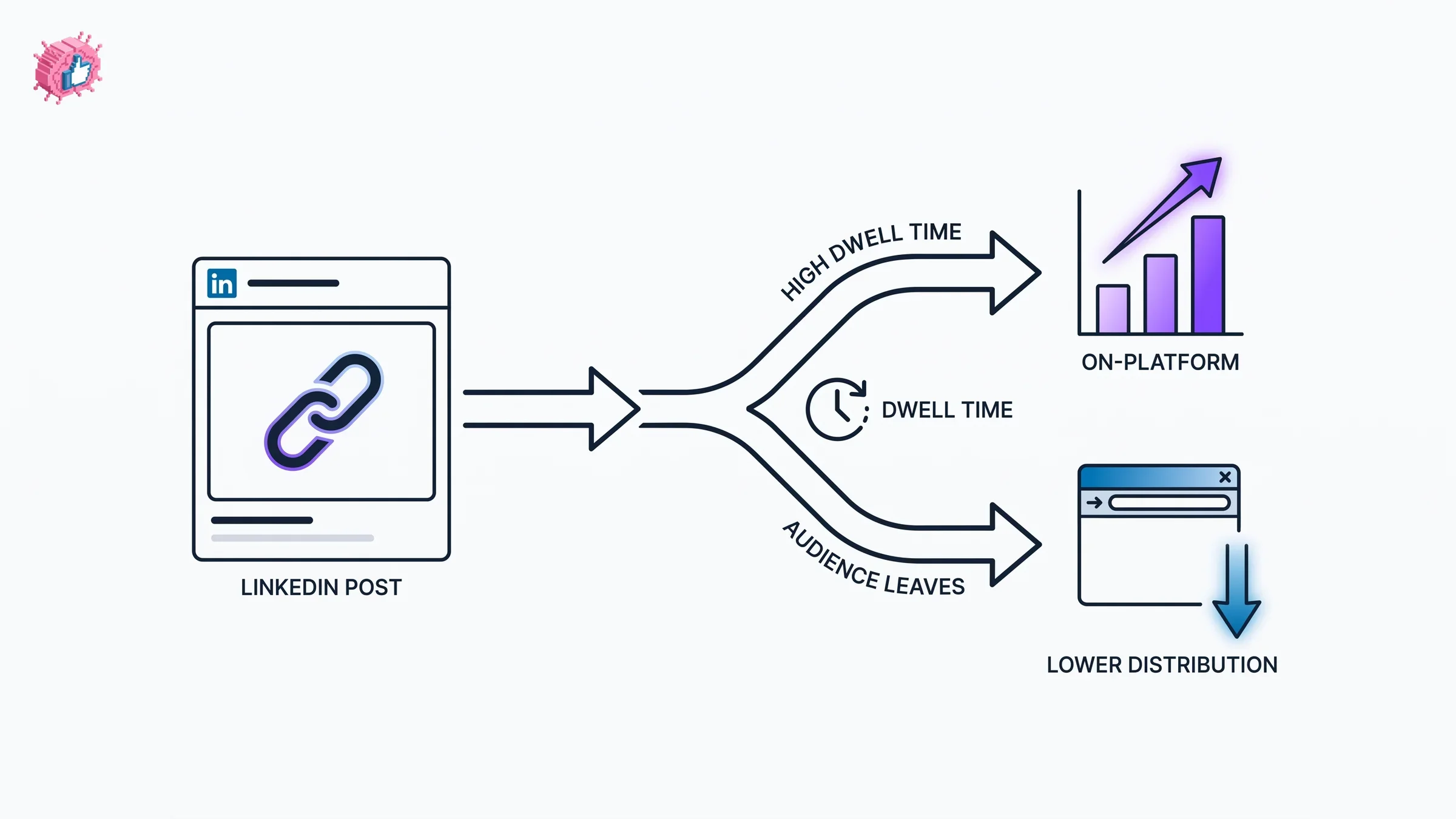
So the question is not "should I ever link?" It is "how do I link so the reach hit is acceptable for the click I need?" That is a placement decision, and the table below makes the trade-off concrete.
Link placement vs reach impact: the comparison table
This is the core decision. The figures below are directional, drawn from public algorithm analyses and creator reporting, not from a single official LinkedIn number. Treat them as relative ranking, not precise guarantees.
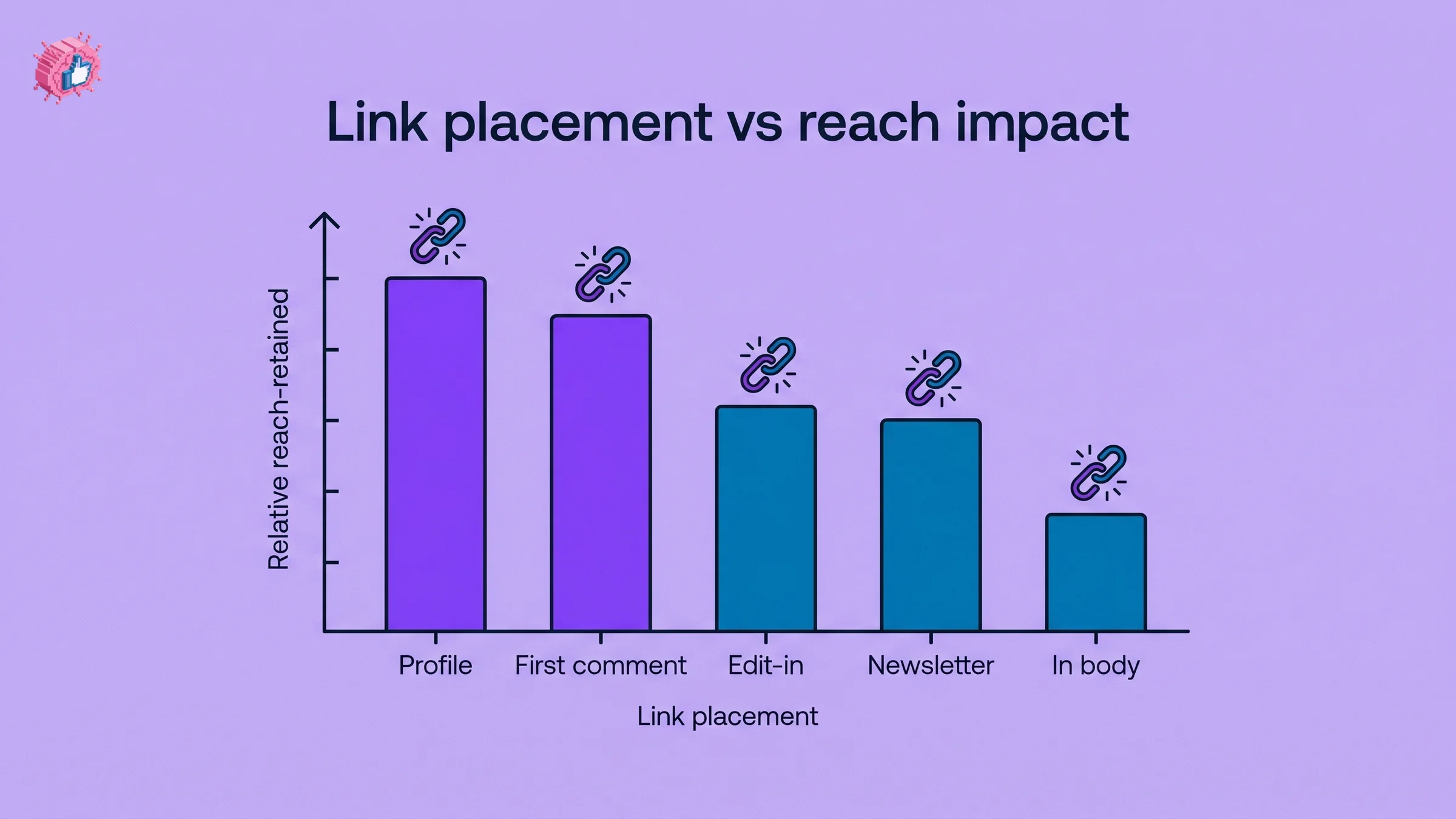
| Link placement | Reach impact | Click-through | Effort | Best for |
|---|---|---|---|---|
| In the post body | High reduction (~40 to 50% fewer impressions) | Highest, link is right there | Lowest | Posts where the link is the whole point and reach is secondary |
| First comment | Minimal reduction | Medium, requires "link in comments" nudge | Low, post comment within seconds | Most creators most of the time |
| Profile featured / headline | None per post | Low to medium, passive | One-time setup | Always-on lead capture, evergreen funnel |
| LinkedIn newsletter / article | Low, click stays on-platform first | Medium to high, warm audience | Medium | Long-form, nurturing, repeat readers |
| Edit-in after posting | Low if done after early engagement | Medium | Medium, needs timing | Maximizing both early reach and eventual clicks |
The pattern is clear. If you want the cleanest balance of reach and clicks, the first comment method wins for most posts, and the profile method removes the per-post cost entirely. Before you publish either way, it helps to see the post exactly as the feed will render it, which is what the LinkedIn post preview tool is for.
Method 1: link in the first comment (the default for most creators)
The link in first comment LinkedIn approach is the most reliable middle ground. The body stays link-free, so the algorithm scores it as a pure content post, and the link rides along underneath.
How to do it well:
- Write the post with no URL in the body. End with a one-line nudge: "Link in the comments" or "Dropped the full breakdown below."
- Post the comment within 30 seconds. Speed matters because early readers should find the link immediately, and the first comment tends to stay pinned to the top.
- Make the comment itself useful, not just a bare URL. A sentence of context plus the link reads less spammy and earns its own engagement.
- Reply to that comment if needed to keep it surfaced as more comments arrive.
The trade-off: you lose some clicks because readers have to take an extra tap. But you keep the reach that would have funded those clicks in the first place. For a high-distribution post, a smaller click rate on a much larger audience usually wins.
Automate your LinkedIn for 30 days
Method 2: link in the post body (when reach is not the goal)
Sometimes the link is the entire point. A product launch, a webinar registration closing tonight, a job posting. In those cases, accept the reach cost and put the URL in the body where every reader sees it.
To soften the hit:
- Lead with genuine value in the first two lines so the post earns engagement before anyone notices the link. The hook still decides everything, so test your opener with a LinkedIn hook generator before posting.
- Add more than one resource. Some analyses suggest that a post with four or more relevant links reads as a resource roundup, not a promotion, and the algorithm treats it more kindly than a single naked CTA link.
- Keep the link relevant to the post. A jarring off-topic link tanks both trust and dwell time.
This method is the right call maybe one post in five. The rest of the time, a body link is leaving reach on the table for clicks you could have captured another way.
Method 3: profile, featured section, and headline links
The most underused option is the one that costs zero reach per post: your profile. Every post you publish drives some readers to click your name, and that profile click is a chance to route them onward without ever touching a post-level penalty.
Three profile placements:
- Featured section: pin a link post, newsletter, or external link card to the top of your profile. It is the first thing a curious reader sees.
- Headline: your headline is searchable and persistent. While you cannot make it a clickable hyperlink, you can point to "newsletter in featured" and make the path obvious. A sharper headline also lifts profile clicks overall, which is what the LinkedIn headline generator helps with.
- About / contact info: your website field and the contact card both hold real, clickable URLs that never expire.
This is a strategy, not a per-post tactic. Set it up once, then let every post quietly feed it. It pairs naturally with a strong profile narrative, which the LinkedIn personal branding guide walks through.
Method 4: the edit-in method
The edit method tries to have it both ways: full reach early, link later.
The sequence:
- Publish link-free. The post enters the feed as a clean content post and gets its full initial distribution.
- Let early engagement build for the first hour or two, while comments and saves accumulate.
- Edit the post and add the link once the early window has done its work.
The logic is that the algorithm's heaviest scoring happens in the first hours, so a link added afterward arrives after the reach decision is mostly made. Worth being honest about the evidence: LinkedIn does not document any penalty for editing a published post, and there is no measured penalty in public data, but claims that editing "resets" or "kills" distribution are also unconfirmed. Treat the edit method as low-risk and reasonable, not as a guaranteed exploit.
A practical hybrid many creators use: first comment for the link, profile featured as the permanent backup, and the body kept clean. That covers reach, clicks, and evergreen capture at once.
What this means for you
- Default to the first comment for any post where reach matters more than a marginal click. It is the lowest-cost way to add a linkedin link in post without paying the body penalty.
- Reserve body links for posts where the click is the goal, and soften the hit with a strong hook and multiple relevant resources.
- Set up your profile featured section once so every post passively feeds a clickable destination at zero per-post cost.
- Lead with value, always. A link only matters if the post earns reach first, so check your reach odds with the viral score checker before you publish.
- Stop guessing about reach. Compare your real numbers against the LinkedIn engagement benchmarks so you know whether a link actually cost you, or whether the post was weak to begin with.
If you want help drafting posts that earn enough reach to carry a link, ViralBrain generates and scores LinkedIn content built on patterns from top-performing posts, and a free trial is available on the pricing page.
Sources: AuthoredUp LinkedIn Algorithm 2025, Gromming: LinkedIn External Links Penalty, OST Marketing: Posting Links Without Losing Reach, The Growth Engine: Stop External Links From Killing Reach, LinkedIn link and reach analysis (2025 to 2026)
FAQ
How do I add a link to a LinkedIn post?
You can paste the URL directly into the post body, add it in the first comment, or place it in your profile's featured section. The first comment method is the most popular because it preserves more reach than a body link while still giving readers access to the destination.
Does adding a link to a LinkedIn post reduce reach?
Yes, but mostly when the link is in the body. Public analyses report body-link posts get roughly 40 to 50% fewer impressions than link-free posts. A link in the first comment carries little to no penalty because the body the algorithm scores stays clean.
Is the link in first comment LinkedIn method still effective in 2026?
Yes. Putting the link in the first comment and referencing it in your copy remains the most reliable way to share a link without the body penalty. Post the comment within about 30 seconds of publishing so early readers find it immediately.
Does editing a LinkedIn post to add a link hurt distribution?
LinkedIn does not document a penalty for editing a published post, and there is no measured penalty in available data. Adding a link after the early engagement window is a low-risk way to keep full initial reach, though claims that editing "resets" the algorithm are unconfirmed.
How many links can I put in a LinkedIn post?
There is no hard cap, but a single body link reads as promotional. Some analyses suggest four or more genuinely relevant links signal a resource roundup rather than a sales push, which the algorithm tends to treat more favorably than one naked CTA link.
Where should I put a link if I want maximum clicks?
The post body delivers the highest click-through because the link is right in front of every reader. Accept that this costs reach, then offset it by leading with a strong hook so the post earns distribution before readers reach the link.
Can I make my LinkedIn headline a clickable link?
No. Your headline is plain text and not hyperlinkable. For always-on clickable links, use your featured section, the website field in contact info, or a LinkedIn newsletter, none of which carry a per-post reach cost.
How much does a tool like ViralBrain cost to help with LinkedIn posts?
ViralBrain has a free trial and paid plans listed on the pricing page. It generates and scores posts using patterns from high-performing LinkedIn content, and there are also free tools like the LinkedIn post generator you can use without an account.
Automate your LinkedIn for 30 days
ViralBrain plans, writes, and schedules your LinkedIn content, using official LinkedIn APIs so your account stays safe.
- Official LinkedIn APIs, no risk of ban
- You approve every post before it goes live
- Cancel anytime
Keep reading
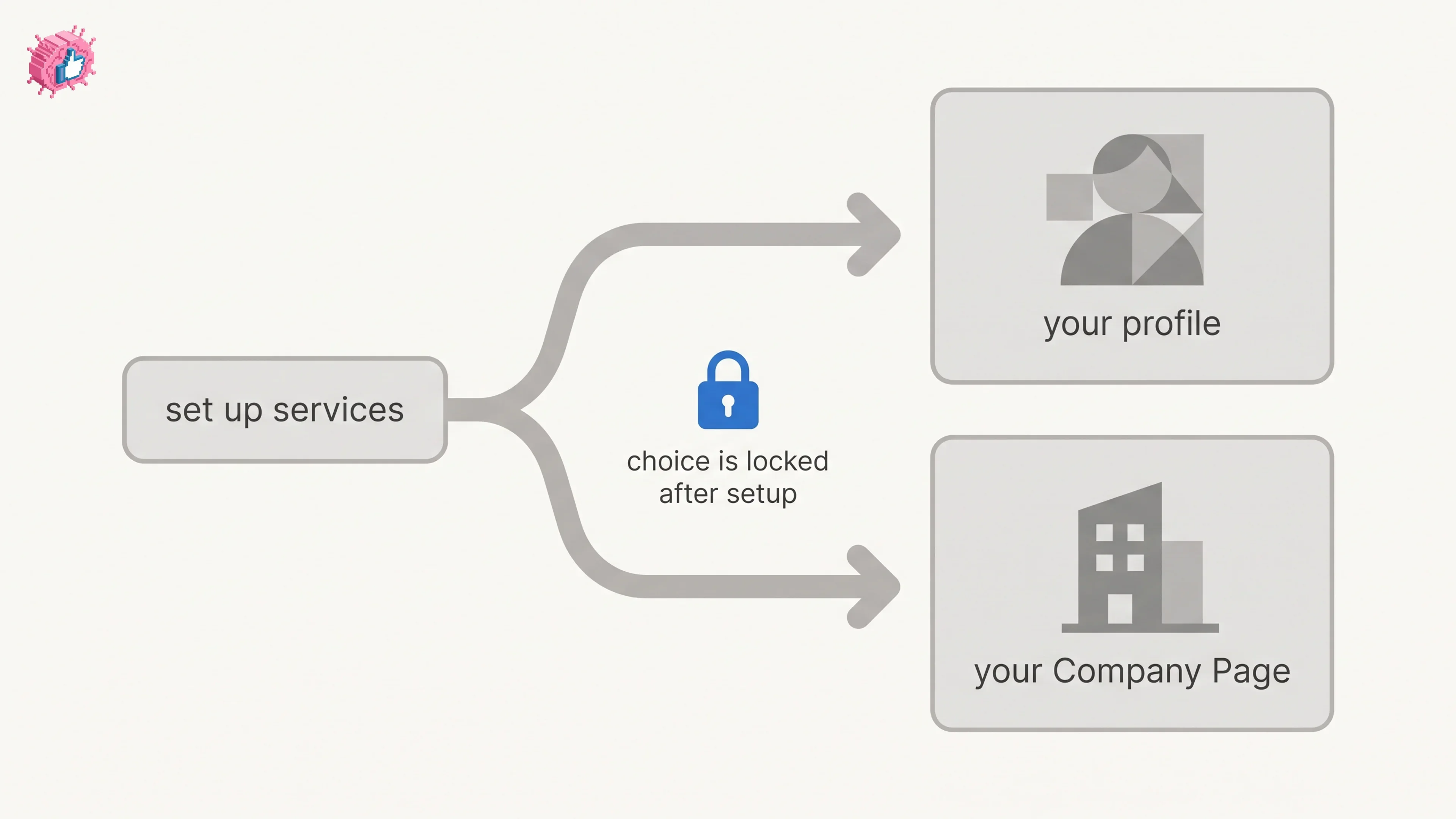
LinkedIn Service Page: setup, pricing, and the one-way choice
LinkedIn Service Pages are free for freelancers and consultants, but choosing profile or Company Page is locked once set. Setup steps and Premium limits.
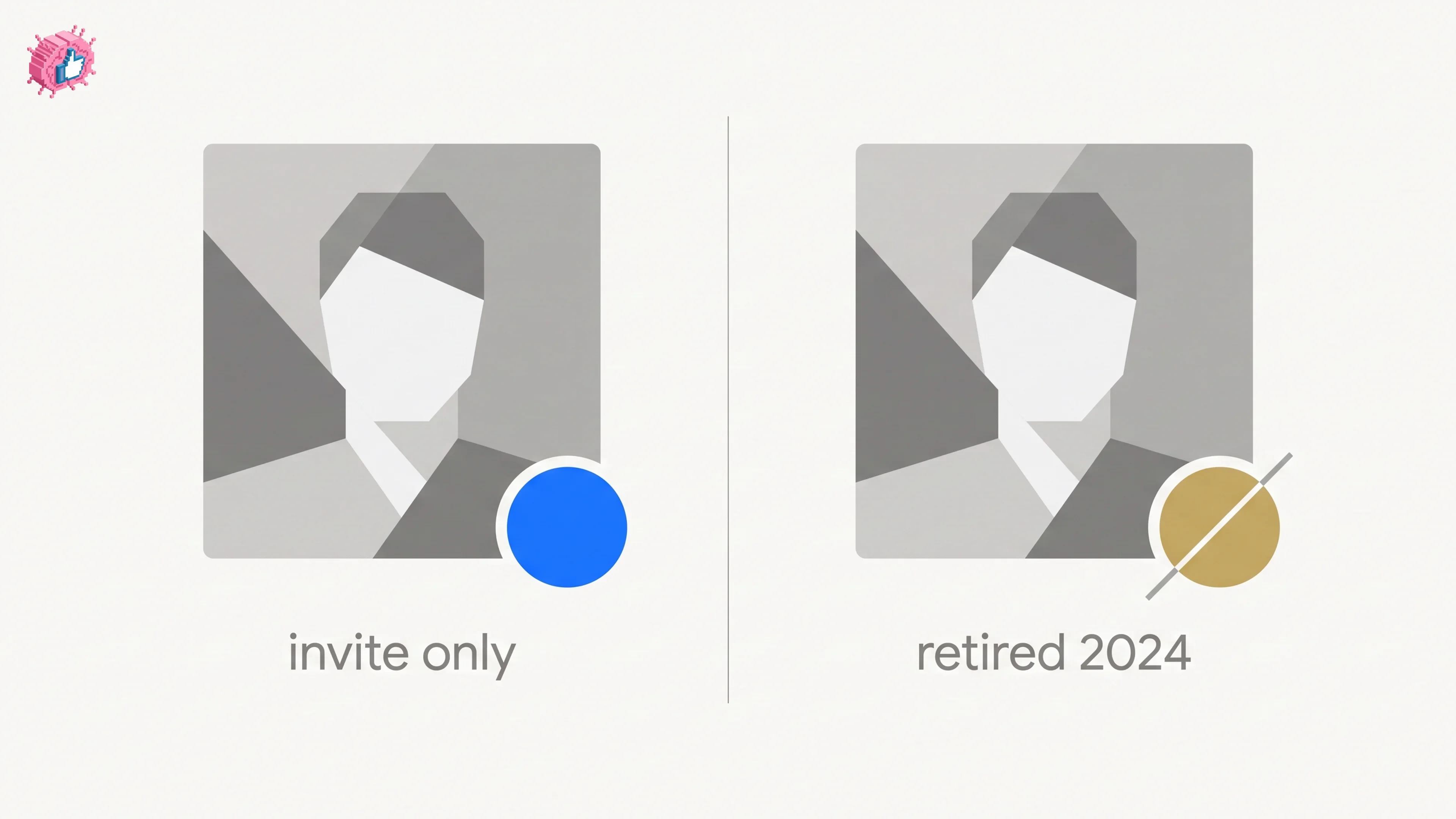
How to become a LinkedIn Top Voice: what LinkedIn actually says
LinkedIn Top Voice is invite-only and the gold Community badge was retired in October 2024. The five selection factors, and the nomination form.
LinkedIn collaborative posts: how they work and who can use them
LinkedIn announced collaborative posts globally in July 2026, but help still limits creation to early access. How to add collaborators, and the limits.